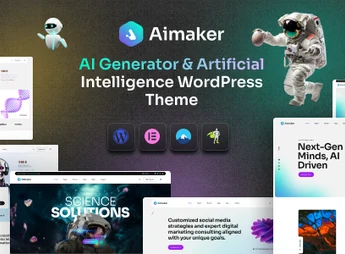
Description
Aimaker is a premium WordPress theme designed for artificial intelligence agencies, technology startups, SaaS platforms, and machine learning companies. Ideal for those who want a modern, professional, high-performance website, it combines no-code visual building, dozens of ready-to-use demos, and extensive customization, enabling you to launch a sophisticated digital presence quickly and without technical complications.
Key Features
- Elementor Builder
Drag-and-drop editor with more than 50 custom widgets for creating unique layouts without writing code. - 22+ Pre-built Demos
More than 22 demo websites tailored for AI agencies, with over 25 ready-to-use inner pages. - One-Click Import
Install any complete demo in seconds and start editing the content immediately. - Header and Footer Builders
Create fully customized headers, footers, and mega menus directly from the visual panel. - WooCommerce Integration
Compatible with WooCommerce for selling products and services through a fully functional store. - Multilingual Support
Native compatibility with WPML and Polylang for creating websites in multiple languages.
Aimaker Benefits
- No Coding Required
Designed for users without technical knowledge, allowing fully visual and intuitive editing. - Quick Setup
Demo content, detailed documentation, and video tutorials speed up website launch. - Performance-Focused
Built on a flexible, reliable framework optimized for fast loading and strong performance. - Unlimited Customization
Advanced color, typography, and style options to adapt every detail to your visual identity.
Who Is It For?
- Artificial intelligence agencies and technology startups
- SaaS, machine learning, and process automation companies
- Software, data analytics, and cybersecurity companies
With modern design, a wide variety of demos, and powerful visual tools, Aimaker is the ideal choice for transforming ideas into a professional AI website. Quick to set up and easy to customize, it puts your technology agency ahead with a striking, high-impact digital presence.
Frequently asked questions
Is Aimaker – AI Agency & Technology WordPress Theme GPL-licensed?
Yes. Aimaker – AI Agency & Technology WordPress Theme is distributed under the GPL (GNU General Public License). You may legally use, modify and redistribute it on as many sites as you want.
Can I use Aimaker – AI Agency & Technology WordPress Theme on multiple sites?
Yes. You can install Aimaker – AI Agency & Technology WordPress Theme on as many sites as you want. Only automatic updates through Ultrapack Auto Updater have a limit: from 3 to 80 sites, depending on the plan.
How much does Aimaker – AI Agency & Technology WordPress Theme cost at Ultrapack?
Aimaker – AI Agency & Technology WordPress Theme costs US$2.99 as a single purchase, and it is also included in the subscription plans starting at US$12/mo (VIP I).
Does Aimaker – AI Agency & Technology WordPress Theme include updates?
Yes. The current version of Aimaker – AI Agency & Technology WordPress Theme is 1.0.0, published at Ultrapack on Jul 23, 2026. Subscribers update straight from the WordPress dashboard with UAU (Ultrapack Auto Updater).
Is Aimaker – AI Agency & Technology WordPress Theme scanned before publication?
Yes. Every version of Aimaker – AI Agency & Technology WordPress Theme goes through a malware scan (ClamAV and YARA rules, at UltraHub) before it is published.
How to install
Updates: manual. When a new version comes out, download it on this same page and upload it over the old one; WordPress asks whether you want to replace the current version.
The file on this page is the developer’s full package, with documentation, demos and plugins. Do not upload that file to WordPress. The theme comes ready inside it, as a ZIP of its own, and that is the one you upload.
- Download the file
elements-aimaker-ai-agency-technology-wordpress-theme.zipand extract it on your computer. - Look inside the extracted files for the file
Aimaker_FullPackage/Theme Install/aimaker.zip. - In the WordPress dashboard, go to Appearance > Themes > Add New > Upload Theme.
- Select that file and click Install Now.
- Click Activate.
- There is nothing to zip. The ZIP inside the package is already in the format WordPress accepts.
- Uploading the whole package is the most common mistake when installing a theme: WordPress answers that no valid theme was found, and nothing is installed.
- The rest of the package belongs to the author: documentation, demo files and, in some themes, the plugins it asks for during setup.
Stuck on a step? Open a ticket telling us which one you stopped at.