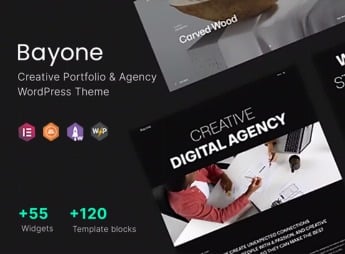
Description
Alice is a WordPress theme that structures portfolios and sites for agencies and creative professionals, allowing the display of work with modern layouts and functionality tailored to each project. This theme is ideal for those seeking a sophisticated online presence, focusing on visual design and intuitive navigation to present services and projects in an impactful way.
Main Features of Alice
- Responsive design: Ensures your site adapts perfectly to any device, from desktops to smartphones.
- Creative portfolio concept: Showcases your projects with dynamic layouts and customizable display options.
- Custom pages: Allows creation of unique sections for services, about me, and contact, with full control over content.
- Modern UI elements: Includes elegant visual components that enhance aesthetics and user experience.
- Integration with visual builders: Simplifies page assembly and editing without the need for programming knowledge.
Benefits of Alice
- Professional presence: Create a site that conveys professionalism and creativity, standing out in the market.
- Simplified editing: Manage your portfolio content and design intuitively, saving time and effort.
- Impactful presentation: Showcase your work with elegance, attracting the attention of potential clients and collaborators.
- Design flexibility: Adapt the theme to your specific needs, creating a unique look aligned with your brand.
Who is Alice recommended for?
- Those looking to create an impressive online portfolio for advertising and design agencies.
- Freelance professionals who want to showcase their projects and services elegantly.
- Creative studios needing a modern, functional website to attract new clients.
How to Download Alice
Alice is available for download here on Ultrapack. After downloading the .zip file, install it via Appearance > Themes > Add New > Upload Theme, select the .zip and activate. The file is complete and ready for immediate installation, allowing you to configure your new site quickly.
This theme is designed to empower agencies and freelancers to build a robust, visually appealing digital presence. With flexible customization tools and a clear focus on portfolio presentation, it provides the necessary infrastructure to turn visitors into potential clients, ensuring that your work is showcased in the best possible way. Alice is a strategic solution for those seeking excellence in design and functionality, allowing focus to remain on creativity and projects.
Frequently asked questions
Is Alice – Agency & Freelance Portfolio Theme GPL-licensed?
Yes. Alice – Agency & Freelance Portfolio Theme is distributed under the GPL (GNU General Public License). You may legally use, modify and redistribute it on as many sites as you want.
Can I use Alice – Agency & Freelance Portfolio Theme on multiple sites?
Yes. You can install Alice – Agency & Freelance Portfolio Theme on as many sites as you want. Only automatic updates through Ultrapack Auto Updater have a limit: from 3 to 80 sites, depending on the plan.
How much does Alice – Agency & Freelance Portfolio Theme cost at Ultrapack?
Alice – Agency & Freelance Portfolio Theme costs US$2.99 as a single purchase, and it is also included in the subscription plans starting at US$12/mo (VIP I).
Does Alice – Agency & Freelance Portfolio Theme include updates?
Yes. The current version of Alice – Agency & Freelance Portfolio Theme is 2.0.4.1, published at Ultrapack on Jul 31, 2017. Subscribers update straight from the WordPress dashboard with UAU (Ultrapack Auto Updater).
Is Alice – Agency & Freelance Portfolio Theme scanned before publication?
Yes. Every version of Alice – Agency & Freelance Portfolio Theme goes through a malware scan (ClamAV and YARA rules, at UltraHub) before it is published.
How to install
Updates: manual. When a new version comes out, download it on this same page and upload it over the old one; WordPress asks whether you want to replace the current version.
The file on this page is the full package the author publishes on the marketplace: the theme, the documentation and sometimes the plugins it uses. Do not upload that file through the dashboard, because WordPress cannot find the theme inside it. What gets installed is the theme folder, which is in there.
- Download the file
themeforest-11302841-alice-agency-freelance-portfolio-theme.zipand extract it on your computer. - If the extracted package contains another ZIP file named after the theme, extract that ZIP as well before looking for the theme folder.
- Look for the folder that has the
style.cssfile and thescreenshot.pngimage (in this item, the folderaz_alice). That is the theme folder. - Zip that folder only. Do not use RAR.
- In the WordPress dashboard, go to Appearance > Themes > Add New > Upload Theme and upload the ZIP file you just created.
- Click Activate.
- Uploading the whole package is the most common mistake when installing a theme. WordPress answers that no valid theme was found, and nothing is installed.
- If after extracting you already find
style.cssandscreenshot.pngin the main folder, that folder is the theme folder. - The rest of the package belongs to the author: documentation, demo files and, in some themes, the plugins it asks for during setup.
Stuck on a step? Open a ticket telling us which one you stopped at.