

 UAU Ready
Description
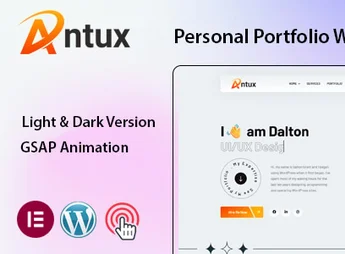
Antux is a theme focused on personal portfolios, online vCards, and digital résumé pages, with a dark typographic layout, smooth animations, and ready blocks to list projects, skills, and professional history. Built on Elementor, it organizes hero, about, services, portfolio, and contact sections as editable templates in the visual builder, eliminating code editing for customizing colors, typography, and page structure.
Key Features
- Built via Elementor
Pages editable in the visual builder with drag-and-drop ready blocks. - Modern dark aesthetic
Dark palette with vibrant accents and typography focused on highlighting creative content. - Portfolio structure
Project grid with category filters and detailed internal pages for each work. - Integrated résumé page
Experience, education, skills, and timeline sections ready to fill. - Digital vCard format
Online business card layout with bio, social links, direct contact, and PDF download. - Full responsiveness
Automatic adaptation for desktop, tablet, and mobile with visual adjustments per breakpoint.
Benefits of Antux
- Consolidated professional identity
Combines portfolio, résumé, and contact into a cohesive digital presence. - Building without a developer
Allows adjusting text, images, and colors directly in Elementor, without touching code. - Focus on showcased work
The dark visual highlights screenshots, mockups, and photos with higher contrast. - Aggressive project updates
Adding new cases to the portfolio takes only minutes via the standard WordPress panel.
Who is it for?
- Developers, designers, and creative professionals who want an online personal portfolio.
- Freelancers and consultants who need a digital vCard with résumé and contact.
- Students and recent graduates creating a presentation site for the market.
- Technology professionals seeking a personal site with dark aesthetic and project focus.
The Antux balances visual portfolio functionality with navigable résumé, in a package designed for professionals who sell their own work through presentation quality. Native integration with Elementor guarantees autonomy to update content, reorganize sections, and adapt the site throughout one’s career, without relying on a developer for each new project added.
Frequently asked questions
Is Antux – Personal Portfolio WordPress Theme GPL-licensed?
Yes. Antux – Personal Portfolio WordPress Theme is distributed under the GPL (GNU General Public License). You may legally use, modify and redistribute it on as many sites as you want.
Can I use Antux – Personal Portfolio WordPress Theme on multiple sites?
Yes. You can install Antux – Personal Portfolio WordPress Theme on as many sites as you want. Only automatic updates through Ultrapack Auto Updater have a limit: from 3 to 80 sites, depending on the plan.
How much does Antux – Personal Portfolio WordPress Theme cost at Ultrapack?
Antux – Personal Portfolio WordPress Theme costs US$2.99 as a single purchase, and it is also included in the subscription plans starting at US$12/mo (VIP I).
Does Antux – Personal Portfolio WordPress Theme include updates?
Yes. The current version of Antux – Personal Portfolio WordPress Theme is 1.0, published at Ultrapack on May 28, 2025. Subscribers update straight from the WordPress dashboard with UAU (Ultrapack Auto Updater).
Is Antux – Personal Portfolio WordPress Theme scanned before publication?
Yes. Every version of Antux – Personal Portfolio WordPress Theme goes through a malware scan (ClamAV and YARA rules, at UltraHub) before it is published.
What are the requirements for the theme Antux – Personal Portfolio WordPress Theme?
Requires WordPress 4.5 or higher and PHP 5.6 or higher. Tested up to WordPress 5.4.
What changed in this version
Version 1.0
- Initial release
Release notes published by the developer.
How to install
Automatic updates: this item is updated by the Ultrapack Auto Updater. With it installed, the new version shows up in your dashboard like any other WordPress update (how to set it up).
The file on this page is the full package the author publishes on the marketplace: the theme, the documentation and sometimes the plugins it uses. Do not upload that file through the dashboard, because WordPress cannot find the theme inside it. What gets installed is the theme folder, which is in there.
- Download the file
elements-antux-personal-portfolio-wordpress-theme.zipand extract it on your computer. - If the extracted package contains another ZIP file named after the theme, extract that ZIP as well before looking for the theme folder.
- Look for the folder that has the
style.cssfile and thescreenshot.pngimage. That is the theme folder. - Zip that folder only. Do not use RAR.
- In the WordPress dashboard, go to Appearance > Themes > Add New > Upload Theme and upload the ZIP file you just created.
- Click Activate.
Requirements: Requires WordPress 4.5 or higher and PHP 5.6 or higher. Tested up to WordPress 5.4.
- Uploading the whole package is the most common mistake when installing a theme. WordPress answers that no valid theme was found, and nothing is installed.
- If after extracting you already find
style.cssandscreenshot.pngin the main folder, that folder is the theme folder. - The rest of the package belongs to the author: documentation, demo files and, in some themes, the plugins it asks for during setup.
Stuck on a step? Open a ticket telling us which one you stopped at.


