

 UAU Ready
Description
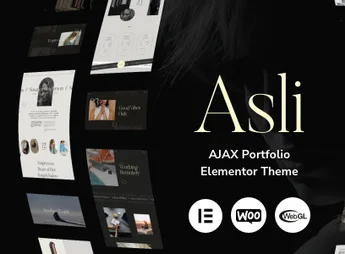
Introducing Asli, an ideal theme for those looking to showcase their portfolio in a modern and striking way. With Ajax support, it allows navigation without the need to reload the page, providing a more pleasant and dynamic user experience. Asli is perfect for artists, freelancers, designers, and other creative professionals who want to display their work uniquely and engagingly.
Main Features
- Compatible with Elementor:
Allows easy and intuitive customization. - Ajax Powered:
Offers smooth navigation without the need to reload the page. - Responsive Design:
Adapts perfectly to any screen size. - SEO Friendly:
Optimized for SEO, increasing the site’s visibility in search engines. - Google Fonts:
Includes a wide range of Google fonts for customization. - Detailed Documentation:
Provides all the necessary information for theme installation and customization.
Benefits of Asli
- Striking Portfolio: Showcase your work in a unique and engaging way.
- Ease of Use: With Elementor compatibility, theme customization becomes simple and intuitive.
- Increased Visibility: SEO-optimized to help improve site ranking in search engines.
- Improved User Experience: Provides smooth and dynamic navigation with Ajax.
Who is it Recommended For?
- Artists and creative professionals who want to showcase their portfolio.
- Freelancers seeking a modern and unique way to display their work.
- Designers who want to customize their site’s appearance without hassle.
Asli stands out by combining a striking portfolio presentation with an enhanced user experience provided by Ajax. It is the perfect choice for those aiming to blend beauty and functionality on their site, standing out in the digital world. Whether for artists, freelancers, or designers, Asli delivers the best for showcasing a high-quality portfolio.
Frequently asked questions
Is Asli – AJAX Portfolio Elementor WordPress Theme GPL-licensed?
Yes. Asli – AJAX Portfolio Elementor WordPress Theme is distributed under the GPL (GNU General Public License). You may legally use, modify and redistribute it on as many sites as you want.
Can I use Asli – AJAX Portfolio Elementor WordPress Theme on multiple sites?
Yes. You can use Asli – AJAX Portfolio Elementor WordPress Theme on multiple sites. The number of sites connected to Ultrapack Auto Updater is limited by your plan.
How much does Asli – AJAX Portfolio Elementor WordPress Theme cost at Ultrapack?
Asli – AJAX Portfolio Elementor WordPress Theme costs US$2.99 as a single purchase, and it is also included in the subscription plans starting at US$12/mo (VIP I).
Does Asli – AJAX Portfolio Elementor WordPress Theme include updates?
Yes. The current version of Asli – AJAX Portfolio Elementor WordPress Theme is 1.9.14, published at Ultrapack on Sep 1, 2026. Subscribers update straight from the WordPress dashboard with UAU (Ultrapack Auto Updater).
Is Asli – AJAX Portfolio Elementor WordPress Theme scanned before publication?
Yes. Every version of Asli – AJAX Portfolio Elementor WordPress Theme goes through a malware scan (ClamAV and YARA rules, at UltraHub) before it is published.
What are the requirements for the theme Asli – AJAX Portfolio Elementor WordPress Theme?
Requires WordPress 6.4 or higher and PHP 7.4 or higher. Tested up to WordPress 6.
How to install
Automatic updates: this item is updated by the Ultrapack Auto Updater. With it installed, the new version shows up in your dashboard like any other WordPress update (how to set it up).
The file on this page is already the theme, ready to upload to WordPress.
- Download the file
themeforest-50449818-asli-ajax-portfolio-elementor-theme-wordpress-theme.zip. - In the WordPress dashboard, go to Appearance > Themes > Add New > Upload Theme.
- Select the file
themeforest-50449818-asli-ajax-portfolio-elementor-theme-wordpress-theme.zipand click Install Now. - Click Activate.
Requirements: Requires WordPress 6.4 or higher and PHP 7.4 or higher. Tested up to WordPress 6.
- If WordPress answers that no valid theme was found, the file is the developer’s full package and the theme is in a folder inside it. Extract the file on your computer, look for the folder that has
style.cssandscreenshot.png(in this item, the folderasli), zip that folder only and upload it again.
Stuck on a step? Open a ticket telling us which one you stopped at.


