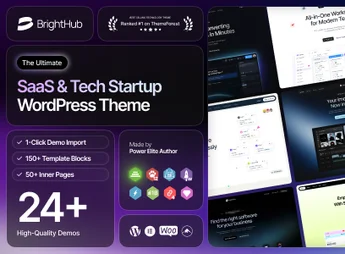
Description
BrightHub is a modern WordPress theme created for SaaS companies, technology startups and digital businesses that need to showcase their products clearly and professionally. With a clean design, conversion focus and pages ready for plans, features and integrations, it helps turn visitors into registered users without requiring technical knowledge or hiring developers.
BrightHub Benefits
- Multiple ready demos for SaaS and startups
Import full layouts with a click and adjust only the content to launch the site quickly. - Visual building with Elementor
Edit any section by dragging and dropping elements, with real-time preview and without touching code. - Pricing pages and comparison tables
Dedicated blocks to display plans, billing cycles and differences between packages transparently. - Features and integrations sections
Ready components to highlight product features, screenshots, workflows and connected partners. - Responsive and speed-optimized design
Lightweight code and auto-adaptation to phones, tablets and large monitors, maintaining good performance scores. - Blog, documentation and institutional pages
Complete structure for articles, knowledge base, success stories, team, careers and contact.
Better conversion
- Faster launch
Importable demos cut development weeks to a few hours of customization. - More conversions
Calls to action, forms and social proof strategically positioned increase sign-ups and free trials. - Team autonomy
Anyone on the team can update text, images and plans without relying on developers. - Professional image
Modern typography, balanced spacing and subtle animations convey credibility from the first visit.
Who is it for?
- SaaS companies that need to showcase products, plans and features on their own website
- Technology startups in launch or fundraising phase looking for solid digital presence
- Agencies and developers who build sites for clients in the software and digital services sector
With BrightHub, you bring together in a single theme everything a technology site needs: product presentation, subscription plans, educational content and contact channels. It’s the ideal foundation for those who want a beautiful, fast, and easy-to-maintain site focused on generating real results for the business.
Frequently asked questions
Is BrightHub – SaaS & Tech Startup WordPress Theme GPL-licensed?
Yes. BrightHub – SaaS & Tech Startup WordPress Theme is distributed under the GPL (GNU General Public License). You may legally use, modify and redistribute it on as many sites as you want.
Can I use BrightHub – SaaS & Tech Startup WordPress Theme on multiple sites?
Yes. You can install BrightHub – SaaS & Tech Startup WordPress Theme on as many sites as you want. Only automatic updates through Ultrapack Auto Updater have a limit: from 3 to 80 sites, depending on the plan.
How much does BrightHub – SaaS & Tech Startup WordPress Theme cost at Ultrapack?
BrightHub – SaaS & Tech Startup WordPress Theme costs US$2.99 as a single purchase, and it is also included in the subscription plans starting at US$12/mo (VIP I).
Does BrightHub – SaaS & Tech Startup WordPress Theme include updates?
Yes. The current version of BrightHub – SaaS & Tech Startup WordPress Theme is 1.0.6, published at Ultrapack on Aug 2, 2026. Subscribers update straight from the WordPress dashboard with UAU (Ultrapack Auto Updater).
Is BrightHub – SaaS & Tech Startup WordPress Theme scanned before publication?
Yes. Every version of BrightHub – SaaS & Tech Startup WordPress Theme goes through a malware scan (ClamAV and YARA rules, at UltraHub) before it is published.
How to install
Updates: manual. When a new version comes out, download it on this same page and upload it over the old one; WordPress asks whether you want to replace the current version.
The file on this page is the developer’s full package, with documentation, demos and plugins. Do not upload that file to WordPress. The theme comes ready inside it, as a ZIP of its own, and that is the one you upload.
- Download the file
elements-brighthub-saas-tech-startup-wordpress-theme.zipand extract it on your computer. - Look inside the extracted files for the file
Brighthub_FullPackage/Theme Install/brighthub.zip. - In the WordPress dashboard, go to Appearance > Themes > Add New > Upload Theme.
- Select that file and click Install Now.
- Click Activate.
- There is nothing to zip. The ZIP inside the package is already in the format WordPress accepts.
- Uploading the whole package is the most common mistake when installing a theme: WordPress answers that no valid theme was found, and nothing is installed.
- The rest of the package belongs to the author: documentation, demo files and, in some themes, the plugins it asks for during setup.
Stuck on a step? Open a ticket telling us which one you stopped at.