

 UAU Ready
Description
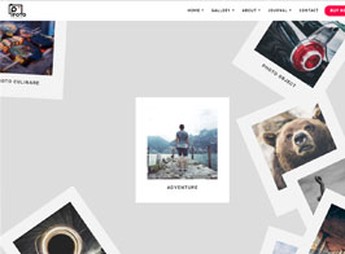
The Foto is a WordPress theme designed for photographers, videomakers and visual studios, with Masonry grid galleries, carousels and fullscreen layouts for showcasing high-impact portfolios. It brings post types dedicated to albums, WooCommerce integration for selling prints and image licenses, plus a built-in panel for typographic, spacing and color adjustments without code editing.
Key Features of Foto
- Masonry grid galleries
Organizes photos into columns of varying height that adjust to the original size of each image. - Image carousels and sliders
Displays photo collections with automatic rotation or manual navigation, featuring smooth transitions. - Fullscreen and full-width layouts
Allows images to be displayed full-screen without borders, emphasizing composition and visual detail. - Portfolio post types
Includes structures dedicated to albums, projects and photographic series, with categorization and filters. - WooCommerce integration
Connects the portfolio to a shop for selling prints, digital downloads and licenses.
Benefits of Foto
- Clean visual presentation
A minimalist layout places the image front and center, with no elements vying for attention. - Rapid publishing of new shoots
Album structure speeds up the creation of pages for each session or photographic project. - Direct monetization of work
The integrated shop turns the portfolio into a channel for selling prints and digital files. - Custom visual identity
Typographic, color and spacing adjustments let the photographer’s style carry through the site.
Who Is Foto For?
- Professional photographers needing to showcase portfolios organized by project or shoot.
- Photographic studios offering wedding, portrait, fashion or product services.
- Videomakers and visual creators looking to present work in galleries and fullscreen carousels.
- Those selling prints, image downloads or licenses via WooCommerce.
How to Download The Foto
The Foto is available for download here on Ultrapack. After downloading the .zip file, install it in Appearance > Themes > Add New > Upload Theme, select the file and activate it. The package is complete and ready for immediate installation, with customization options available in the Customizer panel right after activation.
Targeted at those who work with images as the main product, Foto combines flexible gallery structures, editorial typography and built-in shop integration to support both artistic display and collection monetization. Album organization and carousel-style navigation reinforce visual reading, keeping the focus where it matters: photography.
Frequently asked questions
Is Foto – Photography WordPress Themes for Photographers GPL-licensed?
Yes. Foto – Photography WordPress Themes for Photographers is distributed under the GPL (GNU General Public License). You may legally use, modify and redistribute it on as many sites as you want.
Can I use Foto – Photography WordPress Themes for Photographers on multiple sites?
Yes. You can use Foto – Photography WordPress Themes for Photographers on multiple sites. The number of sites connected to Ultrapack Auto Updater is limited by your plan.
How much does Foto – Photography WordPress Themes for Photographers cost at Ultrapack?
Foto – Photography WordPress Themes for Photographers costs US$2.99 as a single purchase, and it is also included in the subscription plans starting at US$12/mo (VIP I).
Does Foto – Photography WordPress Themes for Photographers include updates?
Yes. The current version of Foto – Photography WordPress Themes for Photographers is 1.5, published at Ultrapack on Sep 6, 2017. Subscribers update straight from the WordPress dashboard with UAU (Ultrapack Auto Updater).
Is Foto – Photography WordPress Themes for Photographers scanned before publication?
Yes. Every version of Foto – Photography WordPress Themes for Photographers goes through a malware scan (ClamAV and YARA rules, at UltraHub) before it is published.
What changed in this version
Version 1.5 28 August 2017
- FIXED : Function errors
- FIXED : Concept 10 Multi Scroll bug
- FIXED : Rhomboid issue polygonal effect
- File Changed
- template/concept-10.php
- style.css
- function.php
Version 1.4 25 January 2017
- UPDATE : ACF Pro Plugin
- UPDATE : Foto Extra
- ADDED : Disable ACF update notification
- File Changed
- plugins/advanced-custom-fields-pro.zip
- plugins/foto-extra.zip
- function.php
Version 1.3 24 November 2016
- CHANGED : Default fonts for Typography Options
- CHANGED : Primary dark color to #000000
- CHANGED : Caption to description for gallery full slider info
- REMOVED : Expand icon from Gallery List layout
- REMOVED : Site title slide down animation when header two menu scrolled
- ADDED : Header holder add more height
- ADDED : Background Check for concept slider and gallery slider
- FIXED : Minor bugs with styling
- FIXED : Header Side background when sticky header active
- FIXED : Header center site title glitch
- FIXED : Concept and Gallery masonry and grid title black to white
- UPDATED : Page loading longer 0.5s
- File Changed
- style.css
- inc/option/panel/config.php
- inc/part/gallery-sliderinfo.php
- inc/part/gallery-list.php
- inc/panels/color-options.php
- inc/panels/color-output.php
- js/main.js
- js/slitslider.js
- js/akmanda-customizer.js
- js/page-loader.js
- template/concept-1.php
- inc/option/panel/config.php
Version 1.2 16 November 2016
- ADDED : Header option customizer for each type.
- ADDED : Logo height option customizer.
- CHANGED : Contact full map layout header color to transparent.
- CHANGED : Body background color and image to customizer.
- REMOVED : Body background option redux.
- UPDATED : Customizer function and file.
- FIXED : Concept album select display post conditional logic.
- CHANGED : Disable Redux option from live customizer.
- File Changed
- style.css
- inc/function/akmanda-customizer.php
- inc/panels
- inc/function/meta-box.php
- js/akmanda-customizer.js
- inc/option/panel/config.php
Version 1.1 14 November 2016
- ADDED : New field for concept page that allow to pick specific album to show at each page.
- ADDED : Single album post support password-protected post.
- ADDED : Keyboard navigation enable for slider type album and concept.
- CHANGED : Creative grid gallery post image caption with image description.
- REMOVED : Background check function.
- FIXED : Menu styling issue.
- UPDATED : Foto Extra plugin.
- File Changed
- style.css
- inc/function/meta-box.php
- template/concept-1.php
- template/concept-10.php
- template/concept-11.php
- template/concept-12.php
- template/concept-13.php
- template/concept-14.php
- template/concept-15.php
- template/concept-16.php
- template/concept-17.php
- template/concept-18.php
- template/concept-19.php
- template/concept-2.php
- template/concept-3.php
- template/concept-4.php
- template/concept-5.php
- template/concept-6.php
- template/concept-7.php
- template/concept-8.php
- template/concept-9.php
- single-foto-gallery.php
- js/main.js
- js/slitslider.js
- inc/part/gallery-sliderinfo.php
- plugins/foto-exta.zip
Release notes published by the developer.
How to install
Automatic updates: this item is updated by the Ultrapack Auto Updater. With it installed, the new version shows up in your dashboard like any other WordPress update (how to set it up).
The file on this page is already the theme, ready to upload to WordPress.
- Download the file
themeforest-18264693-foto-photography-wordpress-themes-for-photographers-wordpress-theme.zip. - In the WordPress dashboard, go to Appearance > Themes > Add New > Upload Theme.
- Select the file
themeforest-18264693-foto-photography-wordpress-themes-for-photographers-wordpress-theme.zipand click Install Now. - Click Activate.
- If WordPress answers that no valid theme was found, the file is the developer’s full package and the theme is in a folder inside it. Extract the file on your computer, look for the folder that has
style.cssandscreenshot.png(in this item, the folderfoto), zip that folder only and upload it again.
Stuck on a step? Open a ticket telling us which one you stopped at.


