 UAU Ready
Description
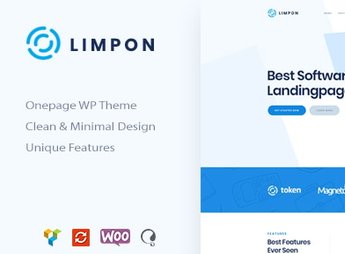
For startups and technology companies that need an impactful one-page landing page, The Limpon builds WordPress sites with feature sections, testimonials, contact, call-to-action, smooth animations, and responsive layout, all customizable through the theme’s panel without needing to code. The theme is aimed at showcasing applications, software, and digital products, providing pre-built demos, a pricing plans section, and integration with contact forms to accelerate launch or marketing campaigns.
Key Features of Limpon
- Responsive one-page layout
Limpon offers a layout that adapts perfectly to mobile devices, tablets, and desktops, ensuring a great experience on any screen. - Pre-built sections
Features, testimonials, pricing plans, and contact come as ready-made blocks, speeding up page assembly. - Visual customization panel
Change colors, typography, and spacing via WordPress Customizer without editing code. - Smooth scrolling animations
Elegant transitions between sections and parallax effects give a modern touch to the presentation. - Form compatibility
Integration with popular form plugins allows direct lead capture on the landing page.
Benefits of Limpon
- Fast launch
With pre-built demos, you can put the landing page live in minutes, without building from scratch. - Conversion focus
Strategic sections and well-positioned call-to-action buttons increase visitor conversion rates. - Professional design
Minimalist style and clean typography convey credibility for startups and digital products. - No developer needed
All creation and customization is done visually, eliminating reliance on third parties.
Who is Limpon for?
- Startups that need a landing page to showcase their product or service.
- Technology companies that want a modern one-page page for marketing campaigns.
- Developers and designers seeking a quick, editable base for landing page projects.
How to Download Limpon
Limpon is available for download here on Ultrapack. After downloading the .zip file, install it by going to Appearance > Themes > Add New > Upload Theme, select the .zip, and activate. The theme is complete and ready for immediate installation, with all demos included.
Whether launching an app, promoting software, or presenting a startup, Limpon provides the visual structure needed to make a great first impression without technical complications. With a focus on clarity and purpose, the theme turns WordPress into a digital marketing tool oriented toward results.
Frequently asked questions
Is Limpon – Software App Landing WordPress Theme GPL-licensed?
Yes. Limpon – Software App Landing WordPress Theme is distributed under the GPL (GNU General Public License). You may legally use, modify and redistribute it on as many sites as you want.
Can I use Limpon – Software App Landing WordPress Theme on multiple sites?
Yes. You can install Limpon – Software App Landing WordPress Theme on as many sites as you want. Only automatic updates through Ultrapack Auto Updater have a limit: from 3 to 80 sites, depending on the plan.
How much does Limpon – Software App Landing WordPress Theme cost at Ultrapack?
Limpon – Software App Landing WordPress Theme costs US$2.99 as a single purchase, and it is also included in the subscription plans starting at US$12/mo (VIP I).
Does Limpon – Software App Landing WordPress Theme include updates?
Yes. The current version of Limpon – Software App Landing WordPress Theme is 1.2.0, published at Ultrapack on Sep 17, 2026. Subscribers update straight from the WordPress dashboard with UAU (Ultrapack Auto Updater).
Is Limpon – Software App Landing WordPress Theme scanned before publication?
Yes. Every version of Limpon – Software App Landing WordPress Theme goes through a malware scan (ClamAV and YARA rules, at UltraHub) before it is published.
How to install
Automatic updates: this item is updated by the Ultrapack Auto Updater. With it installed, the new version shows up in your dashboard like any other WordPress update (how to set it up).
The file on this page is the developer’s full package, with documentation, demos and plugins. Do not upload that file to WordPress. The theme comes ready inside it, as a ZIP of its own, and that is the one you upload.
- Download the file
elements-limpon-software-app-landing-wordpress-theme.zipand extract it on your computer. - Look inside the extracted files for the file
Limpon_FullPackage/Theme Install/limpon.zip. - In the WordPress dashboard, go to Appearance > Themes > Add New > Upload Theme.
- Select that file and click Install Now.
- Click Activate.
- There is nothing to zip. The ZIP inside the package is already in the format WordPress accepts.
- Uploading the whole package is the most common mistake when installing a theme: WordPress answers that no valid theme was found, and nothing is installed.
- The rest of the package belongs to the author: documentation, demo files and, in some themes, the plugins it asks for during setup.
- The package also includes the plugins the theme uses, each in its own ZIP:
js_composer.zipandrevslider.zip. Upload each one in Plugins > Add New > Upload Plugin after activating the theme.
Stuck on a step? Open a ticket telling us which one you stopped at.