

 UAU Ready
Description
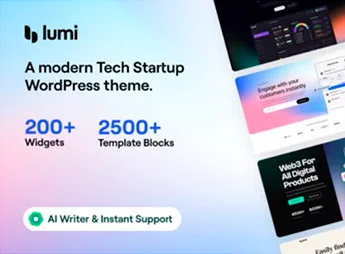
When a tech startup needs to launch a functional corporate website in little time without relying on a programmer, Lumi lets you build pages from a library of ready-made demos and adjust layouts through a visual builder with drag and drop. The theme is designed for SaaS, software, and technology companies that want a modern and organized visual identity.
Lumi’s Key Features
- Ready-made technology demos
Import complete templates for startups, apps, and landing pages and edit all content visually. - Integrated visual builder
Build each section by dragging elements on the screen without writing CSS or HTML. - Global style customization
Change colors, fonts, and spacing across the entire site from the theme panel with real-time preview. - Pre-designed sections for companies
Pricing blocks, team, testimonials, and call-to-action that you reorganize as needed. - Optimized responsiveness
The layout automatically adapts to mobile and tablets ensuring smooth navigation on any screen.
Lumi’s Benefits
- Accelerated launch
Your site is live in just a few hours without waiting for external development. - Professional result
Modern appearance aligned with the tech market conveys confidence to investors and clients. - Zero technical knowledge
Anyone on your team can edit pages, text, and images without specialized training. - Easy maintenance
Content updates and layout tests are done directly in the visual builder.
Who is Lumi Right For?
- Startup founders who need a sales site or landing page to quickly validate a product.
- Software and SaaS companies that want a corporate page with pricing, features, and use case sections.
- Digital agencies that deliver projects to tech segment clients and want a versatile theme to speed up production.
How to Download Lumi
Lumi is available for download here on Ultrapack. After downloading the .zip file, go to Appearance > Themes > Add New > Upload Theme, select the .zip and click Install. Once active, you’ll find the options panel and demos in the appearance area.
Combining ready-made demos, visual builder, and centralized customization, Lumi delivers a straightforward creation flow for anyone who needs a corporate or product site without technical complexity. It’s a solid starting point for startups that want to present themselves professionally from the first visit.
Frequently asked questions
Is Lumi – Tech Startup WordPress Theme GPL-licensed?
Yes. Lumi – Tech Startup WordPress Theme is distributed under the GPL (GNU General Public License). You may legally use, modify and redistribute it on as many sites as you want.
Can I use Lumi – Tech Startup WordPress Theme on multiple sites?
Yes. You can install Lumi – Tech Startup WordPress Theme on as many sites as you want. Only automatic updates through Ultrapack Auto Updater have a limit: from 3 to 80 sites, depending on the plan.
How much does Lumi – Tech Startup WordPress Theme cost at Ultrapack?
Lumi – Tech Startup WordPress Theme costs US$2.99 as a single purchase, and it is also included in the subscription plans starting at US$12/mo (VIP I).
Does Lumi – Tech Startup WordPress Theme include updates?
Yes. The current version of Lumi – Tech Startup WordPress Theme is 3.4.1, published at Ultrapack on Jul 8, 2026. Subscribers update straight from the WordPress dashboard with UAU (Ultrapack Auto Updater).
Is Lumi – Tech Startup WordPress Theme scanned before publication?
Yes. Every version of Lumi – Tech Startup WordPress Theme goes through a malware scan (ClamAV and YARA rules, at UltraHub) before it is published.
What are the requirements for the theme Lumi – Tech Startup WordPress Theme?
Requires PHP 7.4.0 or higher. Tested up to WordPress 6.6.
How to install
Automatic updates: this item is updated by the Ultrapack Auto Updater. With it installed, the new version shows up in your dashboard like any other WordPress update (how to set it up).
The file on this page is already the theme, ready to upload to WordPress.
- Download the file
themeforest-43805545-lumi-tech-startup-wordpress-theme.zip. - In the WordPress dashboard, go to Appearance > Themes > Add New > Upload Theme.
- Select the file
themeforest-43805545-lumi-tech-startup-wordpress-theme.zipand click Install Now. - Click Activate.
Requirements: Requires PHP 7.4.0 or higher. Tested up to WordPress 6.6.
- If WordPress answers that no valid theme was found, the file is the developer’s full package and the theme is in a folder inside it. Extract the file on your computer, look for the folder that has
style.cssandscreenshot.png(in this item, the folderlumi), zip that folder only and upload it again.
Stuck on a step? Open a ticket telling us which one you stopped at.


