UAU Ready
Description
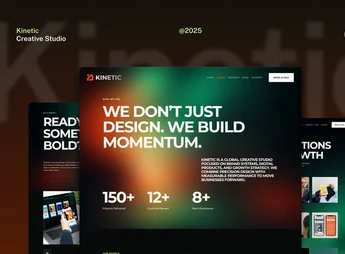
QOON is a theme designed for creative agencies, design studios, and visual market freelancers, featuring modern layouts focused on portfolios, case pages, and service sections. The theme structures portfolio sites with project grids and responsive galleries, combining ready-made demos, a visual customization panel, and blocks prepared for team presentation, testimonials, and contact forms.
Main Features of QOON
- Ready-to-use portfolio demos
Library of importable layouts aimed at agencies, studios, and creative professionals. - Project grid with filters
Visual structure to organize cases by category, client, or type of work. - Visual customization panel
Control of colors, typography, and spacing in the theme panel without editing code. - Compatibility with visual builders
Internal page editing with drag-and-drop builder and pre-made blocks. - Fully responsive layout
Rendering adapted for desktop, tablet, and mobile while maintaining visual hierarchy.
Benefits of QOON
- Creative market visual identity
Aesthetic aligned with the standard used by contemporary agencies and studios. - Fast website launch
Importable demos shorten the setup of a complete portfolio in just a few hours. - Autonomy without a developer
Color, typography, and block adjustments via panel without depending on a programmer. - Highlight for cases
Visual organization that puts the professional’s work in the spotlight.
Who Is QOON Recommended For?
- Creative agencies and design studios needing to present case portfolios with clear visual hierarchy.
- Visual freelancers such as designers, illustrators, art directors, and motion designers seeking a professional site without hiring a dev.
- Branding studios, photography, creative direction, and production companies that primarily sell work through imagery.
How to Download QOON
QOON is available for download here on Ultrapack. After downloading the .zip file, install it under Appearance > Themes > Add New > Upload theme, select the file, and activate. Demo import and visual customization options become available in the panel immediately after theme activation.
Targeted at the creative market, QOON combines contemporary aesthetics and technical structure prepared for sites that rely on imagery. The organization of cases in visual grids, combined with panel customization flexibility, serves both established agencies and freelancers who need a portfolio capable of communicating a professional level from the first visit.
Frequently asked questions
Is QOON – Creative Portfolio & Agency WordPress Theme GPL-licensed?
Yes. QOON – Creative Portfolio & Agency WordPress Theme is distributed under the GPL (GNU General Public License). You may legally use, modify and redistribute it on as many sites as you want.
Can I use QOON – Creative Portfolio & Agency WordPress Theme on multiple sites?
Yes. You can install QOON – Creative Portfolio & Agency WordPress Theme on as many sites as you want. Only automatic updates through Ultrapack Auto Updater have a limit: from 3 to 80 sites, depending on the plan.
How much does QOON – Creative Portfolio & Agency WordPress Theme cost at Ultrapack?
QOON – Creative Portfolio & Agency WordPress Theme costs US$2.99 as a single purchase, and it is also included in the subscription plans starting at US$12/mo (VIP I).
Does QOON – Creative Portfolio & Agency WordPress Theme include updates?
Yes. The current version of QOON – Creative Portfolio & Agency WordPress Theme is 1.0.8, published at Ultrapack on May 23, 2017. Subscribers update straight from the WordPress dashboard with UAU (Ultrapack Auto Updater).
Is QOON – Creative Portfolio & Agency WordPress Theme scanned before publication?
Yes. Every version of QOON – Creative Portfolio & Agency WordPress Theme goes through a malware scan (ClamAV and YARA rules, at UltraHub) before it is published.
How to install
Automatic updates: this item is updated by the Ultrapack Auto Updater. With it installed, the new version shows up in your dashboard like any other WordPress update (how to set it up).
The file on this page is already the theme, ready to upload to WordPress.
- Download the file
themeforest-15395390-qoon-creative-portfolio-agency-wordpress-theme.zip. - In the WordPress dashboard, go to Appearance > Themes > Add New > Upload Theme.
- Select the file
themeforest-15395390-qoon-creative-portfolio-agency-wordpress-theme.zipand click Install Now. - Click Activate.
- If WordPress answers that no valid theme was found, the file is the developer’s full package and the theme is in a folder inside it. Extract the file on your computer, look for the folder that has
style.cssandscreenshot.png(in this item, the folderqoon-creative-wordpress-portfolio-theme), zip that folder only and upload it again.
Stuck on a step? Open a ticket telling us which one you stopped at.