

 UAU Ready
Description
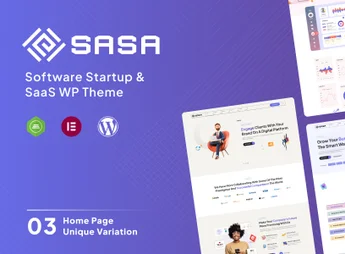
SaSa is a theme focused on SaaS companies, technology startups, and cybersecurity agencies, featuring a library of one-click importable demos and the Elementor visual builder for drag-and-drop editing. The combination includes editable headers and footers, ready blocks for pricing, testimonials, and team, as well as adjustable typography and color palette in the WordPress customizer panel without requiring code.
Main Features
- Integrated Elementor Builder
Edit pages via drag and drop with ready widgets for typical SaaS sections. - Importable Demo Library
Installs complete layouts in a few clicks, covering home, about, services, and contact. - Technology Niche Blocks
Includes pricing table sections, animated hero, testimonials, and statistics for startups and software. - Customizable Header and Footer
Allows adjusting logo, menu, colors, and fixed elements directly in the visual panel. - Responsive Layout
Automatically adapts blocks, images, and typography for phones and tablets without manual adjustments.
Benefits of SaSa
- Accelerated Website Launch
Drastically reduces creation time by starting from ready demos instead of design from scratch. - Developer Independence
Enables marketing teams to publish new pages without relying on a programmer. - Modern Visual Identity
Delivers visuals aligned with SaaS company trends, with sections designed for conversion. - Flexibility to Grow
Supports site expansion with new pages, services, and products without overhauling the base layout.
Who Is It For?
- SaaS and software companies that need an institutional site focused on conversion.
- Technology startups, cybersecurity, and digital products seeking a professional online presence.
- Agencies and portfolios serving clients in the technology sector who want to deliver sites quickly.
For companies selling software as a service, digital tools, or information security solutions, SaSa concentrates typical segment elements (plans, integrations, metrics, team) into ready layouts on Elementor. The result is a solid foundation to showcase the product, capture qualified leads, and grow the institutional site as new services and markets are incorporated into the business.
Frequently asked questions
Is SaSa – Startup WordPress Theme GPL-licensed?
Yes. SaSa – Startup WordPress Theme is distributed under the GPL (GNU General Public License). You may legally use, modify and redistribute it on as many sites as you want.
Can I use SaSa – Startup WordPress Theme on multiple sites?
Yes. You can install SaSa – Startup WordPress Theme on as many sites as you want. Only automatic updates through Ultrapack Auto Updater have a limit: from 3 to 80 sites, depending on the plan.
How much does SaSa – Startup WordPress Theme cost at Ultrapack?
SaSa – Startup WordPress Theme costs US$2.99 as a single purchase, and it is also included in the subscription plans starting at US$12/mo (VIP I).
Does SaSa – Startup WordPress Theme include updates?
Yes. The current version of SaSa – Startup WordPress Theme is 1.0.7, published at Ultrapack on Oct 6, 2026. Subscribers update straight from the WordPress dashboard with UAU (Ultrapack Auto Updater).
Is SaSa – Startup WordPress Theme scanned before publication?
Yes. Every version of SaSa – Startup WordPress Theme goes through a malware scan (ClamAV and YARA rules, at UltraHub) before it is published.
How to install
Automatic updates: this item is updated by the Ultrapack Auto Updater. With it installed, the new version shows up in your dashboard like any other WordPress update (how to set it up).
The file on this page is the developer’s full package, with documentation, demos and plugins. Do not upload that file to WordPress. The theme comes ready inside it, as a ZIP of its own, and that is the one you upload.
- Download the file
elements-sasa-startup-saas-wordpress-theme.zipand extract it on your computer. - Look inside the extracted files for the file
sasa.zip. - In the WordPress dashboard, go to Appearance > Themes > Add New > Upload Theme.
- Select that file and click Install Now.
- Click Activate.
- There is nothing to zip. The ZIP inside the package is already in the format WordPress accepts.
- Uploading the whole package is the most common mistake when installing a theme: WordPress answers that no valid theme was found, and nothing is installed.
- The rest of the package belongs to the author: documentation, demo files and, in some themes, the plugins it asks for during setup.
Stuck on a step? Open a ticket telling us which one you stopped at.



