 UAU Ready
Description
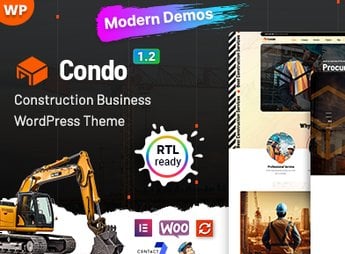
Condo allows you to create sites for construction companies, architects, electricians and renovation firms through Elementor, featuring a visual header and footer builder, a flexible mega menu, and more than 50 visual elements dedicated to the niche. This theme brings together 14 ready demos (7 multipage and 7 onepage), over 30 inner pages, and integration with WooCommerce, Contact Form 7, Slider Revolution, and the Booked scheduling plugin for presenting services, capturing estimates, and selling materials through the shop.
Main Features
- Elementor Builder with 50+ elements
Visual library with widgets dedicated to the construction sector, drag-and-drop editing, and one-click installation. - Visual Header and Footer Builder
Own editor to build header and footer without writing code, with seven ready templates for each region. - 14 pre-built demos
Seven multipage and seven onepage versions for construction companies, architects, plumbers, electricians, roofers, and carpenters. - Integrated WooCommerce Store
Compatible with wishlist, quick view, comparison, and Variation Swatches for selling materials and services. - Multilingual and RTL Support
Native compatibility with WPML and Polylang, responsive layout, and right-to-left reading.
Benefits of Condo
- Fast site launch
Import one of the complete demos and replace texts and images without rebuilding pages from scratch. - Team autonomy
Visual editing with Elementor eliminates the need to hire a developer for layout, color, and typography adjustments. - Serving multiple construction niches
The same installation covers everything from architecture offices to carpentry workshops, with specific demos for each profile. - Lead capture and sales in one theme
Contact Form 7 forms, booking via Booked, and WooCommerce checkout are available within the same structure.
Who is it recommended for?
- Construction companies, contractors and renovation firms that need to showcase services and a portfolio of projects.
- Architects, engineers, and design studios wanting to showcase projects and capture online estimates.
- Self-employed construction professionals (plumbers, electricians, roofers, carpenters) looking for a digital presence without a developer.
- Agencies and freelancers delivering websites for clients in the construction and architecture sectors.
For construction businesses that need to present services, staff, and projects without relying on a developer, Condo combines Elementor’s visual library, ready demos for niches such as bricklayers, plumbers, and carpentry shops, and WooCommerce support for selling materials or hiring online. The responsive base, RTL compatibility, and integration with Mailchimp via MC4WP complete the package for lead generation and project promotion.
Frequently asked questions
Is Condo – Construction WordPress Theme GPL-licensed?
Yes. Condo – Construction WordPress Theme is distributed under the GPL (GNU General Public License). You may legally use, modify and redistribute it on as many sites as you want.
Can I use Condo – Construction WordPress Theme on multiple sites?
Yes. You can install Condo – Construction WordPress Theme on as many sites as you want. Only automatic updates through Ultrapack Auto Updater have a limit: from 3 to 80 sites, depending on the plan.
How much does Condo – Construction WordPress Theme cost at Ultrapack?
Condo – Construction WordPress Theme costs US$2.99 as a single purchase, and it is also included in the subscription plans starting at US$12/mo (VIP I).
Does Condo – Construction WordPress Theme include updates?
Yes. The current version of Condo – Construction WordPress Theme is 1.0.2, published at Ultrapack on Dec 15, 2024. Subscribers update straight from the WordPress dashboard with UAU (Ultrapack Auto Updater).
Is Condo – Construction WordPress Theme scanned before publication?
Yes. Every version of Condo – Construction WordPress Theme goes through a malware scan (ClamAV and YARA rules, at UltraHub) before it is published.
How to install
Automatic updates: this item is updated by the Ultrapack Auto Updater. With it installed, the new version shows up in your dashboard like any other WordPress update (how to set it up).
The file on this page is the developer’s full package, with documentation, demos and plugins. Do not upload that file to WordPress. The theme comes ready inside it, as a ZIP of its own, and that is the one you upload.
- Download the file
elements-condio-construction-building-wordpress-theme.zipand extract it on your computer. - Look inside the extracted files for the file
Condo_FullPackage/Theme Install/condo.zip. - In the WordPress dashboard, go to Appearance > Themes > Add New > Upload Theme.
- Select that file and click Install Now.
- Click Activate.
- There is nothing to zip. The ZIP inside the package is already in the format WordPress accepts.
- Uploading the whole package is the most common mistake when installing a theme: WordPress answers that no valid theme was found, and nothing is installed.
- The rest of the package belongs to the author: documentation, demo files and, in some themes, the plugins it asks for during setup.
- The package also includes the plugin the theme uses, in
revslider.zip. Upload this file in Plugins > Add New > Upload Plugin after activating the theme.
Stuck on a step? Open a ticket telling us which one you stopped at.