

Description
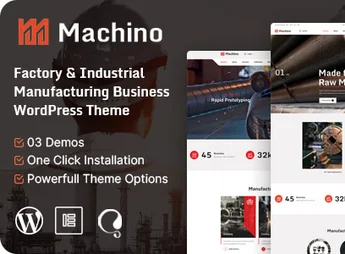
Machino is a premium WordPress theme designed for the industrial and manufacturing sector, ideal for factories, engineering and construction industries, energy, chemical and machinery businesses. Built on Elementor, it offers drag-and-drop visual editing, ready-made layouts and fully responsive design, allowing the creation of robust, professional corporate sites quickly, even without advanced technical knowledge.
Key Features
- Elementor Builder
Drag-and-drop visual editing eliminates code and speeds up page creation. - Multiple Ready-Made Demos
Various pre-built layouts imported with one click to launch the site quickly. - Fully Responsive Design
Seamless adaptation to desktops, tablets and smartphones, optimized for Retina displays. - Advanced Typography
Over 600 Google fonts and full style controls to strengthen brand identity. - WPML Multilingual Support
Native compatibility with WPML for building multilingual sites. - Contact Form 7 and WooCommerce
Integration with contact forms and online store for sales and lead capture.
Machino Benefits
- Quick Setup
Demo import with one click largely reduces site development time. - Safe Customization
Includes an included child theme, permitting edits without losing settings during updates. - Professional Presence
Modern, industry-focused design that conveys credibility to clients and partners. - Full Flexibility
Custom widgets and Elementor-powered addons expand layout possibilities.
Who Is It For?
- Factories, manufacturing industries and machinery companies
- Engineering, construction, energy and oil companies
- Businesses in chemical, metallurgical, marine and aerospace sectors
With ready-made layouts, full integration and responsive performance, Machino delivers everything an industrial company needs to establish a solid online presence with professionalism, combining editing convenience with impeccable visual results.
Frequently asked questions
Is Machino – Factory & Industrial WordPress Theme GPL-licensed?
Yes. Machino – Factory & Industrial WordPress Theme is distributed under the GPL (GNU General Public License). You may legally use, modify and redistribute it on as many sites as you want.
Can I use Machino – Factory & Industrial WordPress Theme on multiple sites?
Yes. You can install Machino – Factory & Industrial WordPress Theme on as many sites as you want. Only automatic updates through Ultrapack Auto Updater have a limit: from 3 to 80 sites, depending on the plan.
How much does Machino – Factory & Industrial WordPress Theme cost at Ultrapack?
Machino – Factory & Industrial WordPress Theme costs US$2.99 as a single purchase, and it is also included in the subscription plans starting at US$12/mo (VIP I).
Does Machino – Factory & Industrial WordPress Theme include updates?
Yes. The current version of Machino – Factory & Industrial WordPress Theme is 1.2, published at Ultrapack on Jul 16, 2026. Subscribers update straight from the WordPress dashboard with UAU (Ultrapack Auto Updater).
Is Machino – Factory & Industrial WordPress Theme scanned before publication?
Yes. Every version of Machino – Factory & Industrial WordPress Theme goes through a malware scan (ClamAV and YARA rules, at UltraHub) before it is published.
What changed in this version
Version 1.2 2023-10-19
- 1) All Plugins are up to date.
Version 1.1 2023-08-03
- 1) One Click demo import issue has been fixed.
- First release!
Release notes published by the developer.
How to install
Updates: manual. When a new version comes out, download it on this same page and upload it over the old one; WordPress asks whether you want to replace the current version.
The file on this page is the developer’s full package, with documentation, demos and plugins. Do not upload that file to WordPress. The theme comes ready inside it, as a ZIP of its own, and that is the one you upload.
- Download the file
elements-machino-factory-industrial-wordpress-theme.zipand extract it on your computer. - Look inside the extracted files for the file
machino-wp-full/machino.zip. - In the WordPress dashboard, go to Appearance > Themes > Add New > Upload Theme.
- Select that file and click Install Now.
- Click Activate.
- There is nothing to zip. The ZIP inside the package is already in the format WordPress accepts.
- Uploading the whole package is the most common mistake when installing a theme: WordPress answers that no valid theme was found, and nothing is installed.
- The rest of the package belongs to the author: documentation, demo files and, in some themes, the plugins it asks for during setup.
Stuck on a step? Open a ticket telling us which one you stopped at.


