 UAU Ready
Description
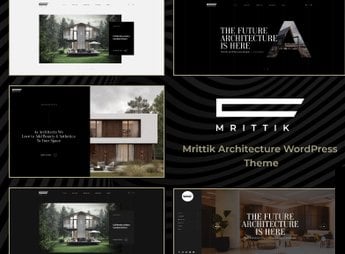
Mrittik is a theme geared towards architects, interior designers and construction firms, featuring an integrated Elementor Builder, a library of more than 80 visual elements and over 50 ready-to-import demos with one-click setup. It includes Revolution Slider and native Booked plugin, full WooCommerce support for selling products and projects, as well as builders for header, footer, and mega menu to customize without code editing.
Key Features
- Integrated Elementor Builder
Visual drag-and-drop editor with over 80 proprietary elements for page assembly. - Importable Demo Library
Over 50 pre-built sites installable in one click through the theme panel. - Revolution Slider Included
Premium interactive slider plugin embedded for banners and project presentations. - Native WooCommerce
Store layouts, wishlist, product comparison and quick view ready for use. - Header, Footer and Mega Menu Builder
Visual editor for building headers, footers and expanded menus without code. - Embedded Booked Plugin
Scheduling system for meetings and visits integrated into the theme at no additional cost. - Broad Plugin Compatibility
Works with Contact Form 7, Mailchimp MC4WP, WPML, Polylang, Gravity Forms and Jetpack.
Benefits of the Mrittik
- Fast Portfolio Launch
Importing complete demos eliminates weeks of initial configuration and layout. - Custom Visual Identity
Unlimited color and typography panel adapts the theme to the office’s brand. - Team Autonomy
Visual editor frees developers from daily page and section adjustments. - Integrated Storefront on Corporate Site
WooCommerce store allows selling floor plans, digital projects, and physical products on the same domain.
Recommended for
- Architecture offices and interior design firms that need a sophisticated online presence.
- Construction companies, developers and civil engineering firms with project portfolios.
- Decorators, landscapers and creative studios showcasing visual projects to final clients.
- Freelance construction and renovation professionals who want to generate leads via their website.
Combining Elementor, Revolution Slider and Booked scheduling system in a single installation, the Mrittik covers everything from portfolio presentation to booking client meetings. Compatibility with WPML and Polylang enables multi-language versions, a valuable feature for offices serving international markets or foreign clients.
The theme serves established offices seeking visual repositioning and new professionals building their first corporate site, with a ready-to-scale structure that grows with the operation over time.
Frequently asked questions
Is Mrittik – Architecture Interior Design Theme GPL-licensed?
Yes. Mrittik – Architecture Interior Design Theme is distributed under the GPL (GNU General Public License). You may legally use, modify and redistribute it on as many sites as you want.
Can I use Mrittik – Architecture Interior Design Theme on multiple sites?
Yes. You can install Mrittik – Architecture Interior Design Theme on as many sites as you want. Only automatic updates through Ultrapack Auto Updater have a limit: from 3 to 80 sites, depending on the plan.
How much does Mrittik – Architecture Interior Design Theme cost at Ultrapack?
Mrittik – Architecture Interior Design Theme costs US$2.99 as a single purchase, and it is also included in the subscription plans starting at US$12/mo (VIP I).
Does Mrittik – Architecture Interior Design Theme include updates?
Yes. The current version of Mrittik – Architecture Interior Design Theme is 1.0.5, published at Ultrapack on Dec 13, 2024. Subscribers update straight from the WordPress dashboard with UAU (Ultrapack Auto Updater).
Is Mrittik – Architecture Interior Design Theme scanned before publication?
Yes. Every version of Mrittik – Architecture Interior Design Theme goes through a malware scan (ClamAV and YARA rules, at UltraHub) before it is published.
How to install
Automatic updates: this item is updated by the Ultrapack Auto Updater. With it installed, the new version shows up in your dashboard like any other WordPress update (how to set it up).
The file on this page is the developer’s full package, with documentation, demos and plugins. Do not upload that file to WordPress. The theme comes ready inside it, as a ZIP of its own, and that is the one you upload.
- Download the file
elements-mrittik-architecture-interior-design-theme.zipand extract it on your computer. - Look inside the extracted files for the file
Mrittik_FullPackage/Theme Install/mrittik.zip. - In the WordPress dashboard, go to Appearance > Themes > Add New > Upload Theme.
- Select that file and click Install Now.
- Click Activate.
- There is nothing to zip. The ZIP inside the package is already in the format WordPress accepts.
- Uploading the whole package is the most common mistake when installing a theme: WordPress answers that no valid theme was found, and nothing is installed.
- The rest of the package belongs to the author: documentation, demo files and, in some themes, the plugins it asks for during setup.
- The package also includes the plugin the theme uses, in
revslider.zip. Upload this file in Plugins > Add New > Upload Plugin after activating the theme.
Stuck on a step? Open a ticket telling us which one you stopped at.