 UAU Ready
Description
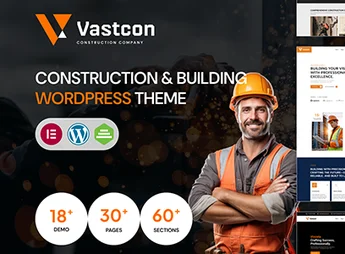
Vastcon is a robust and versatile theme, ideal for construction, engineering, architecture, and related industries websites. If you are looking for an elegant design, with excellent performance and full of features to highlight your projects, services and team, Vastcon is the right choice.
Main Features
- Responsive Layout:
Adapts to any screen size, whether desktop, tablet, or smartphone. - WPBakery Compatible:
Ease of customizing pages with the popular page builder plugin. - SEO Optimized:
Better placement of your site in search engines. - WooCommerce Compatible:
Ability to add an online store to your site. - Demo Content:
Quick import of demo content to facilitate initial setup. - Regular Updates:
Keep your site always up to date with the latest from Vastcon.
Benefits of Vastcon
- Professionalism: Highlight the seriousness and commitment of your company with a modern and sophisticated design.
- Convenience: Make changes and customize the site easily, thanks to WPBakery support.
- Online Sales: Expand your business with an integrated online store on your site.
- Visibility: Increase your site’s visibility with an SEO-optimized theme.
Who is it Recommended For?
- Construction and engineering companies that want a modern, functional website.
- Architects and designers looking for an elegant theme to showcase their projects.
- Industry professionals who wish to expand their business with an online store.
Vastcon is the perfect choice for those seeking a high-quality theme, with professional design and resources to boost your online business. It combines functionality, flexibility, and aesthetics in an exceptional way, becoming a strategic partner for those working in construction and engineering. Choose Vastcon and make your site stand out online.
Frequently asked questions
Is Vastcon – Construction & Building WordPress Theme GPL-licensed?
Yes. Vastcon – Construction & Building WordPress Theme is distributed under the GPL (GNU General Public License). You may legally use, modify and redistribute it on as many sites as you want.
Can I use Vastcon – Construction & Building WordPress Theme on multiple sites?
Yes. You can install Vastcon – Construction & Building WordPress Theme on as many sites as you want. Only automatic updates through Ultrapack Auto Updater have a limit: from 3 to 80 sites, depending on the plan.
How much does Vastcon – Construction & Building WordPress Theme cost at Ultrapack?
Vastcon – Construction & Building WordPress Theme costs US$2.99 as a single purchase, and it is also included in the subscription plans starting at US$12/mo (VIP I).
Does Vastcon – Construction & Building WordPress Theme include updates?
Yes. The current version of Vastcon – Construction & Building WordPress Theme is 1.0.3, published at Ultrapack on Sep 4, 2026. Subscribers update straight from the WordPress dashboard with UAU (Ultrapack Auto Updater).
Is Vastcon – Construction & Building WordPress Theme scanned before publication?
Yes. Every version of Vastcon – Construction & Building WordPress Theme goes through a malware scan (ClamAV and YARA rules, at UltraHub) before it is published.
How to install
Automatic updates: this item is updated by the Ultrapack Auto Updater. With it installed, the new version shows up in your dashboard like any other WordPress update (how to set it up).
The file on this page is the developer’s full package, with documentation, demos and plugins. Do not upload that file to WordPress. The theme comes ready inside it, as a ZIP of its own, and that is the one you upload.
- Download the file
elements-vastcon-construction-building-wordpress-theme.zipand extract it on your computer. - Look inside the extracted files for the file
Vastcon_FullPackage/Theme Install/vastcon.zip. - In the WordPress dashboard, go to Appearance > Themes > Add New > Upload Theme.
- Select that file and click Install Now.
- Click Activate.
- There is nothing to zip. The ZIP inside the package is already in the format WordPress accepts.
- Uploading the whole package is the most common mistake when installing a theme: WordPress answers that no valid theme was found, and nothing is installed.
- The rest of the package belongs to the author: documentation, demo files and, in some themes, the plugins it asks for during setup.
- The package also includes the plugin the theme uses, in
revslider.zip. Upload this file in Plugins > Add New > Upload Plugin after activating the theme.
Stuck on a step? Open a ticket telling us which one you stopped at.