 UAU Ready
Description
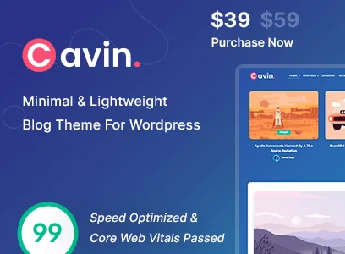
Cavin is a minimalist and lightweight WordPress theme, created especially for those who want to put content first. Ideal for bloggers, writers, and content creators who value clean design, fast loading, and a pleasant reading experience. With elegant typography and streamlined layout, Cavin turns any blog into a sophisticated and easy-to-navigate space.
Main Features
- Minimalist Design
Clean and elegant layout that puts content and readability above everything. - Lightweight and Fast
Optimized code that guarantees reduced loading times and better performance. - Fully Responsive
Adapts perfectly to desktops, tablets, and smartphones of any size. - Refined Typography
Carefully selected fonts to provide a comfortable reading experience. - Simple Customization
Adjust colors, layouts, and visual details directly via WordPress Customizer. - Compatible with Gutenberg
Works harmoniously with the native block editor for creating flexible posts.
Benefits of Cavin
- Focus on Reading
The absence of distracting elements keeps the visitor’s attention on what truly matters: your text. - Better SEO
Lightness and optimized structure favor placement in search engines. - Fast Setup
Straightforward installation and customization let you publish your blog in no time. - Professional Appearance
The sophisticated look conveys credibility and enhances your project’s identity.
Who’s This For?
- Bloggers and writers who prioritize content and readability
- Content creators seeking a fast and minimalist site
- Journalists, columnists, and enthusiasts who want an elegant personal blog
With its blend of simplicity, speed, and sophistication, Cavin is the perfect choice for those who want a beautiful blog without sacrificing performance. Let your content shine in a clean and professional environment, winning readers with an impeccable navigation experience.
Frequently asked questions
Is Cavin | Minimal & Lightweight WordPress Blog Theme GPL-licensed?
Yes. Cavin | Minimal & Lightweight WordPress Blog Theme is distributed under the GPL (GNU General Public License). You may legally use, modify and redistribute it on as many sites as you want.
Can I use Cavin | Minimal & Lightweight WordPress Blog Theme on multiple sites?
Yes. You can install Cavin | Minimal & Lightweight WordPress Blog Theme on as many sites as you want. Only automatic updates through Ultrapack Auto Updater have a limit: from 3 to 80 sites, depending on the plan.
How much does Cavin | Minimal & Lightweight WordPress Blog Theme cost at Ultrapack?
Cavin | Minimal & Lightweight WordPress Blog Theme costs US$2.99 as a single purchase, and it is also included in the subscription plans starting at US$12/mo (VIP I).
Does Cavin | Minimal & Lightweight WordPress Blog Theme include updates?
Yes. The current version of Cavin | Minimal & Lightweight WordPress Blog Theme is 1.9, published at Ultrapack on Jul 10, 2026. Subscribers update straight from the WordPress dashboard with UAU (Ultrapack Auto Updater).
Is Cavin | Minimal & Lightweight WordPress Blog Theme scanned before publication?
Yes. Every version of Cavin | Minimal & Lightweight WordPress Blog Theme goes through a malware scan (ClamAV and YARA rules, at UltraHub) before it is published.
How to install
Automatic updates: this item is updated by the Ultrapack Auto Updater. With it installed, the new version shows up in your dashboard like any other WordPress update (how to set it up).
The file on this page is the developer’s full package, with documentation, demos and plugins. Do not upload that file to WordPress. The theme comes ready inside it, as a ZIP of its own, and that is the one you upload.
- Download the file
elements-cavin-minimal-lightweight-wordpress-blog-theme.zipand extract it on your computer. - Look inside the extracted files for the file
cavin-package/cavin.zip. - In the WordPress dashboard, go to Appearance > Themes > Add New > Upload Theme.
- Select that file and click Install Now.
- Click Activate.
- There is nothing to zip. The ZIP inside the package is already in the format WordPress accepts.
- Uploading the whole package is the most common mistake when installing a theme: WordPress answers that no valid theme was found, and nothing is installed.
- The rest of the package belongs to the author: documentation, demo files and, in some themes, the plugins it asks for during setup.
Stuck on a step? Open a ticket telling us which one you stopped at.