

 UAU Ready
Description
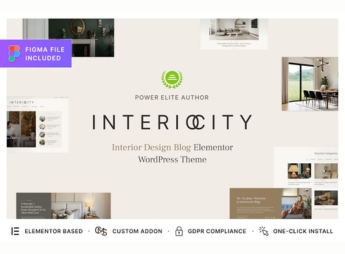
Interiocity allows the creation of blog and magazine sites for home decoration and interior design for designers, decorators, and bloggers specialized in the sector. With ready-made layouts for articles, image galleries, and highlight sections, the theme allows customizing colors, typography, and element arrangement without code, speeding up visual content creation, while also offering support for social network widgets and newsletter signup forms, making the site appealing to readers and brands in the segment.
Key Features of Interiocity
- Responsive and optimized layout
The theme naturally adapts to mobile devices, tablets, and desktops, ensuring a consistent reading experience on any screen. - Grid image gallery
Showcase decor photos in grid or masonry style, with an integrated lightbox for enlarged viewing. - Customizable highlight sections
Feature spotlighted articles, categories, or popular posts through drag-and-drop configurable sections. - Social network widget support
Connect Instagram, Pinterest, and Facebook profiles, displaying feeds and share buttons directly in the layout. - Color and typography customization
Change color palettes and fonts via the WordPress Customizer, tailoring the look to the brand identity.
Benefits of Interiocity
- Rapid visual content creation
With ready templates and galleries, publish blog posts and decor portfolios with just a few clicks. - Reader engagement
Integrated social networks and newsletter forms boost interaction and lead capture. - Professional look without coding
The visual customization lets designers and bloggers communicate credibility without technical expertise. - SEO optimization
Semantic structure and configurable meta tags help the site rank higher for decoration terms.
Who is Interiocity for?
- Interior designers looking to showcase an online portfolio and blog to promote projects and trends.
- Decor and lifestyle bloggers needing a visual and functional layout for articles and galleries.
- Digital magazines and specialized interior design publications seeking a professional platform for editorial content.
How to Download Interiocity
Interiocity is available for download here at Ultrapack. After downloading the .zip file, install it under Appearance > Themes > Add New > Upload Theme, select the .zip, and activate. The file is complete and ready for immediate installation.
Whether it’s a personal décor blog, an interior design portfolio, or a specialized digital magazine, Interiocity combines a clean layout with functional sections that enhance images and text. The theme was engineered so you can focus on producing inspiring content, while the structure handles navigation and the reader experience.
Frequently asked questions
Is Interiocity – Home Decor Blog & Interior Design Magazine WordPress Theme GPL-licensed?
Yes. Interiocity – Home Decor Blog & Interior Design Magazine WordPress Theme is distributed under the GPL (GNU General Public License). You may legally use, modify and redistribute it on as many sites as you want.
Can I use Interiocity – Home Decor Blog & Interior Design Magazine WordPress Theme on multiple sites?
Yes. You can install Interiocity – Home Decor Blog & Interior Design Magazine WordPress Theme on as many sites as you want. Only automatic updates through Ultrapack Auto Updater have a limit: from 3 to 80 sites, depending on the plan.
How much does Interiocity – Home Decor Blog & Interior Design Magazine WordPress Theme cost at Ultrapack?
Interiocity – Home Decor Blog & Interior Design Magazine WordPress Theme costs US$2.99 as a single purchase, and it is also included in the subscription plans starting at US$12/mo (VIP I).
Does Interiocity – Home Decor Blog & Interior Design Magazine WordPress Theme include updates?
Yes. The current version of Interiocity – Home Decor Blog & Interior Design Magazine WordPress Theme is 1.2.2, published at Ultrapack on Aug 26, 2026. Subscribers update straight from the WordPress dashboard with UAU (Ultrapack Auto Updater).
Is Interiocity – Home Decor Blog & Interior Design Magazine WordPress Theme scanned before publication?
Yes. Every version of Interiocity – Home Decor Blog & Interior Design Magazine WordPress Theme goes through a malware scan (ClamAV and YARA rules, at UltraHub) before it is published.
What are the requirements for the theme Interiocity – Home Decor Blog & Interior Design Magazine WordPress Theme?
Requires PHP 7.4 or higher. Tested up to WordPress 6.6.
What changed in this version
Version 1.2.2 2026-04-18
- Tweak: Added a link to the archive of the latest version of the CMSMasters framework in case of problems with GitHub.
- Bug Fix: Updated config in default elements from 0 to 0px.
Version 1.2.1 2025-10-22
- New Functionality: Added theme updater.
Version 1.2.0 2025-04-22
- Tweak: Importer optimization.
- Tweak: Added `CMSMasters Framework` plugin.
Version 1.1.1 2025-03-04
- Tweak: Importer optimization.
- Bug Fix: Fixed animation in page preloader.
Version 1.1.0 2025-01-22
- Tweak: Improve importer.
- Tweak: Improve security.
- Bug Fix: Fixed translations in theme.
Release notes published by the developer.
How to install
Automatic updates: this item is updated by the Ultrapack Auto Updater. With it installed, the new version shows up in your dashboard like any other WordPress update (how to set it up).
The file on this page is the developer’s full package, with documentation, demos and plugins. Do not upload that file to WordPress. The theme comes ready inside it, as a ZIP of its own, and that is the one you upload.
- Download the file
elements-interiocity-interior-design-blog-wordpress-theme.zipand extract it on your computer. - Look inside the extracted files for the file
interiocity.zip. - In the WordPress dashboard, go to Appearance > Themes > Add New > Upload Theme.
- Select that file and click Install Now.
- Click Activate.
Requirements: Requires PHP 7.4 or higher. Tested up to WordPress 6.6.
- There is nothing to zip. The ZIP inside the package is already in the format WordPress accepts.
- Uploading the whole package is the most common mistake when installing a theme: WordPress answers that no valid theme was found, and nothing is installed.
- The rest of the package belongs to the author: documentation, demo files and, in some themes, the plugins it asks for during setup.
- The package also includes the plugin the theme uses, in
revslider.zip. Upload this file in Plugins > Add New > Upload Plugin after activating the theme.
Stuck on a step? Open a ticket telling us which one you stopped at.


