 UAU Ready
Description
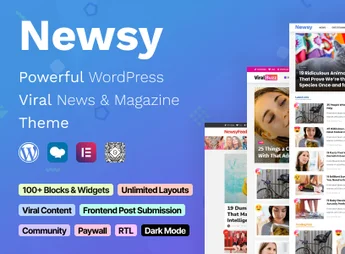
When a portal needs to publish news content with high frequency and engagement, Newsy lets you build a magazine site with optimized layouts for articles, videos, polls, and quizzes, importing ready-made demos for blogs and magazines and structuring pages through a native visual builder. Recommended for those who want to create a modern, interactive news outlet focused on viral content, the theme combines responsive design and social media integration to maximize reach, enabling organic growth without custom development.
Key Features of Newsy
- Layouts for news and magazines
Ready-made demos and specific templates for articles, lists, and category pages. - Social media integration
Sharing buttons, feeds, and direct links to expand content distribution. - Quizzes and polls section
Interactive modules that increase visitor time on site and engagement. - Focus on video content
Integrated video player and gallery for publishing interviews, reports, and viral content. - Responsive and optimized design
Mobile-friendly layout with AMP support for fast loading.
Benefits of Newsy
- Fast news portal creation
Demos and a visual builder reduce setup time from weeks to hours. - Increased engagement with quizzes
Polls and quizzes keep readers on the site longer. - Better visibility on social media
Easy sharing and direct integration expand organic reach. - Greater reach with a viral format
Content structure optimized for viral posts and shareable materials.
Who Is Newsy Recommended For?
- Those who want to create a news blog or magazine with frequent updates.
- You who want to publish viral and interactive content (quizzes, polls, videos).
- Portals that need a modern, responsive layout focused on engagement.
How to Download Newsy
Newsy is available for download here on Ultrapack. After downloading the .zip file, install it in Appearance > Themes > Add New > Upload Theme, select the .zip, and activate it. The theme is complete and ready for immediate use.
Newsy structures news portals with ready-made demos and a visual builder, eliminating the need for programming to create article, video, and quiz sections. Aimed at those who run high-traffic blogs or digital outlets, the theme speeds up publishing and keeps the focus on viral and interactive content.
Frequently asked questions
Is Newsy – Viral News & Magazine WordPress Theme GPL-licensed?
Yes. Newsy – Viral News & Magazine WordPress Theme is distributed under the GPL (GNU General Public License). You may legally use, modify and redistribute it on as many sites as you want.
Can I use Newsy – Viral News & Magazine WordPress Theme on multiple sites?
Yes. You can install Newsy – Viral News & Magazine WordPress Theme on as many sites as you want. Only automatic updates through Ultrapack Auto Updater have a limit: from 3 to 80 sites, depending on the plan.
How much does Newsy – Viral News & Magazine WordPress Theme cost at Ultrapack?
Newsy – Viral News & Magazine WordPress Theme costs US$2.99 as a single purchase, and it is also included in the subscription plans starting at US$12/mo (VIP I).
Does Newsy – Viral News & Magazine WordPress Theme include updates?
Yes. The current version of Newsy – Viral News & Magazine WordPress Theme is 2.9.3, published at Ultrapack on Jul 28, 2026. Subscribers update straight from the WordPress dashboard with UAU (Ultrapack Auto Updater).
Is Newsy – Viral News & Magazine WordPress Theme scanned before publication?
Yes. Every version of Newsy – Viral News & Magazine WordPress Theme goes through a malware scan (ClamAV and YARA rules, at UltraHub) before it is published.
How to install
Automatic updates: this item is updated by the Ultrapack Auto Updater. With it installed, the new version shows up in your dashboard like any other WordPress update (how to set it up).
The file on this page is already the theme, ready to upload to WordPress.
- Download the file
themeforest-34626838-newsy-viral-news-magazine-wordpress-theme.zip. - In the WordPress dashboard, go to Appearance > Themes > Add New > Upload Theme.
- Select the file
themeforest-34626838-newsy-viral-news-magazine-wordpress-theme.zipand click Install Now. - Click Activate.
- If WordPress answers that no valid theme was found, the file is the developer’s full package and the theme is in a folder inside it. Extract the file on your computer, look for the folder that has
style.cssandscreenshot.png(in this item, the foldernewsy), zip that folder only and upload it again.
Stuck on a step? Open a ticket telling us which one you stopped at.