

 UAU Ready
Description
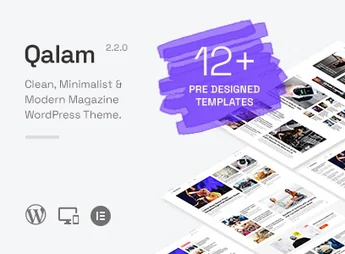
Built on WordPress, Qalam structures news and magazine sites with layouts optimized for displaying articles, galleries, and ads, allowing you to customize colors, typography, and headers directly in the Customizer. It’s designed for people who publish journalistic or editorial content, with minimalist layouts, support for multiple post formats, categories, tags, and widgets for newsletters and popular posts, and it’s fully responsive.
Qalam Main Features
- Optimized homepage layouts
Displays featured articles, grid, and list with integrated ad areas. - Customization via Customizer
Change colors, fonts, header, and footer without editing code directly in the WordPress panel. - Specific widgets for magazines
Includes widgets for popular posts, categories, social networks, and newsletters in the sidebars. - Support for multiple post formats
Publishes articles with a featured image, gallery, video, or audio without extra plugins. - Compatibility with page builders
Works with the Gutenberg editor and other visual builders to create custom pages.
Qalam Benefits
- Quick site setup
Import ready-made demos and adjust the look in just a few minutes. - Focused reading experience
Clean, minimalist design keeps attention on the content. - Customization without code
Change colors, fonts, and layouts with clicks, no developer needed. - Reader engagement
Popular posts and newsletter widgets encourage repeat visits.
Who Is Qalam For?
- Anyone publishing daily news and needing a layout optimized for articles and galleries.
- Magazines and blogs that want a minimalist, content-focused editorial design.
- Independent publishers looking for a professional platform without technical complexity.
How to Download Qalam
Qalam is available for download here on Ultrapack. After downloading the .zip file, install it in Appearance > Themes > Add New > Upload theme, select the .zip, and activate it. The file is complete and ready for immediate installation.
Qalam combines the structure of a magazine theme with the simplicity of a minimalist design, offering tools to highlight content through various homepage layout options and functional widgets. For anyone who needs to publish articles, news, or editorials with speed and a clean aesthetic, the theme provides a solid foundation that can be adjusted without programming.
Frequently asked questions
Is Qalam – NewsPaper and Magazine WordPress Theme GPL-licensed?
Yes. Qalam – NewsPaper and Magazine WordPress Theme is distributed under the GPL (GNU General Public License). You may legally use, modify and redistribute it on as many sites as you want.
Can I use Qalam – NewsPaper and Magazine WordPress Theme on multiple sites?
Yes. You can install Qalam – NewsPaper and Magazine WordPress Theme on as many sites as you want. Only automatic updates through Ultrapack Auto Updater have a limit: from 3 to 80 sites, depending on the plan.
How much does Qalam – NewsPaper and Magazine WordPress Theme cost at Ultrapack?
Qalam – NewsPaper and Magazine WordPress Theme costs US$2.99 as a single purchase, and it is also included in the subscription plans starting at US$12/mo (VIP I).
Does Qalam – NewsPaper and Magazine WordPress Theme include updates?
Yes. The current version of Qalam – NewsPaper and Magazine WordPress Theme is 2.5.0, published at Ultrapack on Sep 7, 2026. Subscribers update straight from the WordPress dashboard with UAU (Ultrapack Auto Updater).
Is Qalam – NewsPaper and Magazine WordPress Theme scanned before publication?
Yes. Every version of Qalam – NewsPaper and Magazine WordPress Theme goes through a malware scan (ClamAV and YARA rules, at UltraHub) before it is published.
What are the requirements for the theme Qalam – NewsPaper and Magazine WordPress Theme?
Requires WordPress 5.0 or higher and PHP 8.0 or higher. Tested up to WordPress 7.1.
What changed in this version
Version 2.5.0
- Updated bundled WP Post Modules (Elementor) plugin to v2.8.0
- Elementor tested upto 4.2.4
- Ensured compatibility upto WordPress 7.1 and php 8.5.0
- Fixed: WP_Filesystem_Base::exists error in bfi_thumb.php
- Fixed: CSS styling conflict of search and submit buttons with Elementor
Version 2.4.0
- Updated bundled WP Post Modules (Elementor) plugin to v2.7.0
- Updated Fontawesome free icons to v7.1.0
- Elementor tested upto 3.34.0
- Ensured compatibility upto WordPress 6.9 and php 8.3.28
- Fixed: Deprecated HTML5 Shiv support
- Fixed: Kirki config causing "translation was triggered too early" warning
Version 2.3.0
- Updated bundled WP Post Modules (Elementor) plugin to v2.6.2
- Updated Fontawesome free icons to v6.7.2
- Elementor tested upto 3.29.2
- Ensured compatibility upto WordPress 6.8.1 and php 8.2.0
Version 2.2.0
- Added support for post labels
- For usage instructions, please see the documentation's 'FAQ section at
- Updated bundled WP Post Modules (Elementor) plugin to v2.6.0
- See WP Post Modules > Style > Title > Post Labels
- Post labels are custom fields added in a post which can be displayed along with the title
- E.g. Live News, Breaking, Offer, Promoted, etc.
- For usage instructions, please see the documentation/index.html file's FAQ section.
- Elementor tested upto 3.24.7
- Ensured compatibility upto WordPress 6.6.2
Version 2.1.1
- Updated bundled WP Post Modules plugin to v2.5.1
- Fixed: Elementor inline styling not working
- Note: Edit and update the pages on which WP Post Modules is used. This shall fix the broken style issue.
- Ensured compatibility with WordPress 6.6.1 and Elementor 3.23.x
Release notes published by the developer.
How to install
Automatic updates: this item is updated by the Ultrapack Auto Updater. With it installed, the new version shows up in your dashboard like any other WordPress update (how to set it up).
The file on this page is the developer’s full package, with documentation, demos and plugins. Do not upload that file to WordPress. The theme comes ready inside it, as a ZIP of its own, and that is the one you upload.
- Download the file
elements-qalam-newspaper-and-magazine-wordpress-theme.zipand extract it on your computer. - Look inside the extracted files for the file
qalam.zip. - In the WordPress dashboard, go to Appearance > Themes > Add New > Upload Theme.
- Select that file and click Install Now.
- Click Activate.
Requirements: Requires WordPress 5.0 or higher and PHP 8.0 or higher. Tested up to WordPress 7.1.
- There is nothing to zip. The ZIP inside the package is already in the format WordPress accepts.
- Uploading the whole package is the most common mistake when installing a theme: WordPress answers that no valid theme was found, and nothing is installed.
- The rest of the package belongs to the author: documentation, demo files and, in some themes, the plugins it asks for during setup.
Stuck on a step? Open a ticket telling us which one you stopped at.


