 UAU Ready
Description
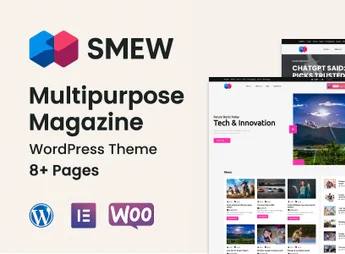
Smew is a multifunctional, clean, and modern WordPress theme designed specifically for online magazines, newspapers, news portals, and personal blogs. With a responsive design and a focus on readability, it offers a robust and visually appealing platform for content creators who want to present their stories professionally and engagingly, reaching readers on any device with maximum clarity and visual impact.
Main Features
- WPBakery Visual Builder: Create complex page layouts with a drag-and-drop interface, without needing code.
- Slider Revolution Included: Build dynamic and responsive sliders and presentations to highlight your most important content.
- Fully Responsive Design: Ensures perfect viewing on all devices, from desktops to smartphones and tablets.
- WooCommerce Compatibility: Turn your content site into a complete online store to sell physical or digital products.
- Multiple Blog and Post Layouts: Choose from a variety of layout options to display your articles and post lists the way you prefer.
- Advanced Options Panel: Easily customize colors, fonts, layouts, and other theme settings through an intuitive panel.
Benefits of the Smew themeforest theme:
- Versatility and Flexibility: Adapts to different content niches, from news and technology to fashion and cooking, thanks to its customization options and varied layouts.
- Save on Premium Plugins: Includes popular plugins such as WPBakery Page Builder and Slider Revolution for free, saving dozens of dollars on individual licenses.
- Optimized User Experience: The content-focused design and intuitive navigation improve readability and keep visitors engaged longer on your site.
- Ready for Communities and Commerce: With built-in support for bbPress, BuddyPress, and WooCommerce, you can easily add forums, social networks, and an online store to your news portal.
Who is it for?
- Professional bloggers and online magazine editors.
- News portals and digital newspapers.
- Content creators who need a visually rich and flexible platform.
With its combination of elegant design, powerful features, and usability, the Smew themeforest theme is the ideal choice for building a professional and impactful content site on WordPress.
Frequently asked questions
Is Smew – Multipurpose Magazine WordPress Theme GPL-licensed?
Yes. Smew – Multipurpose Magazine WordPress Theme is distributed under the GPL (GNU General Public License). You may legally use, modify and redistribute it on as many sites as you want.
Can I use Smew – Multipurpose Magazine WordPress Theme on multiple sites?
Yes. You can install Smew – Multipurpose Magazine WordPress Theme on as many sites as you want. Only automatic updates through Ultrapack Auto Updater have a limit: from 3 to 80 sites, depending on the plan.
How much does Smew – Multipurpose Magazine WordPress Theme cost at Ultrapack?
Smew – Multipurpose Magazine WordPress Theme costs US$2.99 as a single purchase, and it is also included in the subscription plans starting at US$12/mo (VIP I).
Does Smew – Multipurpose Magazine WordPress Theme include updates?
Yes. The current version of Smew – Multipurpose Magazine WordPress Theme is 1.0.1, published at Ultrapack on May 30, 2026. Subscribers update straight from the WordPress dashboard with UAU (Ultrapack Auto Updater).
Is Smew – Multipurpose Magazine WordPress Theme scanned before publication?
Yes. Every version of Smew – Multipurpose Magazine WordPress Theme goes through a malware scan (ClamAV and YARA rules, at UltraHub) before it is published.
How to install
Automatic updates: this item is updated by the Ultrapack Auto Updater. With it installed, the new version shows up in your dashboard like any other WordPress update (how to set it up).
The file on this page is the full package the author publishes on the marketplace: the theme, the documentation and sometimes the plugins it uses. Do not upload that file through the dashboard, because WordPress cannot find the theme inside it. What gets installed is the theme folder, which is in there.
- Download the file
elements-multipurpose-magazine-wordpress-theme.zipand extract it on your computer. - If the extracted package contains another ZIP file named after the theme, extract that ZIP as well before looking for the theme folder.
- Look for the folder that has the
style.cssfile and thescreenshot.pngimage. That is the theme folder. - Zip that folder only. Do not use RAR.
- In the WordPress dashboard, go to Appearance > Themes > Add New > Upload Theme and upload the ZIP file you just created.
- Click Activate.
- Uploading the whole package is the most common mistake when installing a theme. WordPress answers that no valid theme was found, and nothing is installed.
- If after extracting you already find
style.cssandscreenshot.pngin the main folder, that folder is the theme folder. - The rest of the package belongs to the author: documentation, demo files and, in some themes, the plugins it asks for during setup.
Stuck on a step? Open a ticket telling us which one you stopped at.