Description
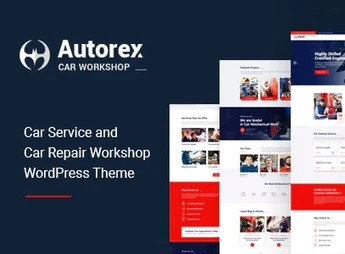
Autorex allows you to build websites for mechanical workshops, tire shops, and automotive maintenance centers using the Elementor visual builder, with animated slides via Slider Revolution and one-click demo content import. The theme serves workshops, auto centers, car washes, and automotive service providers who need organized appointment pages, service galleries, and team areas without editing code.
Main Features of Autorex
- Elementor Builder
Builds pages by drag and drop without requiring coding knowledge. - Slider Revolution included
Creates banners and slides with animation effects on the homepage. - One-click demo import
Installs ready-made sample content, including images and layout texts. - WPML compatibility
Allows translating the entire site to serve customers in other languages. - Contact Form 7 integration
Publishes contact and quote forms directly on the website pages.
Benefits of Autorex
- Website published without a programmer
Reduces developer dependency for building service and quote pages. - Reach in multiple languages
Expands service to customers looking for the workshop in another language. - Layout adapted to any screen
Keeps the service menu readable on mobile, tablet, and desktop. - Unlimited widget areas
Allows organizing sidebars and footers with specific information for each workshop.
Who is Autorex Recommended For?
- Those who manage mechanical workshops and need to list maintenance and inspection services.
- Those who operate car washes, tire shops, or oil and tire change centers.
- Those who provide bodywork, automotive painting, or glass repair services and want to showcase a work gallery.
- Those who need to receive appointment and quote requests through their own website.
How to Download Autorex
Autorex is available for download here at Ultrapack. After downloading the .zip file, install it under Appearance > Themes > Add New > Upload Theme, select the file and activate the theme. Once activated, the demo import options and Elementor settings appear in the admin panel.
Autorex combines a visual builder, animated sliders, and a contact form in a structure specifically aimed at the automotive sector, without relying on separate plugins to build essential pages. For those working with repair, maintenance, or garage services, the theme organizes gallery, team, and appointments in a single, easy-to-edit panel.
Frequently asked questions
Is Autorex – Car Service & Workshop WordPress Theme GPL-licensed?
Yes. Autorex – Car Service & Workshop WordPress Theme is distributed under the GPL (GNU General Public License). You may legally use, modify and redistribute it on as many sites as you want.
Can I use Autorex – Car Service & Workshop WordPress Theme on multiple sites?
Yes. You can install Autorex – Car Service & Workshop WordPress Theme on as many sites as you want. Only automatic updates through Ultrapack Auto Updater have a limit: from 3 to 80 sites, depending on the plan.
How much does Autorex – Car Service & Workshop WordPress Theme cost at Ultrapack?
Autorex – Car Service & Workshop WordPress Theme costs US$2.99 as a single purchase, and it is also included in the subscription plans starting at US$12/mo (VIP I).
Does Autorex – Car Service & Workshop WordPress Theme include updates?
Yes. The current version of Autorex – Car Service & Workshop WordPress Theme is 1.5, published at Ultrapack on Aug 26, 2026. Subscribers update straight from the WordPress dashboard with UAU (Ultrapack Auto Updater).
Is Autorex – Car Service & Workshop WordPress Theme scanned before publication?
Yes. Every version of Autorex – Car Service & Workshop WordPress Theme goes through a malware scan (ClamAV and YARA rules, at UltraHub) before it is published.
What changed in this version
Version 1.5 2024-05-11
- 1) Debug mode on all issues are fixed.
- 2) All Plugins are up to date.
Version 1.4 2023-11-06
- 1) All Plugins are up to date.
Version 1.3 2023-01-08
- 1) All Plugins are up to date.
Version 1.2 2021-12-08
- 1) All plugins are up to date.
Version 1.1 2021-10-23
- 1) One click Demo Import issue is fixed.
- 2) All plugins are up to date.
- First release!
Release notes published by the developer.
How to install
Updates: manual. When a new version comes out, download it on this same page and upload it over the old one; WordPress asks whether you want to replace the current version.
The file on this page is the developer’s full package, with documentation, demos and plugins. Do not upload that file to WordPress. The theme comes ready inside it, as a ZIP of its own, and that is the one you upload.
- Download the file
elements-autorex-car-service-workshop-wordpress-theme.zipand extract it on your computer. - Look inside the extracted files for the file
autorex-wp-full/autorex.zip. - In the WordPress dashboard, go to Appearance > Themes > Add New > Upload Theme.
- Select that file and click Install Now.
- Click Activate.
- There is nothing to zip. The ZIP inside the package is already in the format WordPress accepts.
- Uploading the whole package is the most common mistake when installing a theme: WordPress answers that no valid theme was found, and nothing is installed.
- The rest of the package belongs to the author: documentation, demo files and, in some themes, the plugins it asks for during setup.
Stuck on a step? Open a ticket telling us which one you stopped at.