

 UAU Ready
Description
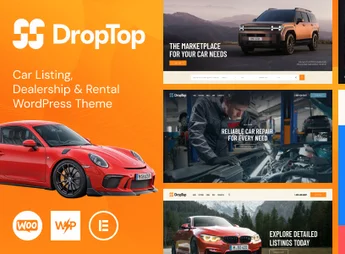
Drop-Top is a theme designed for dealerships, car rental services, and car washes, featuring a configurable car listing system and search filters by brand, model, year, and price range. The automobile-oriented layout covers everything from inventory display and vehicle offers to dedicated pages for mechanical inspection services, cleaning, and fleet rental.
Key Features of Drop-Top
- Vehicle Listings
Vehicle registration with fields for brand, model, year, mileage, price and photo gallery. - Search Filters
Combined search by category, price range, transmission type and fuel on the results page. - Rental Module
Dedicated section displaying fleet, rates per period, and rental request form. - Service Pages
Layouts for mechanical workshops and car washes featuring a service list and integrated contact channel. - Responsive Design
Visual adapted for smartphones and tablets, following vehicle searches on mobile devices.
Benefits of Drop-Top
- No-Code Publishing
New vehicles are added to inventory via the panel, without editing theme files. - Inquiry Per Listing
Form attached to each vehicle record receives direct contacts from interested buyers. - Multiple Integrated Segments
Sales, rentals and automotive services coexist in separate sections on the same site. - Fast Setup
Pre-built demos for the automotive niche reduce initial site setup time.
Who is Drop-Top Recommended For?
- Those who manage dealerships or vehicle resales and need to publish online inventory with photos, specifications, and prices.
- Car rental companies that want to display available fleet, daily rates, and a reservation form on a single site.
- Mechanical workshops and car washes seeking digital presence with a service list and scheduling channel.
How to Download Drop-Top
Drop-Top is available for download here on Ultrapack. After downloading the .zip file, install it via Appearance > Themes > Add New > Upload Theme, select the file and activate. The file is complete and ready for immediate installation.
Drop-Top centralizes automotive sector-specific resources: vehicle listings with brand, model and year filters, service pages for mechanical workshops and car washes, and fleet structure for car rental companies. Those who need to publish inventory, capture vehicle inquiries and detail service tables find in the theme a visual foundation built for the automotive market.
Frequently asked questions
Is Drop-Top – Car Listing, Dealership & Rental WordPress Theme GPL-licensed?
Yes. Drop-Top – Car Listing, Dealership & Rental WordPress Theme is distributed under the GPL (GNU General Public License). You may legally use, modify and redistribute it on as many sites as you want.
Can I use Drop-Top – Car Listing, Dealership & Rental WordPress Theme on multiple sites?
Yes. You can install Drop-Top – Car Listing, Dealership & Rental WordPress Theme on as many sites as you want. Only automatic updates through Ultrapack Auto Updater have a limit: from 3 to 80 sites, depending on the plan.
How much does Drop-Top – Car Listing, Dealership & Rental WordPress Theme cost at Ultrapack?
Drop-Top – Car Listing, Dealership & Rental WordPress Theme costs US$2.99 as a single purchase, and it is also included in the subscription plans starting at US$12/mo (VIP I).
Does Drop-Top – Car Listing, Dealership & Rental WordPress Theme include updates?
Yes. The current version of Drop-Top – Car Listing, Dealership & Rental WordPress Theme is 1.3.0, published at Ultrapack on Oct 16, 2025. Subscribers update straight from the WordPress dashboard with UAU (Ultrapack Auto Updater).
Is Drop-Top – Car Listing, Dealership & Rental WordPress Theme scanned before publication?
Yes. Every version of Drop-Top – Car Listing, Dealership & Rental WordPress Theme goes through a malware scan (ClamAV and YARA rules, at UltraHub) before it is published.
What are the requirements for the theme Drop-Top – Car Listing, Dealership & Rental WordPress Theme?
Requires WordPress 5.5 or higher and PHP 7.4 or higher. Tested up to WordPress 6.7.
How to install
Automatic updates: this item is updated by the Ultrapack Auto Updater. With it installed, the new version shows up in your dashboard like any other WordPress update (how to set it up).
The file on this page is the developer’s full package, with documentation, demos and plugins. Do not upload that file to WordPress. The theme comes ready inside it, as a ZIP of its own, and that is the one you upload.
- Download the file
elements-drop-top.zipand extract it on your computer. - Look inside the extracted files for the file
Drop Top_v1.3/drop-top.zip. - In the WordPress dashboard, go to Appearance > Themes > Add New > Upload Theme.
- Select that file and click Install Now.
- Click Activate.
Requirements: Requires WordPress 5.5 or higher and PHP 7.4 or higher. Tested up to WordPress 6.7.
- There is nothing to zip. The ZIP inside the package is already in the format WordPress accepts.
- Uploading the whole package is the most common mistake when installing a theme: WordPress answers that no valid theme was found, and nothing is installed.
- The rest of the package belongs to the author: documentation, demo files and, in some themes, the plugins it asks for during setup.
- The file
plugins.zipis not an installable plugin: it's a package. Extract this file and upload each plugin inside it to Plugins > Add New > Upload Plugin.
Stuck on a step? Open a ticket telling us which one you stopped at.



