

 UAU Ready
Description
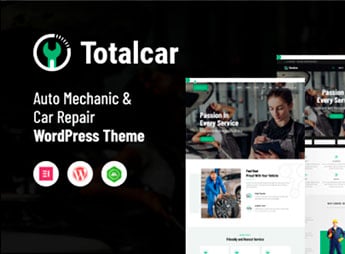
Total Car builds websites for auto repair shops, car washes, body shops and automotive centers on WordPress, with pages to list services, business hours and the structure of the business. It serves whoever runs an auto shop, an automotive center, a body shop or a vehicle maintenance service and needs a site that presents services clearly, shows reference prices and makes it easy for people looking for a quick repair to get in touch.
Main Features of Total Car
- Service list with price
Organizes each service offered by the shop into blocks with a reference price. - Appointment form
Takes booking requests for inspections, oil changes or repairs directly through the site. - Gallery of completed work
Shows photos of vehicles serviced as proof of the work carried out at the shop. - Map and business hours
Displays location, address and business hours in a fixed block. - Responsive mobile layout
Adjusts pages and forms for people accessing the site from their phone, on the go.
Benefits of Total Car
- Fewer calls to answer questions
Leaves services and reference prices visible before the first contact. - More bookings through the site
Makes it easy to schedule an appointment without having to call during the shop’s business hours. - Credibility with real photos
Shows the shop’s standard of work through images of completed services. - Digital presence for the business
Gives the shop its own address on the internet, outside of social media.
Who Is Total Car For?
- Whoever runs an auto repair shop or automotive center.
- Whoever operates a car wash or body shop.
- Whoever provides one-off or subscription vehicle maintenance services.
- Whoever already serves regular customers and wants to digitalize scheduling.
How to Download Total Car
Total Car is available for download here on Ultrapack. After getting the file, install it through Appearance > Themes > Add New > Upload Theme in the WordPress dashboard and activate the theme to apply the layout to the site.
People looking for a repair usually decide based on the first online contact, so having services, reference prices and a quick way to book an appointment on the site helps convert that search into a customer who shows up at the shop.
Frequently asked questions
Is Total Car – Auto Mechanic & Car Repair WordPress Theme GPL-licensed?
Yes. Total Car – Auto Mechanic & Car Repair WordPress Theme is distributed under the GPL (GNU General Public License). You may legally use, modify and redistribute it on as many sites as you want.
Can I use Total Car – Auto Mechanic & Car Repair WordPress Theme on multiple sites?
Yes. You can install Total Car – Auto Mechanic & Car Repair WordPress Theme on as many sites as you want. Only automatic updates through Ultrapack Auto Updater have a limit: from 3 to 80 sites, depending on the plan.
How much does Total Car – Auto Mechanic & Car Repair WordPress Theme cost at Ultrapack?
Total Car – Auto Mechanic & Car Repair WordPress Theme costs US$2.99 as a single purchase, and it is also included in the subscription plans starting at US$12/mo (VIP I).
Does Total Car – Auto Mechanic & Car Repair WordPress Theme include updates?
Yes. The current version of Total Car – Auto Mechanic & Car Repair WordPress Theme is 2.0, published at Ultrapack on Jul 1, 2026. Subscribers update straight from the WordPress dashboard with UAU (Ultrapack Auto Updater).
Is Total Car – Auto Mechanic & Car Repair WordPress Theme scanned before publication?
Yes. Every version of Total Car – Auto Mechanic & Car Repair WordPress Theme goes through a malware scan (ClamAV and YARA rules, at UltraHub) before it is published.
What changed in this version
Version 2.0 2023-01-10
- 1) All Plugins are up to date.
Version 1.9 2022-11-01
- 1) Compatible with PHP 8.0 or Higher versions.
- 2) All Plugins are up to date.
Version 1.8 2022-01-21
- 1) All plugins are up to date.
Version 1.7 2021-11-26
- 1) All plugins are up to date.
Version 1.6 2021-09-09
- 1) Compatible with WordPress version 5.8
- 2) All plugins are up to date.
- 20-05-2021 - version 1.5
- 1) All the plugins are updated.
- 2) Styling and responsive issues are fixed.
- 21-10-2020 - version - 1.4
- 1) Theme Options not working issue fixed.
- 04-05-2019 - version - 1.3
- 1) All the plugins are updated.
- 2) Compatible with php 7.2 and wp 5.0
- 3) All the console errors are fixed.
- 4) Styling and responsive issues are fixed.
Release notes published by the developer.
How to install
Automatic updates: this item is updated by the Ultrapack Auto Updater. With it installed, the new version shows up in your dashboard like any other WordPress update (how to set it up).
The file on this page is the developer’s full package, with documentation, demos and plugins. Do not upload that file to WordPress. The theme comes ready inside it, as a ZIP of its own, and that is the one you upload.
- Download the file
elements-total-car-auto-mechanic-car-repair-wordpress.zipand extract it on your computer. - Look inside the extracted files for the file
totalcarMain/totalcarVC/totalcar.zip. - In the WordPress dashboard, go to Appearance > Themes > Add New > Upload Theme.
- Select that file and click Install Now.
- Click Activate.
- There is nothing to zip. The ZIP inside the package is already in the format WordPress accepts.
- Uploading the whole package is the most common mistake when installing a theme: WordPress answers that no valid theme was found, and nothing is installed.
- The rest of the package belongs to the author: documentation, demo files and, in some themes, the plugins it asks for during setup.
Stuck on a step? Open a ticket telling us which one you stopped at.


