

 UAU Ready
Description
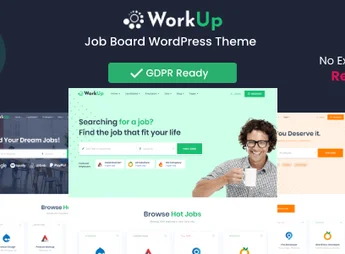
Workup is a theme designed to make creating and managing a job search website a simple and intuitive process. It is the ideal resource for those who want to build a job site with efficient features and an attractive look. With a responsive design, Workup adapts perfectly to any screen type, from mobile phones to desktops, offering a quality user experience for everyone.
Main Features
- Responsive Design:
The theme adjusts to any screen size, offering a consistent user experience across all devices. - SEO Optimized:
Workup comes SEO optimized, increasing the chances of your site being found by search engines. - WooCommerce Integration:
Includes full integration with WooCommerce, making ad management and payments easier. - Flexible Customization:
Various customization options to make the site match your brand. - Intuitive Interface:
The theme is easy to install and configure, even for users without web development experience. - Frequent Updates:
The team behind Workup keeps the theme always updated and secure.
Benefits of Workup
- Ease of Use: The intuitive interface makes theme installation and configuration straightforward.
- High Visibility: With SEO optimization, the site gains greater visibility in online searches.
- Modern Design: The modern and responsive look provides an excellent user experience.
- Dedicated Support: The theme offers dedicated support for troubleshooting and questions.
Who Is It For?
- Those who want to create a job search site quickly and easily.
- Those looking for a modern, responsive, and easy-to-customize theme.
- Those who want a job search site optimized for SEO.
Choosing the Workup theme for your job search website guarantees an efficient, easy-to-manage site with a modern look. Its WooCommerce integration and SEO optimization are important differentiators for your site’s success. Don’t waste time and try Workup.
Frequently asked questions
Is Workup – Job Board WordPress Theme GPL-licensed?
Yes. Workup – Job Board WordPress Theme is distributed under the GPL (GNU General Public License). You may legally use, modify and redistribute it on as many sites as you want.
Can I use Workup – Job Board WordPress Theme on multiple sites?
Yes. You can install Workup – Job Board WordPress Theme on as many sites as you want. Only automatic updates through Ultrapack Auto Updater have a limit: from 3 to 80 sites, depending on the plan.
How much does Workup – Job Board WordPress Theme cost at Ultrapack?
Workup – Job Board WordPress Theme costs US$2.99 as a single purchase, and it is also included in the subscription plans starting at US$12/mo (VIP I).
Does Workup – Job Board WordPress Theme include updates?
Yes. The current version of Workup – Job Board WordPress Theme is 2.1.49, published at Ultrapack on Apr 14, 2025. Subscribers update straight from the WordPress dashboard with UAU (Ultrapack Auto Updater).
Is Workup – Job Board WordPress Theme scanned before publication?
Yes. Every version of Workup – Job Board WordPress Theme goes through a malware scan (ClamAV and YARA rules, at UltraHub) before it is published.
What are the requirements for the theme Workup – Job Board WordPress Theme?
Requires WordPress 4.1 or higher. Tested up to WordPress 4.5.
How to install
Automatic updates: this item is updated by the Ultrapack Auto Updater. With it installed, the new version shows up in your dashboard like any other WordPress update (how to set it up).
The file on this page is the developer’s full package, with documentation, demos and plugins. Do not upload that file to WordPress. The theme comes ready inside it, as a ZIP of its own, and that is the one you upload.
- Download the file
themeforest-24261784-workup-job-board-wordpress-theme.zipand extract it on your computer. - Look inside the extracted files for the file
workup.zip. - In the WordPress dashboard, go to Appearance > Themes > Add New > Upload Theme.
- Select that file and click Install Now.
- Click Activate.
Requirements: Requires WordPress 4.1 or higher. Tested up to WordPress 4.5.
- There is nothing to zip. The ZIP inside the package is already in the format WordPress accepts.
- Uploading the whole package is the most common mistake when installing a theme: WordPress answers that no valid theme was found, and nothing is installed.
- The rest of the package belongs to the author: documentation, demo files and, in some themes, the plugins it asks for during setup.
Stuck on a step? Open a ticket telling us which one you stopped at.


