 UAU Ready
Description
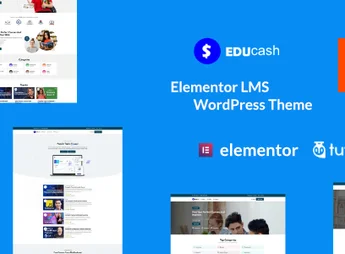
Educash WordPress LMS theme is a theme designed for online schools, course platforms, and educational institutes, featuring native integration with Tutor LMS that structures course pages, lessons, quizzes, and certificate issuance. The layout organizes the subject showcase by category, instructor profiles, and a student dashboard, covering the complete flow from course discovery to completion.
Main Features of Educash WordPress LMS theme
- Tutor LMS Integration
Connects to the Tutor LMS plugin to display courses, lessons, quizzes, and certificates within the theme. - Individual Course Page
Structures a layout with a curriculum, prerequisites, reviews, and an enrollment button for each course. - Subject Showcase
Groups courses in a grid by category, facilitating navigation through the platform’s catalog. - Instructor Profiles
Renders a dedicated page per instructor featuring their bio, taught courses, and student reviews. - Responsive Design
Adapts course pages, listings, and the student area for access on mobile devices.
Benefits of Educash WordPress LMS theme
- No-code Educational Platform
Eliminates the need for custom development when structuring the complete flow of enrollments and lessons. - Visual Consistency Across Courses
Maintains the same layout standard when adding new courses and instructors to the platform. - Accelerated Publication
Publishing a new course follows the existing template without reconfiguring the page from scratch. - Access on Any Device
Students can access courses and complete lessons on smartphones and tablets without loss of usability.
Who Is Educash WordPress LMS theme For?
- Anyone looking to create an online school who needs a ready-made structure to host courses, instructors, and students on WordPress.
- In-person educational institutes that want to provide complementary content or online courses for their students.
- Content creators and coaches who already use Tutor LMS and are looking for a compatible and well-structured visual theme.
How to Download Educash WordPress LMS theme
Educash WordPress LMS theme is available for download on this Ultrapack page. After downloading the .zip file, install it via Appearance > Themes > Add New > Upload Theme, select the file, and activate it. To take advantage of all LMS features, the Tutor LMS plugin must be installed and active on WordPress.
Educash WordPress LMS theme serves both traditional educational institutions looking to expand into the digital space and independent creators building course platforms from scratch. With Tutor LMS as the content foundation, the theme eliminates the manual assembly of each page, allowing you to publish and organize courses with a ready-to-use visual structure focused on converting visitors into enrolled students.
Frequently asked questions
Is Educash WordPress LMS theme GPL-licensed?
Yes. Educash WordPress LMS theme is distributed under the GPL (GNU General Public License). You may legally use, modify and redistribute it on as many sites as you want.
Can I use Educash WordPress LMS theme on multiple sites?
Yes. You can use Educash WordPress LMS theme on multiple sites. The number of sites connected to Ultrapack Auto Updater is limited by your plan.
How much does Educash WordPress LMS theme cost at Ultrapack?
Educash WordPress LMS theme costs US$2.99 as a single purchase, and it is also included in the subscription plans starting at US$12/mo (VIP I).
Does Educash WordPress LMS theme include updates?
Yes. The current version of Educash WordPress LMS theme is 1.0.4, published at Ultrapack on May 7, 2025. Subscribers update straight from the WordPress dashboard with UAU (Ultrapack Auto Updater).
Is Educash WordPress LMS theme scanned before publication?
Yes. Every version of Educash WordPress LMS theme goes through a malware scan (ClamAV and YARA rules, at UltraHub) before it is published.
What are the requirements for the theme Educash WordPress LMS theme?
Requires WordPress 5.9 or higher and PHP 5.6 or higher. Tested up to WordPress 6.2.
How to install
Automatic updates: this item is updated by the Ultrapack Auto Updater. With it installed, the new version shows up in your dashboard like any other WordPress update (how to set it up).
The file on this page is the developer’s full package, with documentation, demos and plugins. Do not upload that file to WordPress. The theme comes ready inside it, as a ZIP of its own, and that is the one you upload.
- Download the file
elements-educash-wordpress-lms-theme.zipand extract it on your computer. - Look inside the extracted files for the file
main/educash.zip. - In the WordPress dashboard, go to Appearance > Themes > Add New > Upload Theme.
- Select that file and click Install Now.
- Click Activate.
Requirements: Requires WordPress 5.9 or higher and PHP 5.6 or higher. Tested up to WordPress 6.2.
- There is nothing to zip. The ZIP inside the package is already in the format WordPress accepts.
- Uploading the whole package is the most common mistake when installing a theme: WordPress answers that no valid theme was found, and nothing is installed.
- The rest of the package belongs to the author: documentation, demo files and, in some themes, the plugins it asks for during setup.
Stuck on a step? Open a ticket telling us which one you stopped at.