

 UAU Ready
Description
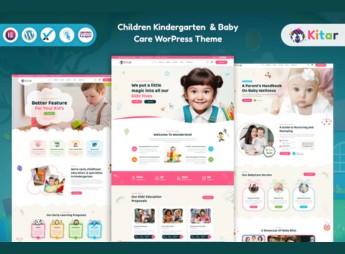
When a preschool school needs a site that reflects warmth and organizes class and routine information, Kitar allows you to build pages with photo galleries, teacher profiles, and an event calendar, using a visual builder with pre-built demos for the children’s niche. The theme is geared toward daycares, nurseries, and preschools that want to present their pedagogical approach and facilitate communication with parents, featuring online enrollment sections, testimonials, and daily activity displays.
Key Features of Kitar
- Demos for early childhood education
Ready-to-import data with nursery, kindergarten, and preschool layouts. - Child-friendly visual customization
Color, font, and graphic element options suitable for the children’s environment. - Activity and event gallery
A section to display photos of classes, outings, and special dates. - Pedagogical team profiles
Individual pages or grid to showcase teachers and caregivers. - Enrollment and contact form
Fields to capture leads and initiate the online registration process.
Benefits of Kitar
- Professional online presence
A complete site built without the need for an external developer or designer. - Clear parent communication
Information on routines, meals, and events always available. - Fast implementation
Pre-made demo imported and customized in a few clicks. - Simplified updates
Content edited directly from the dashboard, no code changes required.
Who is Kitar Recommended For?
- Early childhood education schools seeking a modern, welcoming institutional site.
- Children’s care centers wanting to promote their programs and facilities.
- Daycare and preschool administrators who want to ease communication with families.
How to Download Kitar
Kitar is available for download here on Ultrapack. After downloading the .zip file, go to Appearance > Themes > Add New > Upload Theme, select the file, install, and activate. The theme is complete and ready for immediate use.
With Kitar, early learning institutions can build a full site with ready demos and a visual builder, without hiring a developer. The layout is designed to convey trust and warmth, featuring specific sections for each age range and event. It’s a straightforward solution for daycares and preschools that want to modernize their digital communication quickly and without complications.
Frequently asked questions
Is Kitar – Children Kindergarten & Baby Care WordPress Theme GPL-licensed?
Yes. Kitar – Children Kindergarten & Baby Care WordPress Theme is distributed under the GPL (GNU General Public License). You may legally use, modify and redistribute it on as many sites as you want.
Can I use Kitar – Children Kindergarten & Baby Care WordPress Theme on multiple sites?
Yes. You can install Kitar – Children Kindergarten & Baby Care WordPress Theme on as many sites as you want. Only automatic updates through Ultrapack Auto Updater have a limit: from 3 to 80 sites, depending on the plan.
How much does Kitar – Children Kindergarten & Baby Care WordPress Theme cost at Ultrapack?
Kitar – Children Kindergarten & Baby Care WordPress Theme costs US$2.99 as a single purchase, and it is also included in the subscription plans starting at US$12/mo (VIP I).
Does Kitar – Children Kindergarten & Baby Care WordPress Theme include updates?
Yes. The current version of Kitar – Children Kindergarten & Baby Care WordPress Theme is 1.0.0, published at Ultrapack on Jun 25, 2024. Subscribers update straight from the WordPress dashboard with UAU (Ultrapack Auto Updater).
Is Kitar – Children Kindergarten & Baby Care WordPress Theme scanned before publication?
Yes. Every version of Kitar – Children Kindergarten & Baby Care WordPress Theme goes through a malware scan (ClamAV and YARA rules, at UltraHub) before it is published.
How to install
Automatic updates: this item is updated by the Ultrapack Auto Updater. With it installed, the new version shows up in your dashboard like any other WordPress update (how to set it up).
The file on this page is the developer’s full package, with documentation, demos and plugins. Do not upload that file to WordPress. The theme comes ready inside it, as a ZIP of its own, and that is the one you upload.
- Download the file
elements-kitar-children-kindergarten-baby-care-wordpres-theme.zipand extract it on your computer. - Look inside the extracted files for the file
kitar.zip. - In the WordPress dashboard, go to Appearance > Themes > Add New > Upload Theme.
- Select that file and click Install Now.
- Click Activate.
- There is nothing to zip. The ZIP inside the package is already in the format WordPress accepts.
- Uploading the whole package is the most common mistake when installing a theme: WordPress answers that no valid theme was found, and nothing is installed.
- The rest of the package belongs to the author: documentation, demo files and, in some themes, the plugins it asks for during setup.
Stuck on a step? Open a ticket telling us which one you stopped at.


