

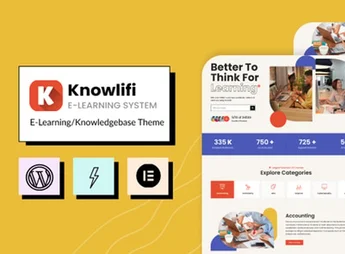
Description
Knowlifi is a theme designed to build knowledge bases, FAQ portals, and e-learning platforms with an integrated artificial intelligence layer for search and student support. It combines an LMS for online courses, a categorized documentation system, a quiz module, and a helpdesk area, serving schools, support teams, and those who manage help centers as a digital product.
Key Features of Knowlifi
- Structured knowledge base
Organizes articles into categories, subcategories, and tags with instant search. - E-learning module
Builds courses with lessons, modules, and individual student progress. - Quiz system
Creates assessments with multiple choice, automatic scoring, and instant feedback. - Integrated AI layer
Accelerates answers and search within documentation using natural language. - Dynamic FAQ page
Collects frequently asked questions in searchable, categorized accordions. - All-in-one help center
Combines articles, tutorials, and a contact form into a single hub. - Ready-to-import layouts
Provides demos for knowledge base, LMS, and support portals.
Benefits of Knowlifi
- Faster support
Reduces tickets by letting users find answers themselves in the base. - Measurable learning
Tracks student performance by quiz and course completion progress. - Unified service center
Brings documentation, courses, and FAQ into a single cohesive portal. - Less reliance on technical staff
Allows updating articles and courses through a visual panel without coding.
Who is Knowlifi Recommended For?
- Online schools, open courses, and instructors selling educational content with lessons and quizzes.
- Those who maintain help centers, technical documentation, or software knowledge bases as a product.
- Support teams wanting to reduce repetitive tickets with a searchable FAQ and categorized articles.
- Those needing to combine e-learning, documentation, and helpdesk in a single portal with AI-powered search.
How to Download Knowlifi
Knowlifi is available for download here on Ultrapack. After downloading the .zip file, install it via Appearance > Themes > Add New > Upload Theme, select the file and activate it. Then import one of the demos through the theme panel to begin with a structured knowledge base, course area, and FAQ already in place.
Knowlifi stands out by combining three areas that typically require separate plugins: an LMS for courses, a searchable documentation base, and an AI-powered FAQ portal. The combination covers everything from online schools selling courses to software companies that keep a help center as a product differentiator, all within a single theme with centralized management.
Frequently asked questions
Is Knowlifi – E-Learning & AI Knowledgebase Theme GPL-licensed?
Yes. Knowlifi – E-Learning & AI Knowledgebase Theme is distributed under the GPL (GNU General Public License). You may legally use, modify and redistribute it on as many sites as you want.
Can I use Knowlifi – E-Learning & AI Knowledgebase Theme on multiple sites?
Yes. You can use Knowlifi – E-Learning & AI Knowledgebase Theme on multiple sites. The number of sites connected to Ultrapack Auto Updater is limited by your plan.
How much does Knowlifi – E-Learning & AI Knowledgebase Theme cost at Ultrapack?
Knowlifi – E-Learning & AI Knowledgebase Theme costs US$2.99 as a single purchase, and it is also included in the subscription plans starting at US$12/mo (VIP I).
Does Knowlifi – E-Learning & AI Knowledgebase Theme include updates?
Yes. The current version of Knowlifi – E-Learning & AI Knowledgebase Theme is 1.1.2, published at Ultrapack on Jun 9, 2026. Subscribers update straight from the WordPress dashboard with UAU (Ultrapack Auto Updater).
Is Knowlifi – E-Learning & AI Knowledgebase Theme scanned before publication?
Yes. Every version of Knowlifi – E-Learning & AI Knowledgebase Theme goes through a malware scan (ClamAV and YARA rules, at UltraHub) before it is published.
How to install
Updates: manual. When a new version comes out, download it on this same page and upload it over the old one; WordPress asks whether you want to replace the current version.
The file on this page is the developer’s full package, with documentation, demos and plugins. Do not upload that file to WordPress. The theme comes ready inside it, as a ZIP of its own, and that is the one you upload.
- Download the file
elements-knowlifi-e-learning-ai-knowledgebase-theme.zipand extract it on your computer. - Look inside the extracted files for the file
knowlifi-package/theme/knowlifi.zip. - In the WordPress dashboard, go to Appearance > Themes > Add New > Upload Theme.
- Select that file and click Install Now.
- Click Activate.
- There is nothing to zip. The ZIP inside the package is already in the format WordPress accepts.
- Uploading the whole package is the most common mistake when installing a theme: WordPress answers that no valid theme was found, and nothing is installed.
- The rest of the package belongs to the author: documentation, demo files and, in some themes, the plugins it asks for during setup.
Stuck on a step? Open a ticket telling us which one you stopped at.



