

 UAU Ready
Description
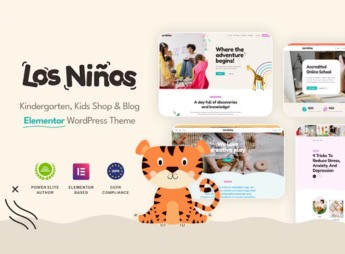
Los Ninos structures educational sites for schools, kindergartens and child education centers, combining a visual builder, a library of education-specific demos, a color and typography customization panel, and ready blocks for curriculum grid, class schedule, teacher profile and class gallery. Targeted for early childhood education institutions, the theme integrates an activity calendar, a pedagogical project gallery, a parent communication area, and an enrollment system, automating school portal creation without coding and supporting form plugins, events, and photo galleries to enrich the experience.
Key Features of Los Ninos
- Educational Thematic Demos
Import ready-made layouts for early childhood education, with welcome, class, and event pages. - Integrated Visual Builder
Drag-and-drop editor with blocks specifically for timetable grid, teacher profile, and calendar. - Customization Panel
Adjust colors, typography, and layout directly within WordPress Customizer without coding. - Event and Calendar Section
Display of commemorative dates, parent meetings, and extracurricular activities in a visual format. - Family Communication Area
Dedicated space for notices, communications, and photo gallery restricted to parents and guardians.
Benefits of Los Ninos
- School Site in Minutes
Fast deployment via pre-made demos and ready-to-use blocks, reducing creation time. - Pedagogical Professionalism
Playful and organized layout that conveys confidence and highlights the institution’s educational mission. - Simplified Agenda Management
Integrated calendar allows updating events and announcements without editing pages or code. - Family Engagement
Area for parents to follow projects, photos, and notices, strengthening the school-family partnership.
Who is Los Ninos Recommended For?
- Early childhood schools and kindergartens that want a modern, informative site without relying on developers.
- Teachers and pedagogical coordinators who need to publish schedules, activities, and announcements in a centralized manner.
- Parents and guardians who want to access event calendars, class galleries, and important notices in a single portal.
How to Download Los Ninos
Los Ninos is available for download here on Ultrapack. After downloading the .zip file, install it via Appearance > Themes > Add New > Upload Theme, select the .zip and activate. The theme already includes importable demos and a setup panel to get started immediately.
With Los Ninos, early childhood education institutions gain a website that combines visual appeal and practical school-management features. The structure designed for kindergartens, schools, and education centers eliminates technical complexity, allowing educators to focus on pedagogical content while the tool handles presentation and communication with families. The result is a professional, welcoming online presence aligned with the real needs of the school community.
Frequently asked questions
Is Los Ninos – Children Education WordPress Theme GPL-licensed?
Yes. Los Ninos – Children Education WordPress Theme is distributed under the GPL (GNU General Public License). You may legally use, modify and redistribute it on as many sites as you want.
Can I use Los Ninos – Children Education WordPress Theme on multiple sites?
Yes. You can use Los Ninos – Children Education WordPress Theme on multiple sites. The number of sites connected to Ultrapack Auto Updater is limited by your plan.
How much does Los Ninos – Children Education WordPress Theme cost at Ultrapack?
Los Ninos – Children Education WordPress Theme costs US$2.99 as a single purchase, and it is also included in the subscription plans starting at US$12/mo (VIP I).
Does Los Ninos – Children Education WordPress Theme include updates?
Yes. The current version of Los Ninos – Children Education WordPress Theme is 1.2.2, published at Ultrapack on Aug 26, 2026. Subscribers update straight from the WordPress dashboard with UAU (Ultrapack Auto Updater).
Is Los Ninos – Children Education WordPress Theme scanned before publication?
Yes. Every version of Los Ninos – Children Education WordPress Theme goes through a malware scan (ClamAV and YARA rules, at UltraHub) before it is published.
What are the requirements for the theme Los Ninos – Children Education WordPress Theme?
Requires PHP 7.4 or higher. Tested up to WordPress 6.6.
What changed in this version
Version 1.2.2 2026-04-18
- Tweak: Added a link to the archive of the latest version of the CMSMasters framework in case of problems with GitHub.
- Bug Fix: Updated config in default elements from 0 to 0px.
Version 1.2.1 2025-10-22
- New Functionality: Added theme updater.
Version 1.2.0 2025-04-22
- Tweak: Importer optimization.
- Tweak: Added `CMSMasters Framework` plugin.
Version 1.1.1 2025-03-04
- Tweak: Importer optimization.
- Bug Fix: Fixed animation in page preloader.
Version 1.1.0 2025-01-22
- Tweak: Improve importer.
- Tweak: Improve security.
- Bug Fix: Fixed translations in theme.
Release notes published by the developer.
How to install
Automatic updates: this item is updated by the Ultrapack Auto Updater. With it installed, the new version shows up in your dashboard like any other WordPress update (how to set it up).
The file on this page is the developer’s full package, with documentation, demos and plugins. Do not upload that file to WordPress. The theme comes ready inside it, as a ZIP of its own, and that is the one you upload.
- Download the file
elements-los-ninos-children-education-wordpress-theme.zipand extract it on your computer. - Look inside the extracted files for the file
los-ninos.zip. - In the WordPress dashboard, go to Appearance > Themes > Add New > Upload Theme.
- Select that file and click Install Now.
- Click Activate.
Requirements: Requires PHP 7.4 or higher. Tested up to WordPress 6.6.
- There is nothing to zip. The ZIP inside the package is already in the format WordPress accepts.
- Uploading the whole package is the most common mistake when installing a theme: WordPress answers that no valid theme was found, and nothing is installed.
- The rest of the package belongs to the author: documentation, demo files and, in some themes, the plugins it asks for during setup.
- The package also includes the plugin the theme uses, in
revslider.zip. Upload this file in Plugins > Add New > Upload Plugin after activating the theme.
Stuck on a step? Open a ticket telling us which one you stopped at.


