

 UAU Ready
Description
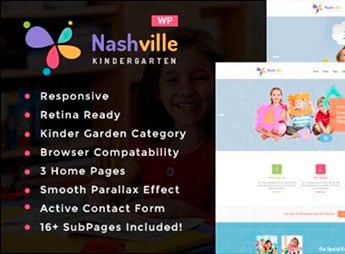
Built on WordPress, Nashville allows you to create full sites for nurseries, elementary schools, and educational institutions, with layouts designed to showcase classes, teachers, and pedagogical activities. It’s a practical tool for anyone needing a professional online presence in the education sector, combining welcome pages, photo galleries, and institutional information without the need for programming.
Key Features of Nashville
- Responsive layout
The theme automatically adapts to smartphones and tablets, keeping navigation and content readable on any screen. - Pages for classes and staff
Allows you to create dedicated sections for each class, as well as teacher profiles with photo, qualifications, and availability. - Photo and event gallery
Includes space for school activity albums, parties, and trips, organized by date or category. - Contact and enrollment form
Provides customizable fields to receive parent questions and enrollment requests directly through the site. - Customization panel
Allows you to change colors, fonts, and logo via the WordPress customizer, adjusting visual identity without editing code.
Benefits of Nashville
- Professional online presence
Parents find clear information about the school, schedules, and differentiators, conveying credibility and trust. - Streamlined updates
New photos, announcements, and calendars are published quickly, keeping the site always relevant without technical help. - Direct communication with parents
The contact form centralizes questions and requests, speeding up service and reducing phone calls. - Focus on the educational niche
Preconfigured structure for kindergartens saves setup time and ensures a suitable look for the segment.
Who is Nashville Recommended For?
- Elementary schools and nurseries seeking a well-organized and welcoming institutional site.
- Teachers and coordinators who want to create an online space to showcase pedagogical projects and classes.
- Institutions looking to attract new enrollments through a professional presentation and clear information.
How to Download Nashville
Nashville is available for download here on the website. After downloading the .zip file, install it under Appearance > Themes > Add New > Upload Theme, select the .zip and activate. The theme will be ready for immediate use, with pages and initial settings applied.
Nashville combines a structure designed for the child universe with the flexibility of WordPress, allowing schools and nurseries to publish content autonomously. Its clean and welcoming layout highlights images and institutional information, simplifying communication with parents and guardians. It is a solid foundation for anyone needing a functional site aligned with the educational sector from day one.
Frequently asked questions
Is Nashville – Day Care & Kindergarten School WordPress Theme GPL-licensed?
Yes. Nashville – Day Care & Kindergarten School WordPress Theme is distributed under the GPL (GNU General Public License). You may legally use, modify and redistribute it on as many sites as you want.
Can I use Nashville – Day Care & Kindergarten School WordPress Theme on multiple sites?
Yes. You can use Nashville – Day Care & Kindergarten School WordPress Theme on multiple sites. The number of sites connected to Ultrapack Auto Updater is limited by your plan.
How much does Nashville – Day Care & Kindergarten School WordPress Theme cost at Ultrapack?
Nashville – Day Care & Kindergarten School WordPress Theme costs US$2.99 as a single purchase, and it is also included in the subscription plans starting at US$12/mo (VIP I).
Does Nashville – Day Care & Kindergarten School WordPress Theme include updates?
Yes. The current version of Nashville – Day Care & Kindergarten School WordPress Theme is 1.4, published at Ultrapack on Oct 23, 2024. Subscribers update straight from the WordPress dashboard with UAU (Ultrapack Auto Updater).
Is Nashville – Day Care & Kindergarten School WordPress Theme scanned before publication?
Yes. Every version of Nashville – Day Care & Kindergarten School WordPress Theme goes through a malware scan (ClamAV and YARA rules, at UltraHub) before it is published.
How to install
Automatic updates: this item is updated by the Ultrapack Auto Updater. With it installed, the new version shows up in your dashboard like any other WordPress update (how to set it up).
The file on this page is the developer’s full package, with documentation, demos and plugins. Do not upload that file to WordPress. The theme comes ready inside it, as a ZIP of its own, and that is the one you upload.
- Download the file
elements-nashville-day-care-kindergarten-wp-theme.zipand extract it on your computer. - Look inside the extracted files for the file
nashville-wp-full/nashville.zip. - In the WordPress dashboard, go to Appearance > Themes > Add New > Upload Theme.
- Select that file and click Install Now.
- Click Activate.
- There is nothing to zip. The ZIP inside the package is already in the format WordPress accepts.
- Uploading the whole package is the most common mistake when installing a theme: WordPress answers that no valid theme was found, and nothing is installed.
- The rest of the package belongs to the author: documentation, demo files and, in some themes, the plugins it asks for during setup.
Stuck on a step? Open a ticket telling us which one you stopped at.


