

 UAU Ready
Description
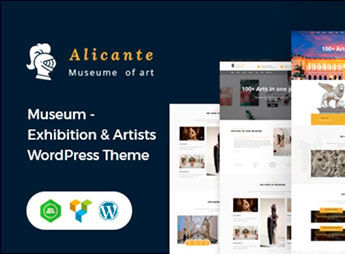
The Alicante theme is geared towards museums, art galleries, exhibitions and cultural centers, with a grid image gallery, event scheduling section and visual highlights for works and collections. Through a visual builder and color and typography customization panel, the theme allows curators and managers to build a complete institutional website, with a slideshow on the homepage, collection pages with zoomable images and detailed descriptions, as well as an integrated events calendar, all without editing code.
Main Features of Alicante
- Image gallery in grid
Displays works and collections in modular layout with lightbox for enlarged viewing. - Integrated events calendar
Allows scheduling and displaying exhibitions, talks and guided tours. - Custom Post Types for collections
Organizes works with custom fields for description, date and category. - Visual customization in panel
Adjusts colors, typography and layout without editing source code. - Responsive and retina layout
Ensures crisp visual on mobile devices and high-resolution screens.
Benefits of Alicante
- Professional site without programming
Create the museum’s digital presence using visual tools and pre-built demos. - Highlight for collections
Present works with high-quality images and detailed descriptions. - Efficient event promotion
Keep the audience informed about updated cultural programming. - Custom visual identity
Adapt colors and typography to the institution’s brand at no extra cost.
Who Is Alicante Recommended For?
- Those who manage museums and want a complete institutional website.
- Art galleries that need to showcase works and exhibition schedules.
- Organizers of exhibitions and cultural centers seeking to promote their events.
How to Download Alicante
Alicante is available for download here at Ultrapack. After downloading the .zip file, go to Appearance > Themes > Add New > Upload theme, select the file and click Activate. The theme comes with importable demos and an options panel for immediate customization.
Alicante was designed to meet the specific needs of cultural institutions, combining a visual collection gallery, events calendar and code-free customization. With it, museums and galleries gain a professional platform to communicate their programming and highlight their artistic heritage in an accessible and modern way. By using features such as custom post types and responsive layout, the theme enables curators and managers to focus on content while technology handles the presentation.
Frequently asked questions
Is Alicante – Museum & Exhibition WordPress Theme GPL-licensed?
Yes. Alicante – Museum & Exhibition WordPress Theme is distributed under the GPL (GNU General Public License). You may legally use, modify and redistribute it on as many sites as you want.
Can I use Alicante – Museum & Exhibition WordPress Theme on multiple sites?
Yes. You can install Alicante – Museum & Exhibition WordPress Theme on as many sites as you want. Only automatic updates through Ultrapack Auto Updater have a limit: from 3 to 80 sites, depending on the plan.
How much does Alicante – Museum & Exhibition WordPress Theme cost at Ultrapack?
Alicante – Museum & Exhibition WordPress Theme costs US$2.99 as a single purchase, and it is also included in the subscription plans starting at US$12/mo (VIP I).
Does Alicante – Museum & Exhibition WordPress Theme include updates?
Yes. The current version of Alicante – Museum & Exhibition WordPress Theme is 3.0, published at Ultrapack on Sep 18, 2024. Subscribers update straight from the WordPress dashboard with UAU (Ultrapack Auto Updater).
Is Alicante – Museum & Exhibition WordPress Theme scanned before publication?
Yes. Every version of Alicante – Museum & Exhibition WordPress Theme goes through a malware scan (ClamAV and YARA rules, at UltraHub) before it is published.
What changed in this version
Version 3.0 2023-01-10
- 1) All Plugins are up to date.
Version 2.9 2022-11-10
- 1) Compatible with PHP 8.0 or Higher versions.
- 2) All Plugins are up to date.
Version 2.8 2022-06-24
- 1) All plugins are up to date.
Version 2.7 2022-04-11
- 1) All plugins are up to date.
Version 2.6 2022-01-14
- 1) All plugins are up to date.
Release notes published by the developer.
How to install
Automatic updates: this item is updated by the Ultrapack Auto Updater. With it installed, the new version shows up in your dashboard like any other WordPress update (how to set it up).
The file on this page is the developer’s full package, with documentation, demos and plugins. Do not upload that file to WordPress. The theme comes ready inside it, as a ZIP of its own, and that is the one you upload.
- Download the file
elements-alicante-museum-exhibition-wordpress-theme.zipand extract it on your computer. - Look inside the extracted files for the file
alicanteMain/alicante.zip. - In the WordPress dashboard, go to Appearance > Themes > Add New > Upload Theme.
- Select that file and click Install Now.
- Click Activate.
- There is nothing to zip. The ZIP inside the package is already in the format WordPress accepts.
- Uploading the whole package is the most common mistake when installing a theme: WordPress answers that no valid theme was found, and nothing is installed.
- The rest of the package belongs to the author: documentation, demo files and, in some themes, the plugins it asks for during setup.
Stuck on a step? Open a ticket telling us which one you stopped at.


