

 UAU Ready
Description
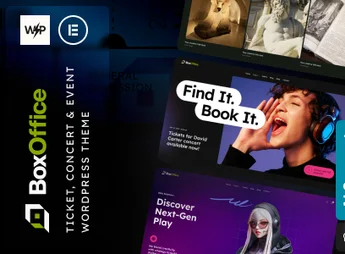
BoxOffice is a WordPress theme built for concert promoters, conference organizers, and venue operators, with ticket sales and an event calendar backed by native support for the leading visual builders. An option inheritance and override system adjusts individual parameters per site section and per supported plugin, useful for anyone who needs distinct pages for concerts, workshops, and webinars without duplicating settings.
Key Features of BoxOffice
- Visual builder support
Native compatibility with the most widely used WordPress page builders. - Option inheritance and override
Sets its own parameters for each site section and supported plugin. - Touch-gesture slider
Swipe navigation on touch-enabled screens, with no extra setup. - SEO-ready structure
Markup and content organization designed for search engine indexing. - Retina graphics
Visual elements rendered at high pixel density on modern screens.
Benefits of BoxOffice
- Granular per-section configuration
Each area of the site gets its own adjustments without affecting other pages. - Less reliance on a developer
The visual builder covers layout changes that would otherwise require code. - Always up-to-date schedule
Dates, times, and venues stay organized in a single publishing flow. - Comfortable mobile reading
Swipe sliders and crisp images improve navigation on mobile devices.
Who Is BoxOffice For?
- Anyone producing concerts, festivals, and shows who needs to publish a schedule with ticket sales.
- Conference, workshop, and webinar organizers working with day-by-day and speaker-by-speaker programming.
- Venues, theaters, and cultural spaces that maintain a fixed calendar of attractions.
- Anyone already using a visual builder in WordPress who wants a theme that respects that editing workflow.
How to Download BoxOffice
BoxOffice is available here on Ultrapack for download. The step-by-step for installing this file is on the How to install tab, next to the description. After activation, the theme’s customization options appear in the admin panel, organized by site section.
Among event themes, BoxOffice stands out for its parameter override system: a concert page can follow one visual configuration while a corporate workshop page follows another, within the same installation. For anyone publishing events at a steady pace and selling tickets online, this cuts down on the rework of building each page from scratch.
Frequently asked questions
Is BoxOffice – Ticket, Concert & Event WordPress Theme GPL-licensed?
Yes. BoxOffice – Ticket, Concert & Event WordPress Theme is distributed under the GPL (GNU General Public License). You may legally use, modify and redistribute it on as many sites as you want.
Can I use BoxOffice – Ticket, Concert & Event WordPress Theme on multiple sites?
Yes. You can install BoxOffice – Ticket, Concert & Event WordPress Theme on as many sites as you want. Only automatic updates through Ultrapack Auto Updater have a limit: from 3 to 80 sites, depending on the plan.
How much does BoxOffice – Ticket, Concert & Event WordPress Theme cost at Ultrapack?
BoxOffice – Ticket, Concert & Event WordPress Theme costs US$2.99 as a single purchase, and it is also included in the subscription plans starting at US$12/mo (VIP I).
Does BoxOffice – Ticket, Concert & Event WordPress Theme include updates?
Yes. The current version of BoxOffice – Ticket, Concert & Event WordPress Theme is 1.0.0, published at Ultrapack on Jul 26, 2025. Subscribers update straight from the WordPress dashboard with UAU (Ultrapack Auto Updater).
Is BoxOffice – Ticket, Concert & Event WordPress Theme scanned before publication?
Yes. Every version of BoxOffice – Ticket, Concert & Event WordPress Theme goes through a malware scan (ClamAV and YARA rules, at UltraHub) before it is published.
What are the requirements for the theme BoxOffice – Ticket, Concert & Event WordPress Theme?
Requires WordPress 5.5 or higher and PHP 7.4 or higher. Tested up to WordPress 6.8.
How to install
Automatic updates: this item is updated by the Ultrapack Auto Updater. With it installed, the new version shows up in your dashboard like any other WordPress update (how to set it up).
The file on this page is the developer’s full package, with documentation, demos and plugins. Do not upload that file to WordPress. The theme comes ready inside it, as a ZIP of its own, and that is the one you upload.
- Download the file
elements-boxoffice.zipand extract it on your computer. - Look inside the extracted files for the file
Box Office_v1.0/boxoffice.zip. - In the WordPress dashboard, go to Appearance > Themes > Add New > Upload Theme.
- Select that file and click Install Now.
- Click Activate.
Requirements: Requires WordPress 5.5 or higher and PHP 7.4 or higher. Tested up to WordPress 6.8.
- There is nothing to zip. The ZIP inside the package is already in the format WordPress accepts.
- Uploading the whole package is the most common mistake when installing a theme: WordPress answers that no valid theme was found, and nothing is installed.
- The rest of the package belongs to the author: documentation, demo files and, in some themes, the plugins it asks for during setup.
Stuck on a step? Open a ticket telling us which one you stopped at.


