

Description
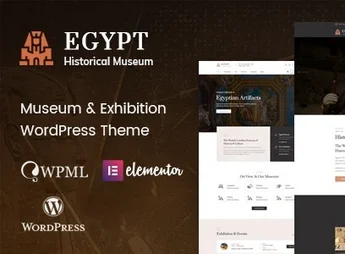
Egypt is a premium WordPress theme developed especially for museums, art galleries, cultural exhibitions, archaeological sites, and history centers. With a sophisticated aesthetic and engaging navigation, it allows presenting collections, permanent exhibitions, temporary displays, and cultural events in an elegant way, offering visitors a digital experience worthy of the wealth of the displayed heritage.
Main Features
- Exhibition and Event Management
A complete system to register permanent and temporary exhibitions, with dates, times, curation, and dedicated image galleries. - Layouts for Collections and Archives
Various portfolio and grid templates to catalog works, artifacts, and historical pieces with detailed technical specs. - Drag & Drop Visual Builder
Compatible with Elementor and WPBakery, allowing visual page editing without writing a single line of code. - Ticket Sales with WooCommerce
Native integration to sell tickets, exhibition passes, guided tours, and museum store merchandise. - Responsive and Retina Ready Design
Automatic adaptation to phones, tablets, and desktops, with high-definition images that highlight every detail of the artworks. - Ready-to-Use Demos with One-Click Import
Multiple homepages and inner pages that can be installed instantly and customized according to the institution’s identity.
Benefits of Egypt
- Quick Site Launch
Demo import and pre-built elements drastically reduce project development time. - More Visitors and Engagement
The immersive visual presentation sparks public interest and encourages in-person visits to the institution. - New Source of Revenue
Online ticket and souvenir sales open a direct commercial channel, without relying on intermediaries. - Autonomous Content Management
The internal team updates exhibitions, schedules, and news on their own, without recurring costs for programmers.
Who Is It For?
- Museums, art galleries, and cultural centers that want to promote their collections and exhibitions online.
- Historical institutions, archaeological sites, memorials, and heritage preservation foundations.
- Agencies and creative professionals serving clients in the cultural, artistic, and educational sectors.
With refined visuals, curator-focused features, and full customization flexibility, Egypt turns your institution’s website into a natural extension of the exhibition space. It is the ideal choice for those who want to preserve, promote, and enhance history and art with the same quality they give to the physical collection.
Frequently asked questions
Is Egypt – Museum & Exhibition WordPress Theme GPL-licensed?
Yes. Egypt – Museum & Exhibition WordPress Theme is distributed under the GPL (GNU General Public License). You may legally use, modify and redistribute it on as many sites as you want.
Can I use Egypt – Museum & Exhibition WordPress Theme on multiple sites?
Yes. You can install Egypt – Museum & Exhibition WordPress Theme on as many sites as you want. Only automatic updates through Ultrapack Auto Updater have a limit: from 3 to 80 sites, depending on the plan.
How much does Egypt – Museum & Exhibition WordPress Theme cost at Ultrapack?
Egypt – Museum & Exhibition WordPress Theme costs US$2.99 as a single purchase, and it is also included in the subscription plans starting at US$12/mo (VIP I).
Does Egypt – Museum & Exhibition WordPress Theme include updates?
Yes. The current version of Egypt – Museum & Exhibition WordPress Theme is 1.0.0, published at Ultrapack on Aug 7, 2026. Subscribers update straight from the WordPress dashboard with UAU (Ultrapack Auto Updater).
Is Egypt – Museum & Exhibition WordPress Theme scanned before publication?
Yes. Every version of Egypt – Museum & Exhibition WordPress Theme goes through a malware scan (ClamAV and YARA rules, at UltraHub) before it is published.
How to install
Updates: manual. When a new version comes out, download it on this same page and upload it over the old one; WordPress asks whether you want to replace the current version.
The file on this page is the developer’s full package, with documentation, demos and plugins. Do not upload that file to WordPress. The theme comes ready inside it, as a ZIP of its own, and that is the one you upload.
- Download the file
elements-egypt-museum-exhibition-wordpress-theme.zipand extract it on your computer. - Look inside the extracted files for the file
egypt-wp-full/old theme/egypt.zip. - In the WordPress dashboard, go to Appearance > Themes > Add New > Upload Theme.
- Select that file and click Install Now.
- Click Activate.
- There is nothing to zip. The ZIP inside the package is already in the format WordPress accepts.
- Uploading the whole package is the most common mistake when installing a theme: WordPress answers that no valid theme was found, and nothing is installed.
- The rest of the package belongs to the author: documentation, demo files and, in some themes, the plugins it asks for during setup.
Stuck on a step? Open a ticket telling us which one you stopped at.


