UAU Ready
Description
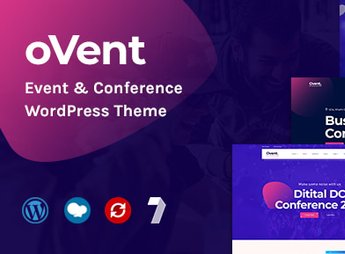
iEvent is a WordPress theme designed for conference organizers, course hubs, and teams that build event sites with schedules, speakers, and registrations, featuring a layout focused on day-by-day programming, speaker profiles, and sponsor sections. It is suitable for those who produce congresses, workshops, corporate summits, and recurring meetups that need to centralize edition information on their own site without relying on an external event platform.
Key Features of iEvent
- Day & Track Schedule
Organizes sessions in a program segmented by date, time, and themed room. - Speaker Profiles
Individual pages with photo, brief bio, social links, and linked sessions. - Sponsor Section
Logo grid grouped by sponsorship tier with links to each brand’s website. - Event Countdown
Countdown block highlighting days, hours, and minutes until the official opening. - Registration Form
Fields for capturing leads and participants directly on the program pages.
Benefits of iEvent
- Ready Site in a Few Days
Internal page structure already mapped for the typical event promotion flow. - Unique Identity per Edition
Color and typography panels adjust the look for each conference without rebuilding the site. - In-domain Registration Conversion
Captures leads without directing visitors to an external ticketing platform. - Reuse Across Editions
Allows maintaining the structure and updating only speaker and agenda content.
Who Should Use iEvent?
- Production teams organizing conferences, summits, and congresses with multiple simultaneous tracks.
- Those running recurring meetups, workshops, and corporate gatherings.
- Free course schools and bootcamps that announce classes with fixed schedules.
- Startups and companies that host their own launch or content events.
How to Download iEvent
The iEvent is available for download here at Ultrapack. After downloading the .zip file, install it in Appearance > Themes > Add New > Upload Theme, select the package and activate. Once activated, the color, schedule and speaker options appear in the theme’s customization panel.
Designed for the production cycle of in-person and hybrid events, iEvent consolidates programming, speakers, sponsorship, and registration into a coherent structure without requiring integration with an external ticketing tool. It is a solid foundation for production teams that repeat annual editions and want to maintain visual consistency across each conference’s sites.
Frequently asked questions
Is iEvent – Event & Conference WordPress Theme GPL-licensed?
Yes. iEvent – Event & Conference WordPress Theme is distributed under the GPL (GNU General Public License). You may legally use, modify and redistribute it on as many sites as you want.
Can I use iEvent – Event & Conference WordPress Theme on multiple sites?
Yes. You can install iEvent – Event & Conference WordPress Theme on as many sites as you want. Only automatic updates through Ultrapack Auto Updater have a limit: from 3 to 80 sites, depending on the plan.
How much does iEvent – Event & Conference WordPress Theme cost at Ultrapack?
iEvent – Event & Conference WordPress Theme costs US$2.99 as a single purchase, and it is also included in the subscription plans starting at US$12/mo (VIP I).
Does iEvent – Event & Conference WordPress Theme include updates?
Yes. The current version of iEvent – Event & Conference WordPress Theme is 2.0.3, published at Ultrapack on Dec 20, 2017. Subscribers update straight from the WordPress dashboard with UAU (Ultrapack Auto Updater).
Is iEvent – Event & Conference WordPress Theme scanned before publication?
Yes. Every version of iEvent – Event & Conference WordPress Theme goes through a malware scan (ClamAV and YARA rules, at UltraHub) before it is published.
What are the requirements for the theme iEvent – Event & Conference WordPress Theme?
Requires WordPress 4.0 or higher. Tested up to WordPress 4.2.2.
How to install
Automatic updates: this item is updated by the Ultrapack Auto Updater. With it installed, the new version shows up in your dashboard like any other WordPress update (how to set it up).
The file on this page is already the theme, ready to upload to WordPress.
- Download the file
themeforest-13397512-ievent-event-conference-wordpress-theme-wordpress-theme.zip. - In the WordPress dashboard, go to Appearance > Themes > Add New > Upload Theme.
- Select the file
themeforest-13397512-ievent-event-conference-wordpress-theme-wordpress-theme.zipand click Install Now. - Click Activate.
Requirements: Requires WordPress 4.0 or higher. Tested up to WordPress 4.2.2.
- If WordPress answers that no valid theme was found, the file is the developer’s full package and the theme is in a folder inside it. Extract the file on your computer, look for the folder that has
style.cssandscreenshot.png(in this item, the folderievent), zip that folder only and upload it again.
Stuck on a step? Open a ticket telling us which one you stopped at.