

 UAU Ready
Description
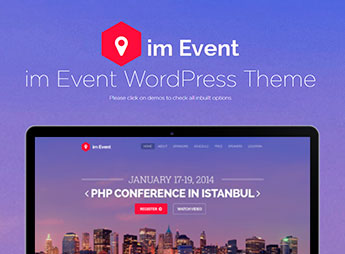
imEvent is a WordPress theme designed for conferences, congresses, and corporate events, with countdown, speaker schedules, and online ticket sales. It combines visual blocks for presenting speakers, session timelines, and sponsors, catering to everything from seasonal meetups (Christmas, Halloween) to business meetings and promotional landing pages for specific events.
Key Features of the imEvent
- Session schedule
Agenda structure by day, time, and room with a description of each talk. - Speaker profiles
Dedicated page with bio, photo, social media, and linked sessions for the exhibitor. - Countdown
Highlighted countdown block on the home page for the event opening date. - Seasonal and corporate layouts
Visual variations for business conferences, holidays, and themed landing pages. - Sponsors page
Logo grid with links for supporters, media partners, and commercial exhibitors.
Benefits of the imEvent
- Ready site in just a few hours
Importable demos reduce the time between theme purchase and publishing the event page. - More early registrations
Countdown and ticket CTAs help convert visitors into confirmed participants. - Reuse across editions
Same structure works for different dates—just update speakers, schedule, and visual identity. - Clear agenda communication
Organized schedules by tracks prevent participants from getting confused about times and rooms.
Who Is imEvent For?
- Organizers of conferences, congresses, and corporate summits that need an event institutional website.
- Anyone producing seasonal events like year-end parties, Christmas events, and themed Halloween activities.
- Teams that run business meetings, workshops, and trainings with track-based programming.
- For those who need to publish a promotional landing page for a specific event with a countdown and ticket sales.
How to Download the imEvent
The imEvent is available for download here on Ultrapack. After downloading the .zip file, go to Appearance > Themes > Add New > Upload theme, select the file, and activate it. The package is complete and ready for immediate installation, with the event demos available in the import panel after activation.
imEvent brings together the typical communication elements of an event (agenda, speakers, sponsors, tickets) into a single installation, eliminating the need for separate integrations to cover each part of the page. For organizers who run editions year after year, the modular structure makes it possible to duplicate the previous edition’s site and update only the content for the new date, without having to redo the layout from scratch.
Frequently asked questions
Is imEvent – Conference Meetup Christmas New Year Halloween Event WordPress Theme GPL-licensed?
Yes. imEvent – Conference Meetup Christmas New Year Halloween Event WordPress Theme is distributed under the GPL (GNU General Public License). You may legally use, modify and redistribute it on as many sites as you want.
Can I use imEvent – Conference Meetup Christmas New Year Halloween Event WordPress Theme on multiple sites?
Yes. You can install imEvent – Conference Meetup Christmas New Year Halloween Event WordPress Theme on as many sites as you want. Only automatic updates through Ultrapack Auto Updater have a limit: from 3 to 80 sites, depending on the plan.
How much does imEvent – Conference Meetup Christmas New Year Halloween Event WordPress Theme cost at Ultrapack?
imEvent – Conference Meetup Christmas New Year Halloween Event WordPress Theme costs US$2.99 as a single purchase, and it is also included in the subscription plans starting at US$12/mo (VIP I).
Does imEvent – Conference Meetup Christmas New Year Halloween Event WordPress Theme include updates?
Yes. The current version of imEvent – Conference Meetup Christmas New Year Halloween Event WordPress Theme is 3.4.0, published at Ultrapack on Apr 28, 2025. Subscribers update straight from the WordPress dashboard with UAU (Ultrapack Auto Updater).
Is imEvent – Conference Meetup Christmas New Year Halloween Event WordPress Theme scanned before publication?
Yes. Every version of imEvent – Conference Meetup Christmas New Year Halloween Event WordPress Theme goes through a malware scan (ClamAV and YARA rules, at UltraHub) before it is published.
How to install
Automatic updates: this item is updated by the Ultrapack Auto Updater. With it installed, the new version shows up in your dashboard like any other WordPress update (how to set it up).
The file on this page is the developer’s full package, with documentation, demos and plugins. Do not upload that file to WordPress. The theme comes ready inside it, as a ZIP of its own, and that is the one you upload.
- Download the file
themeforest-9533576-im-event-event-conference-wordpress-theme.zipand extract it on your computer. - Look inside the extracted files for the file
imevent.zip. - In the WordPress dashboard, go to Appearance > Themes > Add New > Upload Theme.
- Select that file and click Install Now.
- Click Activate.
- There is nothing to zip. The ZIP inside the package is already in the format WordPress accepts.
- Uploading the whole package is the most common mistake when installing a theme: WordPress answers that no valid theme was found, and nothing is installed.
- The rest of the package belongs to the author: documentation, demo files and, in some themes, the plugins it asks for during setup.
- The package also includes the plugin the theme uses, in
js_composer.zip. Upload this file in Plugins > Add New > Upload Plugin after activating the theme.
Stuck on a step? Open a ticket telling us which one you stopped at.


