

Description
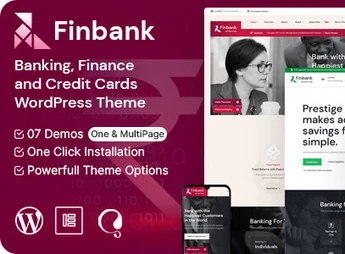
Finbank is a WordPress theme designed for digital banks, financial institutions, and credit correspondents, featuring internal pages for financial services and rate simulation blocks. The layout institutional banking sector site structure brings product presentations, team area, and contact channels in organized navigation, with the option to import ready demos and adjust colors, typography, and page structure directly in the dashboard, without editing theme files.
Key Features of Finbank
- Financial niche importable demos
Ready layouts focused on banks, credit, and financial consulting, installed in just a few clicks. - Visual page builder
Drag-and-drop editing to assemble internal sections without writing code. - Financial product blocks
Sections dedicated to services, plans, rates and unique features of each offering. - Color and typography panel
Palette, fonts and sizes adjustments applied to the whole site at once. - Responsive layout
Structure adapted to desktop, tablet, and mobile without manual adjustments on each screen.
Benefits of Finbank
- Website launch faster
Demo import removes building page by page from scratch. - Consistent visual identity
All sections follow the same palette and typographic hierarchy from the dashboard. - Reduced technical dependence
Content and layout changes become accessible to non-programmers. - Clear services communication
Financial products are organized into easy-to-compare and understand blocks.
Who is Finbank for?
- Those who manage a digital bank, credit cooperative, or fintech site.
- Financial consultants and investment advisors who need to present services online.
- Bank correspondents and insurance brokers who acquire clients online.
- Those who already have an improvised financial site and want a more organized page structure.
How to Download Finbank
The Finbank is available for download here on Ultrapack. After saving the .zip file, go to Appearance > Themes > Add New > Upload Theme, select the package and activate. Once activated, customization options and demo import appear in the WordPress admin panel.
By consolidating layout, demos and style controls into a single theme, Finbank shortens the path from domain acquisition to a published financial site. For those working with credit, investments or insurance, the benefit lies in having pre-structured service pages that explain complex products without hiring custom development for each section.
Frequently asked questions
Is Finbank – Banking and Finance WordPress Theme GPL-licensed?
Yes. Finbank – Banking and Finance WordPress Theme is distributed under the GPL (GNU General Public License). You may legally use, modify and redistribute it on as many sites as you want.
Can I use Finbank – Banking and Finance WordPress Theme on multiple sites?
Yes. You can install Finbank – Banking and Finance WordPress Theme on as many sites as you want. Only automatic updates through Ultrapack Auto Updater have a limit: from 3 to 80 sites, depending on the plan.
How much does Finbank – Banking and Finance WordPress Theme cost at Ultrapack?
Finbank – Banking and Finance WordPress Theme costs US$2.99 as a single purchase, and it is also included in the subscription plans starting at US$12/mo (VIP I).
Does Finbank – Banking and Finance WordPress Theme include updates?
Yes. The current version of Finbank – Banking and Finance WordPress Theme is 1.7, published at Ultrapack on Aug 15, 2026. Subscribers update straight from the WordPress dashboard with UAU (Ultrapack Auto Updater).
Is Finbank – Banking and Finance WordPress Theme scanned before publication?
Yes. Every version of Finbank – Banking and Finance WordPress Theme goes through a malware scan (ClamAV and YARA rules, at UltraHub) before it is published.
What changed in this version
Version 1.7 2024-05-25
- 1) PHP 8.2.4 Compatibility issues are fixed.
- 2) All Plugins are up to date.
Version 1.6 2023-12-04
- 1) Default Styling Issues Fixed.
- 2) All Plugins are up to date.
Version 1.5 2023-11-24
- 1) Global Color Scheme added.
- 2) All Plugins are up to date.
Version 1.4 2023-10-19
- 1) All Plugins are up to date.
Version 1.3 2023-01-08
- 1) All Plugins are up to date.
Release notes published by the developer.
How to install
Updates: manual. When a new version comes out, download it on this same page and upload it over the old one; WordPress asks whether you want to replace the current version.
The file on this page is the developer’s full package, with documentation, demos and plugins. Do not upload that file to WordPress. The theme comes ready inside it, as a ZIP of its own, and that is the one you upload.
- Download the file
elements-finbank-banking-and-finance-wordpress-theme.zipand extract it on your computer. - Look inside the extracted files for the file
finbank-wp-full/finbank.zip. - In the WordPress dashboard, go to Appearance > Themes > Add New > Upload Theme.
- Select that file and click Install Now.
- Click Activate.
- There is nothing to zip. The ZIP inside the package is already in the format WordPress accepts.
- Uploading the whole package is the most common mistake when installing a theme: WordPress answers that no valid theme was found, and nothing is installed.
- The rest of the package belongs to the author: documentation, demo files and, in some themes, the plugins it asks for during setup.
Stuck on a step? Open a ticket telling us which one you stopped at.


