

Description
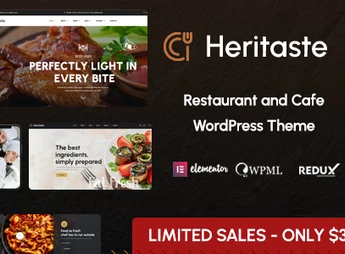
Heritaste is a theme designed for restaurants, cafés, and bistros that structures a digital menu, reservation system, and dish gallery using ready-made pages and a visual builder. Its inner sections cover categorized menus, kitchen team presentations, testimonials, and a food blog, with a responsive layout and color and typography adjustments made directly in the dashboard, without editing theme files.
Key Features of Heritaste
- Menu by categories
Organizes dishes, beverages, and desserts into blocks with prices, photos, and descriptions. - Reservation form
Receives table requests with date, time, and number of guests through the website. - Dish and venue gallery
Displays photos in grids and sliders to showcase the kitchen, dining area, and recipes. - Ready-made inner layouts
Includes pre-built about, team, contact, testimonials, and blog pages. - Dashboard visual customization
Adjusts colors, fonts, header, and footer without changing code.
Benefits of Heritaste
- Website live in just a few hours
Imports the demo layout and replaces the text and photos with those of your restaurant. - Fewer reservation calls
Centralizes table requests in a single form with a written record. - Always up-to-date menu
Price changes and new dishes go live without relying on a designer. - Easy reading on mobile
The menu adapts to smaller screens, where most people check the menu.
Who Is Heritaste For?
- People who manage a restaurant, pizzeria, or steakhouse and need to publish their menu online.
- Cafés, bakeries, and brunch establishments that want to showcase their venue and receive reservations.
- Those who opened a bistro or food service business and want a ready-made website without hiring developers.
How to Download Heritaste
Heritaste is available for download here on Ultrapack. After downloading the .zip file, install it in Appearance > Themes > Add New > Upload Theme, select the file, and activate it. After activation, the menu, color, and layout options appear in the theme settings dashboard.
For establishments that rely on imagery and the energy of a busy dining room, the website needs to answer three questions quickly: what it serves, how much it costs, and how to make a reservation. Heritaste organizes this trio into ready-made pages, keeping the work limited to changing photos, prices, and hours, without a design project or recurring technical maintenance.
Frequently asked questions
Is Heritaste – Restaurant WordPress Theme GPL-licensed?
Yes. Heritaste – Restaurant WordPress Theme is distributed under the GPL (GNU General Public License). You may legally use, modify and redistribute it on as many sites as you want.
Can I use Heritaste – Restaurant WordPress Theme on multiple sites?
Yes. You can install Heritaste – Restaurant WordPress Theme on as many sites as you want. Only automatic updates through Ultrapack Auto Updater have a limit: from 3 to 80 sites, depending on the plan.
How much does Heritaste – Restaurant WordPress Theme cost at Ultrapack?
Heritaste – Restaurant WordPress Theme costs US$2.99 as a single purchase, and it is also included in the subscription plans starting at US$12/mo (VIP I).
Does Heritaste – Restaurant WordPress Theme include updates?
Yes. The current version of Heritaste – Restaurant WordPress Theme is 1.5, published at Ultrapack on Aug 15, 2026. Subscribers update straight from the WordPress dashboard with UAU (Ultrapack Auto Updater).
Is Heritaste – Restaurant WordPress Theme scanned before publication?
Yes. Every version of Heritaste – Restaurant WordPress Theme goes through a malware scan (ClamAV and YARA rules, at UltraHub) before it is published.
What changed in this version
Version 1.5 2024-05-27
- 1) PHP version 8.2.4 Compatibility issues are fixed.
- 2) All Plugins are up to date.
Version 1.4 2023-10-19
- 1) All Plugins are up to date.
Version 1.3 2023-01-08
- 1) All Plugins are up to date.
Version 1.2 2022-10-28
- 1) All Plugins are up to date.
Version 1.1 2022-09-03
- 1) One Click Issue Has been fixed.
- First release!
Release notes published by the developer.
How to install
Updates: manual. When a new version comes out, download it on this same page and upload it over the old one; WordPress asks whether you want to replace the current version.
The file on this page is the developer’s full package, with documentation, demos and plugins. Do not upload that file to WordPress. The theme comes ready inside it, as a ZIP of its own, and that is the one you upload.
- Download the file
elements-heritaste-restaurant-wordpress-theme.zipand extract it on your computer. - Look inside the extracted files for the file
heritaste-wp-full/heritaste.zip. - In the WordPress dashboard, go to Appearance > Themes > Add New > Upload Theme.
- Select that file and click Install Now.
- Click Activate.
- There is nothing to zip. The ZIP inside the package is already in the format WordPress accepts.
- Uploading the whole package is the most common mistake when installing a theme: WordPress answers that no valid theme was found, and nothing is installed.
- The rest of the package belongs to the author: documentation, demo files and, in some themes, the plugins it asks for during setup.
Stuck on a step? Open a ticket telling us which one you stopped at.


