 UAU Ready
Description
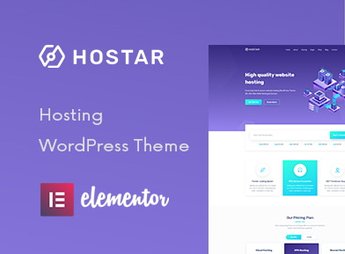
The Hostar theme is designed for website hosting companies, domain resellers, and internet service providers, with WHMCS integration for customer management, customizable pricing tables, and integrated domain search. It allows you to build a professional site by importing ready demos and adjusting colors, typography, and layouts through the visual builder, including sections for hosting plans, resource comparisons, contact forms, and client testimonials, as well as compatibility with caching and SEO plugins for performance optimization and visibility in search engines.
Key Features of Hostar
- WHMCS Integration
Connects the theme to WHMCS for managing customers, packages, and payments directly on the site. - Domain Search
Allows visitors to check availability and start registering or transferring domains. - Pricing Tables
Displays hosting plans with resource comparison and call-to-action buttons. - Server Status Section
Shows uptime and performance indicators of servers, building trust with visitors. - Responsive Layout
Adapts all content to mobile devices, ensuring consistent navigation on any screen.
Benefits of Hostar
- Rapid Deployment
Ready demos and the visual builder enable launching the site quickly without hiring a developer. - Simplified Management
WHMCS integration centralizes customers, plans, and payments, reducing manual rework. - Professional Credibility
Sections such as server status and testimonials reinforce visitor trust in your company. - Conversion Optimization
Pricing tables and domain search guide users to engage services with few clicks.
Who is Hostar Recommended For?
- Those who offer website hosting services and want an institutional site with WHMCS integration and domain search.
- Domain and hosting plan resellers who need a WHMCS-compatible theme to manage customers.
- Internet service providers who want to showcase plans, server status, and technical differentiators professionally.
How to Download Hostar
Hostar is available for download here on Ultrapack. After downloading the .zip file, install it in Appearance > Themes > Add New > Upload Theme, select the .zip and activate. After activation, you can import one of the pre-built demos and customize the layout through the theme panel. The file is complete and ready for immediate installation.
Hostar is more than a typical theme: it combines hosting market-specific features—such as domain search and WHMCS integration—with the flexibility of a modern visual builder. Ideal for those operating in the hosting sector, the theme reduces reliance on extra plugins for essential functions, delivering a cohesive, optimized solution for the niche. With modern design and pre-configured sections, Hostar lets your company have a professional site aligned with digital market expectations.
Frequently asked questions
Is Hostar – Web Hosting WordPress Theme GPL-licensed?
Yes. Hostar – Web Hosting WordPress Theme is distributed under the GPL (GNU General Public License). You may legally use, modify and redistribute it on as many sites as you want.
Can I use Hostar – Web Hosting WordPress Theme on multiple sites?
Yes. You can install Hostar – Web Hosting WordPress Theme on as many sites as you want. Only automatic updates through Ultrapack Auto Updater have a limit: from 3 to 80 sites, depending on the plan.
How much does Hostar – Web Hosting WordPress Theme cost at Ultrapack?
Hostar – Web Hosting WordPress Theme costs US$2.99 as a single purchase, and it is also included in the subscription plans starting at US$12/mo (VIP I).
Does Hostar – Web Hosting WordPress Theme include updates?
Yes. The current version of Hostar – Web Hosting WordPress Theme is 1.0.7, published at Ultrapack on Oct 5, 2026. Subscribers update straight from the WordPress dashboard with UAU (Ultrapack Auto Updater).
Is Hostar – Web Hosting WordPress Theme scanned before publication?
Yes. Every version of Hostar – Web Hosting WordPress Theme goes through a malware scan (ClamAV and YARA rules, at UltraHub) before it is published.
How to install
Automatic updates: this item is updated by the Ultrapack Auto Updater. With it installed, the new version shows up in your dashboard like any other WordPress update (how to set it up).
The file on this page is the developer’s full package, with documentation, demos and plugins. Do not upload that file to WordPress. The theme comes ready inside it, as a ZIP of its own, and that is the one you upload.
- Download the file
elements-hostar-web-hosting-wordpress-theme.zipand extract it on your computer. - Look inside the extracted files for the file
Hostar-Hosting WordPress Theme/hostar.zip. - In the WordPress dashboard, go to Appearance > Themes > Add New > Upload Theme.
- Select that file and click Install Now.
- Click Activate.
- There is nothing to zip. The ZIP inside the package is already in the format WordPress accepts.
- Uploading the whole package is the most common mistake when installing a theme: WordPress answers that no valid theme was found, and nothing is installed.
- The rest of the package belongs to the author: documentation, demo files and, in some themes, the plugins it asks for during setup.
Stuck on a step? Open a ticket telling us which one you stopped at.