

 UAU Ready
Description
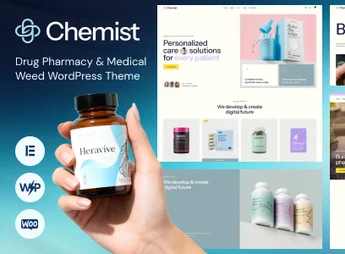
Chemist is a professional and modern WordPress theme, specifically designed for pharmacies, drugstores, medical product stores, cannabis dispensaries and health clinics. Built with Elementor and deeply integrated with WooCommerce, it offers a robust and visually appealing platform to create an online store or an informative website, ensuring an intuitive and reliable user experience for a sector that demands seriousness and clarity.
Key Features
- Elementor Builder: Create and customize pages easily with the drag-and-drop interface, without needing to code.
- Full WooCommerce Integration: Turn your site into a complete online store to sell medications, supplements, and health products.
- Multiple Ready-to-Import Demos: Includes pre-built layouts for pharmacies, medical product stores and dispensaries, importable with one click.
- Responsive and Retina Ready Design: Guarantees a perfect, crisp view on all devices, from desktops to smartphones.
- Advanced Theme Options: Customize colors, fonts, layouts, and other settings directly from the WordPress Customizer.
- Performance Optimized: Developed with clean code to ensure fast loading times and a better user experience.
Benefits of the Chemist ThemeForest Theme:
- Fast Site Launch: With the one-click demo importer and the visual Elementor builder, you can have your professional site live in a matter of hours, not days.
- Credibility and Trust: The clean, professional design is crafted for the health sector, conveying security and reliability to clients and patients from the first visit.
- Flexibility to Sell Online: Native WooCommerce integration lets you manage products, inventory, payments, and shipping efficiently and securely, all within your WordPress dashboard.
- High Customization Without Code: Modify every aspect of your site, from header to footer, using the theme’s intuitive options and Elementor’s power without writing a single line of code.
Who Is It For?
- Pharmacies and drugstores that want to establish an online presence and sell products.
- Dispenaries and stores selling medical cannabis-based products.
- Medical clinics, laboratories and health equipment suppliers.
With its specialized design and robust features, the Chemist theme is the complete solution to create a reliable and successful health and wellness website.
Frequently asked questions
Is Chemist – Drug Pharmacy & Medical Weed WordPress Theme GPL-licensed?
Yes. Chemist – Drug Pharmacy & Medical Weed WordPress Theme is distributed under the GPL (GNU General Public License). You may legally use, modify and redistribute it on as many sites as you want.
Can I use Chemist – Drug Pharmacy & Medical Weed WordPress Theme on multiple sites?
Yes. You can install Chemist – Drug Pharmacy & Medical Weed WordPress Theme on as many sites as you want. Only automatic updates through Ultrapack Auto Updater have a limit: from 3 to 80 sites, depending on the plan.
How much does Chemist – Drug Pharmacy & Medical Weed WordPress Theme cost at Ultrapack?
Chemist – Drug Pharmacy & Medical Weed WordPress Theme costs US$2.99 as a single purchase, and it is also included in the subscription plans starting at US$12/mo (VIP I).
Does Chemist – Drug Pharmacy & Medical Weed WordPress Theme include updates?
Yes. The current version of Chemist – Drug Pharmacy & Medical Weed WordPress Theme is 1.9.0, published at Ultrapack on Jul 29, 2026. Subscribers update straight from the WordPress dashboard with UAU (Ultrapack Auto Updater).
Is Chemist – Drug Pharmacy & Medical Weed WordPress Theme scanned before publication?
Yes. Every version of Chemist – Drug Pharmacy & Medical Weed WordPress Theme goes through a malware scan (ClamAV and YARA rules, at UltraHub) before it is published.
How to install
Automatic updates: this item is updated by the Ultrapack Auto Updater. With it installed, the new version shows up in your dashboard like any other WordPress update (how to set it up).
The file on this page is already the theme, ready to upload to WordPress.
- Download the file
elements-chemist.zip. - In the WordPress dashboard, go to Appearance > Themes > Add New > Upload Theme.
- Select the file
elements-chemist.zipand click Install Now. - Click Activate.
- If WordPress answers that no valid theme was found, the file is the developer’s full package and the theme is in a folder inside it. Extract the file on your computer, look for the folder that has
style.cssandscreenshot.png(in this item, the folderchemist), zip that folder only and upload it again.
Stuck on a step? Open a ticket telling us which one you stopped at.


