

 UAU Ready
Description
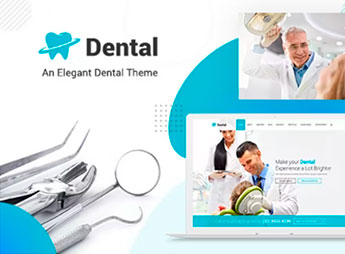
Dental Clinic makes it possible to create complete websites for dental clinics, offices, and hospitals, combining integrated online booking, procedure gallery, team profiles, and health blog. The theme targets dentists, orthodontists, clinics, and health institutions seeking a professional digital presence without relying on a programmer, featuring ready-to-import demos and a visual builder that allows customization of colors, typography, and layout directly from the dashboard.
Main Features of Dental Clinic
- Online booking
Patients schedule appointments directly through the site with automatic confirmation. - Procedure gallery
Displays before and after photos, treatments, and specialties in an organized grid. - Team profiles
Shows doctors and dentists with photos, resumes, and fields of expertise. - Health blog
Publishes articles about oral health, care tips, and clinic news. - Responsive layout
Website adapts to phones, tablets, and desktops without quality loss.
Benefits of Dental Clinic
- 24-hour service
Patients can book anytime, reducing calls and waiting lines. - Professional image
Modern medical design conveys trust and credibility to visitors. - Ease of use
Visual builder enables content and layout changes without technical knowledge. - SEO optimized
Structure ready to appear in local searches and attract new patients.
Who is Dental Clinic Recommended For?
- Dental clinics needing a professional site with integrated booking.
- Hospitals and medical centers seeking a complete institutional showcase.
- Dentists, orthodontists, and doctors wanting to promote services and attract patients.
How to Download Dental Clinic
Dental Clinic is available for download here on Ultrapack. After downloading the .zip file, install it via Appearance > Themes > Add New > Upload Theme, select the .zip, and activate it. The theme is complete and ready for immediate installation.
Dental Clinic provides clinics and offices with a full website integrating online booking, procedure gallery, and team profiles, all manageable without programming. The theme is ideal for those seeking to modernize their digital presence in the health field, combining professional design and practical features such as pre-built demos and drag-and-drop visual builder.
Frequently asked questions
Is Dental Clinic – Dentist WordPress Theme GPL-licensed?
Yes. Dental Clinic – Dentist WordPress Theme is distributed under the GPL (GNU General Public License). You may legally use, modify and redistribute it on as many sites as you want.
Can I use Dental Clinic – Dentist WordPress Theme on multiple sites?
Yes. You can install Dental Clinic – Dentist WordPress Theme on as many sites as you want. Only automatic updates through Ultrapack Auto Updater have a limit: from 3 to 80 sites, depending on the plan.
How much does Dental Clinic – Dentist WordPress Theme cost at Ultrapack?
Dental Clinic – Dentist WordPress Theme costs US$2.99 as a single purchase, and it is also included in the subscription plans starting at US$12/mo (VIP I).
Does Dental Clinic – Dentist WordPress Theme include updates?
Yes. The current version of Dental Clinic – Dentist WordPress Theme is 4.4, published at Ultrapack on Aug 29, 2026. Subscribers update straight from the WordPress dashboard with UAU (Ultrapack Auto Updater).
Is Dental Clinic – Dentist WordPress Theme scanned before publication?
Yes. Every version of Dental Clinic – Dentist WordPress Theme goes through a malware scan (ClamAV and YARA rules, at UltraHub) before it is published.
What changed in this version
Version 4.4 2026.02.16
- Fixed: Security issue Fixed
- Compatible : Latest WordPress Version
Version 4.3 2025.12.15
- Elementor version added
- Compatible : Latest WordPress Version
Version 4.2 2025.08.23
- Fixed: Security vulnerability issue
- Compatible : Latest WordPress Version
Version 4.1 2025.08.04
- Premium plugins source updated
Version 4.0 2025.02.26
- Premium plugins source updated
- Compatible with the latest version of premium plugins listed
Release notes published by the developer.
How to install
Automatic updates: this item is updated by the Ultrapack Auto Updater. With it installed, the new version shows up in your dashboard like any other WordPress update (how to set it up).
The file on this page is already the theme, ready to upload to WordPress.
- Download the file
themeforest-19277048-dental-a-clean-orthodontist-medical-wp-theme.zip. - In the WordPress dashboard, go to Appearance > Themes > Add New > Upload Theme.
- Select the file
themeforest-19277048-dental-a-clean-orthodontist-medical-wp-theme.zipand click Install Now. - Click Activate.
- If WordPress answers that no valid theme was found, the file is the developer’s full package and the theme is in a folder inside it. Extract the file on your computer, look for the folder that has
style.cssandscreenshot.png(in this item, the folderdental), zip that folder only and upload it again.
Stuck on a step? Open a ticket telling us which one you stopped at.



