

 UAU Ready
Description
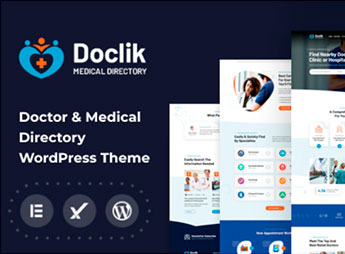
Doclik builds, in WordPress, a directory of clinics and hospitals with doctor profiles and filtering by specialty, patient reviews and native support for right-to-left layout. It serves clinic networks, hospitals and health portals that serve audiences in languages written right to left and need to list several professionals and units on a single site, with search by location, specialty and hours of service.
Main Features of Doclik
- Directory of clinics and hospitals
Organizes healthcare units into profiles with address and specialties served. - Right-to-left layout
Reverses the structure of pages to serve languages such as Arabic and Hebrew. - Doctor profiles
Gathers photo, specialty, education and contact of each listed professional. - Location filter
Cross-references city, neighborhood and specialty to narrow the search result. - Patient reviews
Leaves room for a rating and comment about the care received at the clinic.
Benefits of Doclik
- Reach in more languages
Serves audiences that read right to left without breaking the layout. - Single, centralized directory
Gathers several healthcare units on a single site instead of scattered pages. - Search by specialty
Takes the patient straight to the right professional without browsing through scattered pages. - Credibility through reviews
Shows the opinion of other patients before booking an appointment.
Who Is Doclik For?
- Clinic and hospital networks that serve audiences in languages written right to left.
- Health portals that list doctors from several specialties and units.
- Regional medical directories that need search by location and specialty.
How to Download Doclik
Doclik is available for download here on Ultrapack. To install, upload the file via the path Appearance > Themes > Add New > Upload Theme and activate the theme in the dashboard. Then register the clinics, doctors and specialties of the directory.
A medical directory with support for right-to-left languages expands the reach for clinics that serve Arabic or Hebrew audiences without needing a separate theme for each market. With Doclik, the same structure of profiles and filters works in both reading directions.
Frequently asked questions
Is Doclik – Medical & Clinic Directory WordPress Theme + RTL GPL-licensed?
Yes. Doclik – Medical & Clinic Directory WordPress Theme + RTL is distributed under the GPL (GNU General Public License). You may legally use, modify and redistribute it on as many sites as you want.
Can I use Doclik – Medical & Clinic Directory WordPress Theme + RTL on multiple sites?
Yes. You can install Doclik – Medical & Clinic Directory WordPress Theme + RTL on as many sites as you want. Only automatic updates through Ultrapack Auto Updater have a limit: from 3 to 80 sites, depending on the plan.
How much does Doclik – Medical & Clinic Directory WordPress Theme + RTL cost at Ultrapack?
Doclik – Medical & Clinic Directory WordPress Theme + RTL costs US$2.99 as a single purchase, and it is also included in the subscription plans starting at US$12/mo (VIP I).
Does Doclik – Medical & Clinic Directory WordPress Theme + RTL include updates?
Yes. The current version of Doclik – Medical & Clinic Directory WordPress Theme + RTL is 1.0.1, published at Ultrapack on Oct 25, 2024. Subscribers update straight from the WordPress dashboard with UAU (Ultrapack Auto Updater).
Is Doclik – Medical & Clinic Directory WordPress Theme + RTL scanned before publication?
Yes. Every version of Doclik – Medical & Clinic Directory WordPress Theme + RTL goes through a malware scan (ClamAV and YARA rules, at UltraHub) before it is published.
What are the requirements for the theme Doclik – Medical & Clinic Directory WordPress Theme + RTL?
Requires PHP 5.0 or higher. Tested up to WordPress 7.0.
How to install
Automatic updates: this item is updated by the Ultrapack Auto Updater. With it installed, the new version shows up in your dashboard like any other WordPress update (how to set it up).
The file on this page is the developer’s full package, with documentation, demos and plugins. Do not upload that file to WordPress. The theme comes ready inside it, as a ZIP of its own, and that is the one you upload.
- Download the file
elements-doclik-medical-directory-wordpress-theme.zipand extract it on your computer. - Look inside the extracted files for the file
doclikMain/doclik.zip. - In the WordPress dashboard, go to Appearance > Themes > Add New > Upload Theme.
- Select that file and click Install Now.
- Click Activate.
Requirements: Requires PHP 5.0 or higher. Tested up to WordPress 7.0.
- There is nothing to zip. The ZIP inside the package is already in the format WordPress accepts.
- Uploading the whole package is the most common mistake when installing a theme: WordPress answers that no valid theme was found, and nothing is installed.
- The rest of the package belongs to the author: documentation, demo files and, in some themes, the plugins it asks for during setup.
- The package also includes the plugin the theme uses, in
doclik-plugin.zip. Upload this file in Plugins > Add New > Upload Plugin after activating the theme.
Stuck on a step? Open a ticket telling us which one you stopped at.


