

Description
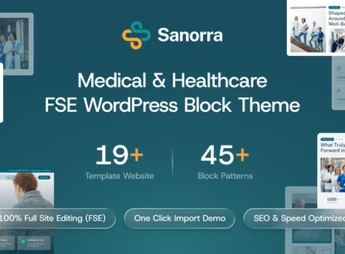
Sanorra is a block theme for WordPress, modern and professional, specifically designed for the healthcare sector. Utilizing Full Site Editing (FSE) technology, it offers a flexible and intuitive platform for hospitals, clinics, doctors, dentists, and other medical institutions. Create a comprehensive and informative website to showcase your services, team, and facilities with ease and elegance, instilling confidence in your patients.
Key Features
- Full Site Editing (FSE): Total control over your site’s design, including headers, footers, and templates, using the block editor.
- Pre-made Block Patterns: Accelerate development with a library of pre-designed block patterns for sections such as services, medical team, and testimonials.
- Responsive and Modern Design: Ensures an impeccable user experience across all devices, from desktops to mobile phones.
- One-Click Demo Import: Quickly start your project by importing the full demo content with just one click.
- Color and Font Customization: Easily adapt the theme’s appearance to your brand identity directly in the site editor.
- SEO Optimized: Clean and semantic code structure to help your site achieve better search engine rankings.
Benefits of Sanorra
- Intuitive Visual Management: Edit each part of your site visually, without touching a line of code, thanks to Full Site Editing’s power.
- Credibility and Professionalism: Instill confidence in your patients with a clean, organized, and information-focused design that clearly presents medical information and services.
- Efficient Content Creation: Use the block patterns to add and organize complex information, such as physician lists and treatment descriptions, quickly and systematically.
- Complete Healthcare Solution: The theme includes essential layouts and features for a medical website, such as appointment scheduling sections, expert profiles, and facility galleries.
Who is it For?
- Hospitals and Medical Centers
- Dental Clinics, Physiotherapy Clinics, and Specialty Clinics
- Doctors, Therapists, and Independent Health Professionals
With Sanorra, you build a robust and professional online presence focused on connecting your healthcare services to those in need.
Frequently asked questions
Is Sanorra – Medical & Healthcare FSE WordPress Block Theme GPL-licensed?
Yes. Sanorra – Medical & Healthcare FSE WordPress Block Theme is distributed under the GPL (GNU General Public License). You may legally use, modify and redistribute it on as many sites as you want.
Can I use Sanorra – Medical & Healthcare FSE WordPress Block Theme on multiple sites?
Yes. You can install Sanorra – Medical & Healthcare FSE WordPress Block Theme on as many sites as you want. Only automatic updates through Ultrapack Auto Updater have a limit: from 3 to 80 sites, depending on the plan.
How much does Sanorra – Medical & Healthcare FSE WordPress Block Theme cost at Ultrapack?
Sanorra – Medical & Healthcare FSE WordPress Block Theme costs US$2.99 as a single purchase, and it is also included in the subscription plans starting at US$12/mo (VIP I).
Does Sanorra – Medical & Healthcare FSE WordPress Block Theme include updates?
Yes. The current version of Sanorra – Medical & Healthcare FSE WordPress Block Theme is 1.1.0, published at Ultrapack on May 11, 2026. Subscribers update straight from the WordPress dashboard with UAU (Ultrapack Auto Updater).
Is Sanorra – Medical & Healthcare FSE WordPress Block Theme scanned before publication?
Yes. Every version of Sanorra – Medical & Healthcare FSE WordPress Block Theme goes through a malware scan (ClamAV and YARA rules, at UltraHub) before it is published.
What are the requirements for the theme Sanorra – Medical & Healthcare FSE WordPress Block Theme?
Requires WordPress 6.5 or higher and PHP 7.4 or higher. Tested up to WordPress 6.9.
How to install
Updates: manual. When a new version comes out, download it on this same page and upload it over the old one; WordPress asks whether you want to replace the current version.
The file on this page is the developer’s full package, with documentation, demos and plugins. Do not upload that file to WordPress. The theme comes ready inside it, as a ZIP of its own, and that is the one you upload.
- Download the file
elements-sanorra-medical-healthcare-fse-wp-block-theme.zipand extract it on your computer. - Look inside the extracted files for the file
sanorra-bundle-1.0.1/sanorra.zip. - In the WordPress dashboard, go to Appearance > Themes > Add New > Upload Theme.
- Select that file and click Install Now.
- Click Activate.
Requirements: Requires WordPress 6.5 or higher and PHP 7.4 or higher. Tested up to WordPress 6.9.
- There is nothing to zip. The ZIP inside the package is already in the format WordPress accepts.
- Uploading the whole package is the most common mistake when installing a theme: WordPress answers that no valid theme was found, and nothing is installed.
- The rest of the package belongs to the author: documentation, demo files and, in some themes, the plugins it asks for during setup.
Stuck on a step? Open a ticket telling us which one you stopped at.


