

 UAU Ready
Description
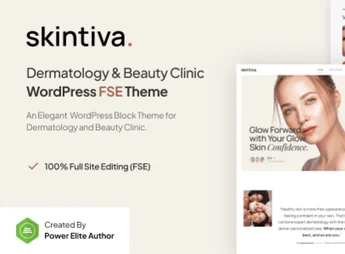
Skintiva is a modern and sophisticated theme, developed specifically for dermatology clinics, aesthetic centers, and beauty care. With a clean and minimalist look, it uses full site editing (FSE) technology to offer complete flexibility in building pages, ensuring a professional presentation without requiring advanced programming knowledge.
Main Features
-
Full Site Editing (FSE) Allow editing of headers, footers, and the entire layout using only native blocks.
-
Gutenverse Integration Optimized to work seamlessly with Gutenverse’s advanced block features.
-
Responsive Design Adjusts automatically to any screen size, ensuring good readability on mobile devices.
-
Service Layouts Features ready-made structures to detail dermatological treatments and aesthetic procedures.
-
Elegant Typography Selection of typefaces that convey clarity and professionalism, essential for the health sector.
-
Fast Loading Lightweight code prioritizing page load speed and user experience.
-
Simple Import Facilitates the start of the project with pre-configured templates ready for editing.
Benefits of Skintiva
-
Intuitive Customization: Easily change colors and visual styles to align with your brand identity.
-
Conversion Focus: Structure designed to guide visitors towards booking appointments or making contact.
-
Time Savings: The ready base removes the need to start from scratch, speeding up launch.
Who Is It Intended For?
-
Dermatologists and specialized medical practices.
-
Advanced aesthetic clinics and beauty spas.
-
Skincare and cosmetology professionals.
By choosing Skintiva, you establish a digital presence that reflects the quality and safety of your procedures. The structure was designed to highlight your expertise and facilitate communication with patients. The simplicity of content management allows you to keep the site always up-to-date, strengthening your authority in the health and wellness market.
Frequently asked questions
Is Skintiva – Dermatology & Beauty Clinic Gutenverse FSE WordPress Theme GPL-licensed?
Yes. Skintiva – Dermatology & Beauty Clinic Gutenverse FSE WordPress Theme is distributed under the GPL (GNU General Public License). You may legally use, modify and redistribute it on as many sites as you want.
Can I use Skintiva – Dermatology & Beauty Clinic Gutenverse FSE WordPress Theme on multiple sites?
Yes. You can install Skintiva – Dermatology & Beauty Clinic Gutenverse FSE WordPress Theme on as many sites as you want. Only automatic updates through Ultrapack Auto Updater have a limit: from 3 to 80 sites, depending on the plan.
How much does Skintiva – Dermatology & Beauty Clinic Gutenverse FSE WordPress Theme cost at Ultrapack?
Skintiva – Dermatology & Beauty Clinic Gutenverse FSE WordPress Theme costs US$2.99 as a single purchase, and it is also included in the subscription plans starting at US$12/mo (VIP I).
Does Skintiva – Dermatology & Beauty Clinic Gutenverse FSE WordPress Theme include updates?
Yes. The current version of Skintiva – Dermatology & Beauty Clinic Gutenverse FSE WordPress Theme is 1.0.0, published at Ultrapack on Dec 24, 2025. Subscribers update straight from the WordPress dashboard with UAU (Ultrapack Auto Updater).
Is Skintiva – Dermatology & Beauty Clinic Gutenverse FSE WordPress Theme scanned before publication?
Yes. Every version of Skintiva – Dermatology & Beauty Clinic Gutenverse FSE WordPress Theme goes through a malware scan (ClamAV and YARA rules, at UltraHub) before it is published.
What are the requirements for the theme Skintiva – Dermatology & Beauty Clinic Gutenverse FSE WordPress Theme?
Requires WordPress 6.2 or higher and PHP 7.4 or higher. Tested up to WordPress 6.6.
How to install
Automatic updates: this item is updated by the Ultrapack Auto Updater. With it installed, the new version shows up in your dashboard like any other WordPress update (how to set it up).
The file on this page is the developer’s full package, with documentation, demos and plugins. Do not upload that file to WordPress. The theme comes ready inside it, as a ZIP of its own, and that is the one you upload.
- Download the file
elements-skintiva-dermatology-beauty-clinic-wp-theme.zipand extract it on your computer. - Look inside the extracted files for the file
skintiva-bundle/skintiva.zip. - In the WordPress dashboard, go to Appearance > Themes > Add New > Upload Theme.
- Select that file and click Install Now.
- Click Activate.
Requirements: Requires WordPress 6.2 or higher and PHP 7.4 or higher. Tested up to WordPress 6.6.
- There is nothing to zip. The ZIP inside the package is already in the format WordPress accepts.
- Uploading the whole package is the most common mistake when installing a theme: WordPress answers that no valid theme was found, and nothing is installed.
- The rest of the package belongs to the author: documentation, demo files and, in some themes, the plugins it asks for during setup.
Stuck on a step? Open a ticket telling us which one you stopped at.


