

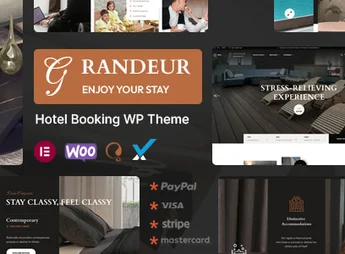
Description
Grandeur is a premium WordPress theme specially designed for hotels, resorts, bed and breakfasts, and accommodation businesses that need an elegant site with an integrated reservation system. Featuring a sophisticated design focused on the guest experience, it allows showcasing accommodations, managing availability, and accepting bookings directly through the site, all without relying on third-party platforms.
Key Features
- Integrated Reservation System
Allows guests to check availability, select dates, and complete bookings directly on the site with automatic confirmation. - Visual Builder with Elementor
Drag-and-drop editor that enables customizing every page without writing a line of code. - Accommodation Management
Register rooms and suites with galleries, amenities, seasonal prices, and detailed descriptions in an organized manner. - Responsive Design
Layout that perfectly adapts to computers, tablets, and smartphones, ensuring optimal navigation on any device. - Pre-installed Demos
Multiple pre-built layouts that can be installed with a single click and adjusted to fit your hotel’s identity. - Payment Integration
Compatible with popular payment gateways to securely and conveniently receive online payments during the booking process.
Benefits of Grandeur
- More Direct Bookings
Reduce dependency on intermediaries and increase profitability by receiving bookings directly through your website. - Professional Experience
Impress visitors with a refined look that aligns with the hospitality market, sending a message of credibility and sophistication. - Efficient Management
Centralized and intuitive administration of accommodations, availability, and content, saving time on a daily basis. - Total Customization
Adjust colors, fonts, layouts, and sections to faithfully reflect your property’s visual identity.
Who is it For?
- Hotels, resorts, and hotel chains that want their own reservation system.
- Bed and breakfasts, hostels, and vacation houses seeking professional online presence.
- Tourism and hospitality entrepreneurs who wish to sell rooms online.
With complete booking features, elegant design, and extensive customization flexibility, Grandeur is the perfect solution to transform the website of your accommodation business into a powerful tool for booking capture and brand value enhancement.
Frequently asked questions
Is Grandeur – Hotel Booking WordPress Theme GPL-licensed?
Yes. Grandeur – Hotel Booking WordPress Theme is distributed under the GPL (GNU General Public License). You may legally use, modify and redistribute it on as many sites as you want.
Can I use Grandeur – Hotel Booking WordPress Theme on multiple sites?
Yes. You can install Grandeur – Hotel Booking WordPress Theme on as many sites as you want. Only automatic updates through Ultrapack Auto Updater have a limit: from 3 to 80 sites, depending on the plan.
How much does Grandeur – Hotel Booking WordPress Theme cost at Ultrapack?
Grandeur – Hotel Booking WordPress Theme costs US$2.99 as a single purchase, and it is also included in the subscription plans starting at US$12/mo (VIP I).
Does Grandeur – Hotel Booking WordPress Theme include updates?
Yes. The current version of Grandeur – Hotel Booking WordPress Theme is 1.5, published at Ultrapack on Jul 15, 2026. Subscribers update straight from the WordPress dashboard with UAU (Ultrapack Auto Updater).
Is Grandeur – Hotel Booking WordPress Theme scanned before publication?
Yes. Every version of Grandeur – Hotel Booking WordPress Theme goes through a malware scan (ClamAV and YARA rules, at UltraHub) before it is published.
What changed in this version
Version 1.5 2024-11-19
- 1) All Debug mode on issues are fixed.
Version 1.4 2024-05-27
- 1) PHP version 8.2.4 Compatibility issues are fixed.
- 2) All Plugins are up to date.
Version 1.3 2023-10-19
- 1) All Plugins are up to date.
Version 1.2 2023-05-27
- 1) Some Functionality issues has been fixed.
Version 1.1 2023-04-14
- 1) One Click Demo import issue has been fixed.
- First release!
Release notes published by the developer.
How to install
Updates: manual. When a new version comes out, download it on this same page and upload it over the old one; WordPress asks whether you want to replace the current version.
The file on this page is the developer’s full package, with documentation, demos and plugins. Do not upload that file to WordPress. The theme comes ready inside it, as a ZIP of its own, and that is the one you upload.
- Download the file
elements-grandeur-hotel-booking-wordpress-theme.zipand extract it on your computer. - Look inside the extracted files for the file
grandeur-wp-full/grandeur.zip. - In the WordPress dashboard, go to Appearance > Themes > Add New > Upload Theme.
- Select that file and click Install Now.
- Click Activate.
- There is nothing to zip. The ZIP inside the package is already in the format WordPress accepts.
- Uploading the whole package is the most common mistake when installing a theme: WordPress answers that no valid theme was found, and nothing is installed.
- The rest of the package belongs to the author: documentation, demo files and, in some themes, the plugins it asks for during setup.
Stuck on a step? Open a ticket telling us which one you stopped at.


