

Description
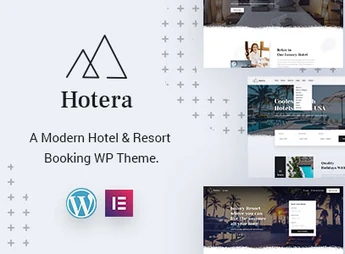
Hotera allows creating websites for hotels, resorts, and guesthouses through the Elementor builder, gathering five importable demos (Mountain Hotel, Beach Hotel, Luxury Hotel, and City Hotel) and ready-to-use internal pages for rooms, spa, restaurant, and staff. The theme is tailored for boutique hotels, resorts, and vacation rentals that need to showcase accommodations, services, and special offers without relying on a developer.
Key Features of Hotera
- Elementor Builder
Build and edit pages by drag-and-drop without requiring coding knowledge. - Five Themed Demos
Import ready-made layouts for beach, mountain, luxury, and city hotels with a single click. - WPML Compatibility
Publish the site in multiple languages to cater to international guests. - Contact Form 7 Forms
Receive reservation requests and direct contact forms from the website. - Library with Over 600 Fonts
Adjust the site typography from the theme options panel.
Benefits of Hotera
- Faster Setup
Reduce website assembly time by starting from a ready-made demo. - International Reach
Expand your audience by presenting the hotel in multiple languages. - Complete Hotel Areas Presentation
Organize rooms, spa, restaurant, and staff in their own clear pages. - Custom Visual Identity
Tweak colors, fonts, and header according to each property’s positioning.
Who is Hotera Suitable For?
- Those who manage boutique hotels, resorts, or guesthouses and need to present rooms and rates online.
- Those who operate spa, restaurant, and leisure areas within the hotel and want dedicated pages for each service.
- Those who receive guests from other countries and need a multilingual site via WPML.
How to Download Hotera
Hotera is available for download here on Ultrapack. After downloading the .zip file, install it by going to Appearance > Themes > Add New > Upload Theme, selecting the file, and activating it. Once activated, the theme options panel appears on the WordPress admin sidebar for importing the demos.
Hotels with various areas, such as reception, restaurant, spa, and events, commonly require distinct pages with unique visual identities; the Hotera solves this by reusing the same set of typography, colors, and Elementor components across every section of the site. This keeps the guest experience consistent from booking to visit, whether it’s a beach resort, a mountain guesthouse, or an urban hotel.
Frequently asked questions
Is Hotera – Resort and Hotel WordPress Theme GPL-licensed?
Yes. Hotera – Resort and Hotel WordPress Theme is distributed under the GPL (GNU General Public License). You may legally use, modify and redistribute it on as many sites as you want.
Can I use Hotera – Resort and Hotel WordPress Theme on multiple sites?
Yes. You can install Hotera – Resort and Hotel WordPress Theme on as many sites as you want. Only automatic updates through Ultrapack Auto Updater have a limit: from 3 to 80 sites, depending on the plan.
How much does Hotera – Resort and Hotel WordPress Theme cost at Ultrapack?
Hotera – Resort and Hotel WordPress Theme costs US$2.99 as a single purchase, and it is also included in the subscription plans starting at US$12/mo (VIP I).
Does Hotera – Resort and Hotel WordPress Theme include updates?
Yes. The current version of Hotera – Resort and Hotel WordPress Theme is 1.7, published at Ultrapack on Aug 16, 2026. Subscribers update straight from the WordPress dashboard with UAU (Ultrapack Auto Updater).
Is Hotera – Resort and Hotel WordPress Theme scanned before publication?
Yes. Every version of Hotera – Resort and Hotel WordPress Theme goes through a malware scan (ClamAV and YARA rules, at UltraHub) before it is published.
What changed in this version
Version 1.7 2024-05-23
- 1) PHP 8.2.4 compatibility issues are fixed.
- 2) All Plugins are up to date.
Version 1.6 2023-11-15
- 1) All Plugins are up to date.
Version 1.5 2023-01-08
- 1) All Plugins are up to date.
Version 1.4 2022-10-28
- 1) All Plugins are up to date.
Version 1.3 2021-11-05
- 1) All plugins are up to date.
- 2) compatible with wordpress 5.8
Release notes published by the developer.
How to install
Updates: manual. When a new version comes out, download it on this same page and upload it over the old one; WordPress asks whether you want to replace the current version.
The file on this page is the developer’s full package, with documentation, demos and plugins. Do not upload that file to WordPress. The theme comes ready inside it, as a ZIP of its own, and that is the one you upload.
- Download the file
elements-hotera-resort-and-hotel-wordpress-theme.zipand extract it on your computer. - Look inside the extracted files for the file
hotera-wp-full/hotera.zip. - In the WordPress dashboard, go to Appearance > Themes > Add New > Upload Theme.
- Select that file and click Install Now.
- Click Activate.
- There is nothing to zip. The ZIP inside the package is already in the format WordPress accepts.
- Uploading the whole package is the most common mistake when installing a theme: WordPress answers that no valid theme was found, and nothing is installed.
- The rest of the package belongs to the author: documentation, demo files and, in some themes, the plugins it asks for during setup.
Stuck on a step? Open a ticket telling us which one you stopped at.


