 UAU Ready
Description
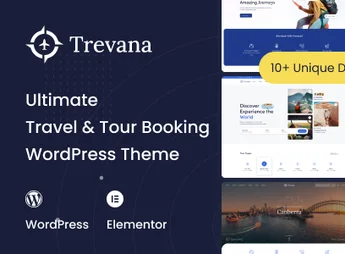
Trevana is a theme aimed at travel and tour bookings, bringing together ready-made pages, areas to display destinations, packages, and essential information in a clear structure. The proposal is to organize offers, present itineraries, and facilitate the sending of inquiries or reservation requests in different types of operation.
Main Features
- Booking system Allows structuring booking requests for tours, packages and experiences in a direct navigation.
- Destination pages Helps present locations, itineraries and essential details of each trip in well-distributed blocks.
- Package display Organizes offers with details such as duration, pricing, dates and concise descriptions.
- Responsive layout Keeps navigation functional on desktops, tablets and mobiles, favoring access across various screens.
- Search and filter sections Makes it easier to locate tours and available options according to the visitor’s interests.
- Informative areas Allows inclusion of content about services, rules, frequently asked questions and booking guidance.
- Tourism-oriented design Provides a structure designed to showcase images, itineraries and travel offers with good organization.
Benefits of Trevana
- Greater organization in presentation: facilitates the distribution of destinations, packages and information on objective pages.
- Improved navigation experience: makes searching for trips and tours simpler for the visitor.
- Practical structure for conversion: helps guide the user to consultation, package selection and booking request.
Who Is It Recommended For?
- Travel agencies
- Tour operators
- Tour and excursion companies
Trevana is recommended for projects that need to present destinations, packages and tourist services in an organized manner. Its structure helps focus important information on objective pages, creating a more practical navigation for those who wish to showcase itineraries, capture orders and expose offers with greater clarity.
Frequently asked questions
Is Trevana – Travel & Tour Booking WordPress Theme GPL-licensed?
Yes. Trevana – Travel & Tour Booking WordPress Theme is distributed under the GPL (GNU General Public License). You may legally use, modify and redistribute it on as many sites as you want.
Can I use Trevana – Travel & Tour Booking WordPress Theme on multiple sites?
Yes. You can install Trevana – Travel & Tour Booking WordPress Theme on as many sites as you want. Only automatic updates through Ultrapack Auto Updater have a limit: from 3 to 80 sites, depending on the plan.
How much does Trevana – Travel & Tour Booking WordPress Theme cost at Ultrapack?
Trevana – Travel & Tour Booking WordPress Theme costs US$2.99 as a single purchase, and it is also included in the subscription plans starting at US$12/mo (VIP I).
Does Trevana – Travel & Tour Booking WordPress Theme include updates?
Yes. The current version of Trevana – Travel & Tour Booking WordPress Theme is 1.0.5, published at Ultrapack on Aug 19, 2026. Subscribers update straight from the WordPress dashboard with UAU (Ultrapack Auto Updater).
Is Trevana – Travel & Tour Booking WordPress Theme scanned before publication?
Yes. Every version of Trevana – Travel & Tour Booking WordPress Theme goes through a malware scan (ClamAV and YARA rules, at UltraHub) before it is published.
What are the requirements for the theme Trevana – Travel & Tour Booking WordPress Theme?
Requires WordPress 4.1 or higher and PHP 7.4 or higher. Tested up to WordPress 4.5.
How to install
Automatic updates: this item is updated by the Ultrapack Auto Updater. With it installed, the new version shows up in your dashboard like any other WordPress update (how to set it up).
The file on this page is the developer’s full package, with documentation, demos and plugins. Do not upload that file to WordPress. The theme comes ready inside it, as a ZIP of its own, and that is the one you upload.
- Download the file
elements-trevana-travel-tour-booking-wordpress-theme.zipand extract it on your computer. - Look inside the extracted files for the file
trevana_theme.zip. - In the WordPress dashboard, go to Appearance > Themes > Add New > Upload Theme.
- Select that file and click Install Now.
- Click Activate.
Requirements: Requires WordPress 4.1 or higher and PHP 7.4 or higher. Tested up to WordPress 4.5.
- There is nothing to zip. The ZIP inside the package is already in the format WordPress accepts.
- Uploading the whole package is the most common mistake when installing a theme: WordPress answers that no valid theme was found, and nothing is installed.
- The rest of the package belongs to the author: documentation, demo files and, in some themes, the plugins it asks for during setup.
- The package also includes the plugin the theme uses, in
revslider.zip. Upload this file in Plugins > Add New > Upload Plugin after activating the theme.
Stuck on a step? Open a ticket telling us which one you stopped at.