

 UAU Ready
Description
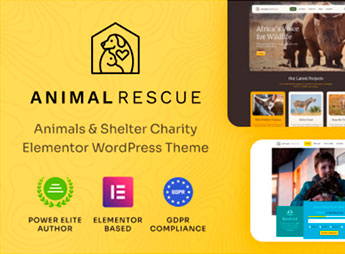
With Animal Rescue, you build professional sites for NGOs, animal shelters, and charity projects via ready demos and a visual customization panel. The theme is designed for organizations needing a welcoming digital presence, featuring adoption sections, rescued animal galleries and donation form integration.
Key Features of Animal Rescue
- Prebuilt Demos
Import full layouts for shelters, campaigns and institutional pages with a single click. - Interactive Adoption Section
Show profiles of available animals with photos, age, and adoption status. - Rescue Gallery
Create visual albums to tell stories of rescued animals and promote campaigns. - Embedded Donation Forms
Integrate buttons and ready-to-use forms to raise funds directly on the site. - Colors and Typography Panel
Customize visual identity without editing code, adjusting palettes and fonts in the customizer.
Benefits of Animal Rescue
- Fast Site Launch
Build your NGO’s digital presence in hours using ready demos. - Donor Engagement
Attract contributions with interactive adoption and engaging galleries. - Simplified Visual Management
Change colors, logos, and texts via the panel without relying on a developer. - Cause Focus
The clean, welcoming layout highlights information that truly matters to the audience.
Who Is Animal Rescue For?
- NGOs and animal shelters needing a site to showcase adoptions and fundraise.
- Volunteer and independent animal protectors seeking a professional platform without development costs.
- Charity projects focused on animal welfare that want to strengthen digital presence and attract supporters.
How to Download Animal Rescue
Animal Rescue is available for download here on Ultrapack. After downloading the .zip file, install it in Appearance > Themes > Add New > Upload Theme, select the .zip and activate. The file is complete and ready for immediate installation.
The theme is designed to translate the mission of animal protection into a welcoming visual experience, combining adoption sections with fundraising tools. It is the perfect foundation for organizations looking to convey transparency, urgency and hope to visitors, without technical barriers or extra personalization costs.
Frequently asked questions
Is Animal Rescue – Shelter Charity WordPress Theme GPL-licensed?
Yes. Animal Rescue – Shelter Charity WordPress Theme is distributed under the GPL (GNU General Public License). You may legally use, modify and redistribute it on as many sites as you want.
Can I use Animal Rescue – Shelter Charity WordPress Theme on multiple sites?
Yes. You can install Animal Rescue – Shelter Charity WordPress Theme on as many sites as you want. Only automatic updates through Ultrapack Auto Updater have a limit: from 3 to 80 sites, depending on the plan.
How much does Animal Rescue – Shelter Charity WordPress Theme cost at Ultrapack?
Animal Rescue – Shelter Charity WordPress Theme costs US$2.99 as a single purchase, and it is also included in the subscription plans starting at US$12/mo (VIP I).
Does Animal Rescue – Shelter Charity WordPress Theme include updates?
Yes. The current version of Animal Rescue – Shelter Charity WordPress Theme is 1.2.2, published at Ultrapack on Jun 16, 2026. Subscribers update straight from the WordPress dashboard with UAU (Ultrapack Auto Updater).
Is Animal Rescue – Shelter Charity WordPress Theme scanned before publication?
Yes. Every version of Animal Rescue – Shelter Charity WordPress Theme goes through a malware scan (ClamAV and YARA rules, at UltraHub) before it is published.
How to install
Automatic updates: this item is updated by the Ultrapack Auto Updater. With it installed, the new version shows up in your dashboard like any other WordPress update (how to set it up).
The file on this page is already the theme, ready to upload to WordPress.
- Download the file
elements-animal-rescue-shelter-charity-wordpress-theme.zip. - In the WordPress dashboard, go to Appearance > Themes > Add New > Upload Theme.
- Select the file
elements-animal-rescue-shelter-charity-wordpress-theme.zipand click Install Now. - Click Activate.
- If WordPress answers that no valid theme was found, the file is the developer’s full package and the theme is in a folder inside it. Extract the file on your computer, look for the folder that has
style.cssandscreenshot.png(in this item, the folderanimal-rescue), zip that folder only and upload it again.
Stuck on a step? Open a ticket telling us which one you stopped at.


