

 UAU Ready
Description
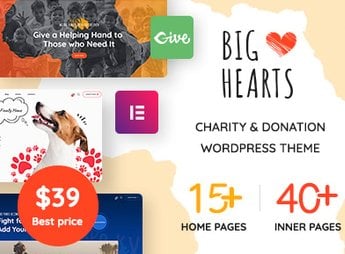
BigHearts structures charity and fundraising sites for churches, NGOs, and social projects, combining campaign pages with donation forms optimized for conversion, a goal tracker, a project gallery, a volunteers area, testimonials, a causes blog, contact forms, a newsletter, and fundraising impact display. The theme is ideal for anyone who needs to professionalize online fundraising, offering ready-to-use niche demos, customization through its own visual builder, a responsive layout, and integration with social networks, tailored for local initiatives and large organizations, all without requiring technical programming knowledge.
Key Features of BigHearts
- Built-in visual builder
Build layouts by dragging content blocks without editing code. - Ready-made charity demos
Complete templates for churches, NGOs, and social projects that can be imported in one click. - Fundraising goal tracker
Shows the progress of each campaign in real time in the donation blocks. - Volunteers area and testimonials
Dedicated sections to recruit supporters and showcase impact stories. - Integrated blog for causes
News module with posts categorized by campaign and updates.
Benefits of BigHearts
- Professional fundraising at no cost
Set up a complete donation platform without hiring developers. - Transparency that engages
Donors track where each contribution goes with the goal tracker. - Impact-focused visual communication
Attract support with a project gallery and real testimonials. - Unified content management
Publish campaigns, blog, and newsletter in the same WordPress dashboard.
Who Is BigHearts Intended For?
- Churches that want to expand their online presence and receive offerings and tithes digitally.
- NGOs that need to promote projects and raise resources for social or environmental causes.
- Social projects that want to showcase impact, recruit volunteers, and keep supporters informed.
How to Download BigHearts
BigHearts is available for download here on Ultrapack. After downloading the .zip file, install it in Appearance > Themes > Add New > Upload theme, select the .zip, and activate it. The file is complete and ready for immediate installation.
With a focus on ease of use and visual communication for causes, BigHearts allows nonprofit organizations to build complete institutional websites without depending on agencies. The theme combines informational pages, a donation area, and a blog, all integrated into a single WordPress installation designed for the nonprofit sector, ensuring a professional and efficient digital presence for fundraising.
Frequently asked questions
Is BigHearts – Charity & Donation WordPress Theme GPL-licensed?
Yes. BigHearts – Charity & Donation WordPress Theme is distributed under the GPL (GNU General Public License). You may legally use, modify and redistribute it on as many sites as you want.
Can I use BigHearts – Charity & Donation WordPress Theme on multiple sites?
Yes. You can install BigHearts – Charity & Donation WordPress Theme on as many sites as you want. Only automatic updates through Ultrapack Auto Updater have a limit: from 3 to 80 sites, depending on the plan.
How much does BigHearts – Charity & Donation WordPress Theme cost at Ultrapack?
BigHearts – Charity & Donation WordPress Theme costs US$2.99 as a single purchase, and it is also included in the subscription plans starting at US$12/mo (VIP I).
Does BigHearts – Charity & Donation WordPress Theme include updates?
Yes. The current version of BigHearts – Charity & Donation WordPress Theme is 3.2.0, published at Ultrapack on Jun 25, 2026. Subscribers update straight from the WordPress dashboard with UAU (Ultrapack Auto Updater).
Is BigHearts – Charity & Donation WordPress Theme scanned before publication?
Yes. Every version of BigHearts – Charity & Donation WordPress Theme goes through a malware scan (ClamAV and YARA rules, at UltraHub) before it is published.
What changed in this version
Version 3.2.0
- Security: Patchstack security advisory resolved
- Fix: Duplicate donations
- Fix: Minor CSS adjustments
- Fix: Width and height in image for pagespeed optimization
- Fix: Single product title
- Fix: Rev-slider importer
- Fix: Alt in donation form
- Fix: Php notice
- Fix: 'frontend_available' => true for portfolio
- Update: Revolution Slider plugin updated
Version 3.1.19
- Fix: Duplicate donations
- Fix: Minor CSS adjustments
- Fix: Width and height in image for pagespeed optimization
- Fix: Rev-slider importer
- Fix: Alt in donation form
- Update: Plugin dependencies updated
- Feature: Compatible give wp builder v3
- Feature: Width and height for image
Release notes published by the developer.
How to install
Automatic updates: this item is updated by the Ultrapack Auto Updater. With it installed, the new version shows up in your dashboard like any other WordPress update (how to set it up).
The file on this page is already the theme, ready to upload to WordPress.
- Download the file
themeforest-28941982-bighearts-charity-donation-wordpress-theme.zip. - In the WordPress dashboard, go to Appearance > Themes > Add New > Upload Theme.
- Select the file
themeforest-28941982-bighearts-charity-donation-wordpress-theme.zipand click Install Now. - Click Activate.
- If WordPress answers that no valid theme was found, the file is the developer’s full package and the theme is in a folder inside it. Extract the file on your computer, look for the folder that has
style.cssandscreenshot.png(in this item, the folderbighearts), zip that folder only and upload it again.
Stuck on a step? Open a ticket telling us which one you stopped at.


