

 UAU Ready
Description
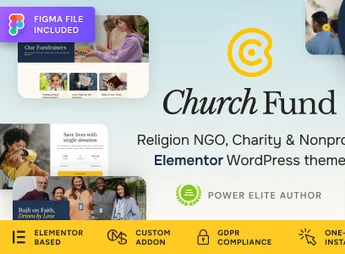
The Church Fund allows you to create sites for churches, religious communities, and NGOs using Elementor, integration with Give for donation forms, fundraising campaigns, and progress milestones. The theme also organizes events, volunteer profiles, pastors or missionaries, institutional pages and a WooCommerce store, serving projects that need to publish content, receive contributions, and promote community actions in a single digital presence.
Main Features of Church Fund
- Give Integration
Creates donation forms, campaigns, goals and fundraising progress. - Custom Post Types
Organizes profiles and campaigns in separate areas from standard content. - Event Templates
Publish religious services, community gatherings and charity conferences. - Elementor Builder
Edit pages via drag-and-drop with custom widgets. - WooCommerce Store
Structure sales of materials, products and resources linked to the mission.
Benefits of Church Fund
- Clear fundraising
Visitors see objectives, progress, and campaign information on dedicated pages. - Less technical work
Teams adjust pages and colors without relying on code editing. - Centralized communication
Events, donations, profiles and content remain organized on a single site. - Consistent presence
Visual identity can follow churches, NGOs or community projects.
Who is Church Fund intended for?
- Churches and religious communities that need to promote services, events, and campaigns.
- NGOs and humanitarian initiatives that collect donations and present social projects.
- Missionary projects, volunteers and community actions that want to gather profiles, news, and contact.
How to download Church Fund
The Church Fund is available for download here on Ultrapack. After downloading the .zip file, install it via Appearance > Themes > Add New > Upload Theme, select the .zip and activate. Then configure the theme and import the content according to the included documentation.
The Church Fund concentrates key resources for faith and social impact sites: donations with Give, event schedule, profiles, institutional pages and sales of materials via WooCommerce. For communities that need to explain causes, mobilize supporters and keep information accessible, the theme reduces the dispersion between tools and helps transform WordPress into a centralized hub of communication and fundraising.
Frequently asked questions
Is Church Fund – Religion, NGO & Charity WordPress Theme GPL-licensed?
Yes. Church Fund – Religion, NGO & Charity WordPress Theme is distributed under the GPL (GNU General Public License). You may legally use, modify and redistribute it on as many sites as you want.
Can I use Church Fund – Religion, NGO & Charity WordPress Theme on multiple sites?
Yes. You can install Church Fund – Religion, NGO & Charity WordPress Theme on as many sites as you want. Only automatic updates through Ultrapack Auto Updater have a limit: from 3 to 80 sites, depending on the plan.
How much does Church Fund – Religion, NGO & Charity WordPress Theme cost at Ultrapack?
Church Fund – Religion, NGO & Charity WordPress Theme costs US$2.99 as a single purchase, and it is also included in the subscription plans starting at US$12/mo (VIP I).
Does Church Fund – Religion, NGO & Charity WordPress Theme include updates?
Yes. The current version of Church Fund – Religion, NGO & Charity WordPress Theme is 1.0.3, published at Ultrapack on Aug 26, 2026. Subscribers update straight from the WordPress dashboard with UAU (Ultrapack Auto Updater).
Is Church Fund – Religion, NGO & Charity WordPress Theme scanned before publication?
Yes. Every version of Church Fund – Religion, NGO & Charity WordPress Theme goes through a malware scan (ClamAV and YARA rules, at UltraHub) before it is published.
How to install
Automatic updates: this item is updated by the Ultrapack Auto Updater. With it installed, the new version shows up in your dashboard like any other WordPress update (how to set it up).
The file on this page is the developer’s full package, with documentation, demos and plugins. Do not upload that file to WordPress. The theme comes ready inside it, as a ZIP of its own, and that is the one you upload.
- Download the file
elements-church-fund-religion-ngo-charity-theme.zipand extract it on your computer. - Look inside the extracted files for the file
church-fund.zip. - In the WordPress dashboard, go to Appearance > Themes > Add New > Upload Theme.
- Select that file and click Install Now.
- Click Activate.
- There is nothing to zip. The ZIP inside the package is already in the format WordPress accepts.
- Uploading the whole package is the most common mistake when installing a theme: WordPress answers that no valid theme was found, and nothing is installed.
- The rest of the package belongs to the author: documentation, demo files and, in some themes, the plugins it asks for during setup.
- The package also includes the plugin the theme uses, in
revslider.zip. Upload this file in Plugins > Add New > Upload Plugin after activating the theme.
Stuck on a step? Open a ticket telling us which one you stopped at.


