 UAU Ready
Description
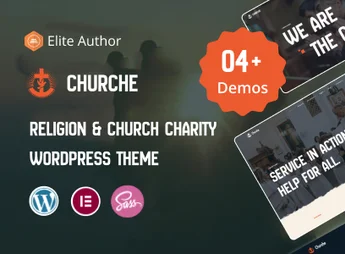
Churche is a premium WordPress theme, carefully designed for churches, ministries, religious organizations, and faith communities. It offers a comprehensive and welcoming platform to connect with the congregation, share sermons, manage events, and collect donations. With a modern and serene design, Churche helps convey your spiritual message effectively and professionally online.
Main Features
- Elementor Visual Builder: Create and customize pages intuitively with the drag-and-drop system, no coding required.
- Sermon Management: Publish and organize sermons in audio, video, and text formats, creating an accessible archive for your community.
- Integrated Events System: Promote and manage services, conferences, and church activities with The Events Calendar plugin integration.
- Donations Functionality: Full compatibility with the GiveWP plugin to facilitate safe online collection of tithes and offerings.
- One-Click Demo Importer: Install the complete demo site with just one click to speed up the development process.
- Responsive and Retina Ready Design: Ensures your site looks flawless and works perfectly on all devices, from desktops to smartphones.
Benefits of Churche
- Community Connection: Keep your congregation informed and engaged through event calendars, sermon posts, and photo galleries, strengthening community bonds.
- Simplified Administration: Dedicated features for sermons, events, and donations centralize content management, making site updates simple and quick for the team.
- Expanded Message Reach: By making content available online, your message can reach people beyond the church’s physical boundaries, attracting new members and serving those who cannot attend.
- Financial Sustainability: Integration with the online donation system offers a modern and convenient channel for contributions, helping secure financial support for the church’s missions and projects.
Who Is It For?
- Churches and parishes of any denomination.
- Nonprofit and faith-based charity organizations.
- Ministries, preachers, and religious speakers.
With Churche, you build more than a website; you create a digital hub for your faith community.
Frequently asked questions
Is Churche – Religion & Church WordPress Theme GPL-licensed?
Yes. Churche – Religion & Church WordPress Theme is distributed under the GPL (GNU General Public License). You may legally use, modify and redistribute it on as many sites as you want.
Can I use Churche – Religion & Church WordPress Theme on multiple sites?
Yes. You can install Churche – Religion & Church WordPress Theme on as many sites as you want. Only automatic updates through Ultrapack Auto Updater have a limit: from 3 to 80 sites, depending on the plan.
How much does Churche – Religion & Church WordPress Theme cost at Ultrapack?
Churche – Religion & Church WordPress Theme costs US$2.99 as a single purchase, and it is also included in the subscription plans starting at US$12/mo (VIP I).
Does Churche – Religion & Church WordPress Theme include updates?
Yes. The current version of Churche – Religion & Church WordPress Theme is 1.0.0, published at Ultrapack on Mar 18, 2026. Subscribers update straight from the WordPress dashboard with UAU (Ultrapack Auto Updater).
Is Churche – Religion & Church WordPress Theme scanned before publication?
Yes. Every version of Churche – Religion & Church WordPress Theme goes through a malware scan (ClamAV and YARA rules, at UltraHub) before it is published.
How to install
Automatic updates: this item is updated by the Ultrapack Auto Updater. With it installed, the new version shows up in your dashboard like any other WordPress update (how to set it up).
The file on this page is the developer’s full package, with documentation, demos and plugins. Do not upload that file to WordPress. The theme comes ready inside it, as a ZIP of its own, and that is the one you upload.
- Download the file
elements-churche-religion-church-wordpress-theme.zipand extract it on your computer. - Look inside the extracted files for the file
churche.zip. - In the WordPress dashboard, go to Appearance > Themes > Add New > Upload Theme.
- Select that file and click Install Now.
- Click Activate.
- There is nothing to zip. The ZIP inside the package is already in the format WordPress accepts.
- Uploading the whole package is the most common mistake when installing a theme: WordPress answers that no valid theme was found, and nothing is installed.
- The rest of the package belongs to the author: documentation, demo files and, in some themes, the plugins it asks for during setup.
Stuck on a step? Open a ticket telling us which one you stopped at.