

 UAU Ready
Description
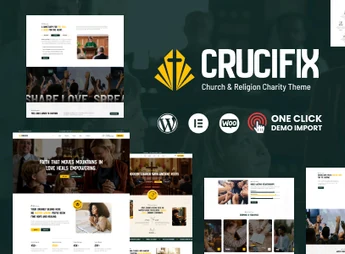
Crucifix is a theme designed for churches, religious communities, and nonprofit organizations, integrated with Elementor and featuring more than 35 custom shortcodes to build pages for services, campaigns, and events. The theme structures donation and event promotion sections with a responsive layout, one-click demo import, and compatibility with WooCommerce, Contact Form 7, Events Calendar, and WPML.
Main Features of Crucifix
- Built with Elementor
All pages are created by drag and drop, with no code editing required. - More than 35 exclusive shortcodes
Pre-made blocks for schedules, media, counters, and donation calls. - Unlimited headers and footers
Top and footer layouts created and edited directly in Elementor. - One-click demo import
Demo content is applied to the site with a single action. - Compatibility with WooCommerce
Support for versions 5.x to 9.x, live product search, and fixed add-to-cart.
Benefits of Crucifix
- Site ready in fewer steps
The imported demo already provides the page structure to adjust content. - Autonomy in daily editing
Volunteers publish notices and events without relying on a programmer. - Reach in multiple languages
WPML support allows serving congregations and visitors in other languages. - Comfortable reading on mobile
The responsive layout keeps schedules and forms legible on small screens.
Who Is Crucifix Recommended For?
- Churches and parishes that share schedules of services, meetings, and celebrations.
- Those organizing fundraising campaigns who need clear donation pages.
- Religious communities and social projects frequently publishing events and devotional content.
- Users already working with Elementor who want a ready-made look for the religious sector.
How to Download Crucifix
Crucifix is available for download here on Ultrapack. After saving the .zip file, go to Appearance > Themes > Add New > Upload Theme, select the package, and activate it. Then, the panel shows the demo import assistant and the shortcodes become accessible within the Elementor editor.
By combining a visual builder, a library of thematic shortcodes, and integration with Events Calendar and WooCommerce, Crucifix covers everything from the weekly schedule to item sales and contribution acceptance on the same site. It is a suitable base for those maintaining an active community and needing to update content frequently without opening code for every schedule change.
Frequently asked questions
Is Crucifix – Church WordPress Theme GPL-licensed?
Yes. Crucifix – Church WordPress Theme is distributed under the GPL (GNU General Public License). You may legally use, modify and redistribute it on as many sites as you want.
Can I use Crucifix – Church WordPress Theme on multiple sites?
Yes. You can install Crucifix – Church WordPress Theme on as many sites as you want. Only automatic updates through Ultrapack Auto Updater have a limit: from 3 to 80 sites, depending on the plan.
How much does Crucifix – Church WordPress Theme cost at Ultrapack?
Crucifix – Church WordPress Theme costs US$2.99 as a single purchase, and it is also included in the subscription plans starting at US$12/mo (VIP I).
Does Crucifix – Church WordPress Theme include updates?
Yes. The current version of Crucifix – Church WordPress Theme is 1.0.4, published at Ultrapack on Aug 20, 2026. Subscribers update straight from the WordPress dashboard with UAU (Ultrapack Auto Updater).
Is Crucifix – Church WordPress Theme scanned before publication?
Yes. Every version of Crucifix – Church WordPress Theme goes through a malware scan (ClamAV and YARA rules, at UltraHub) before it is published.
What are the requirements for the theme Crucifix – Church WordPress Theme?
Requires WordPress 5.0 or higher and PHP 7.4 or higher. Tested up to WordPress 7.0.
How to install
Automatic updates: this item is updated by the Ultrapack Auto Updater. With it installed, the new version shows up in your dashboard like any other WordPress update (how to set it up).
The file on this page is the developer’s full package, with documentation, demos and plugins. Do not upload that file to WordPress. The theme comes ready inside it, as a ZIP of its own, and that is the one you upload.
- Download the file
elements-crucifix-church-wordpress-theme.zipand extract it on your computer. - Look inside the extracted files for the file
crucifix-1.0.4.zip. - In the WordPress dashboard, go to Appearance > Themes > Add New > Upload Theme.
- Select that file and click Install Now.
- Click Activate.
Requirements: Requires WordPress 5.0 or higher and PHP 7.4 or higher. Tested up to WordPress 7.0.
- There is nothing to zip. The ZIP inside the package is already in the format WordPress accepts.
- Uploading the whole package is the most common mistake when installing a theme: WordPress answers that no valid theme was found, and nothing is installed.
- The rest of the package belongs to the author: documentation, demo files and, in some themes, the plugins it asks for during setup.
- The file
plugins-bundle.zipis not an installable plugin: it's a package. Extract this file and upload each plugin inside it to Plugins > Add New > Upload Plugin.
Stuck on a step? Open a ticket telling us which one you stopped at.



