

Description
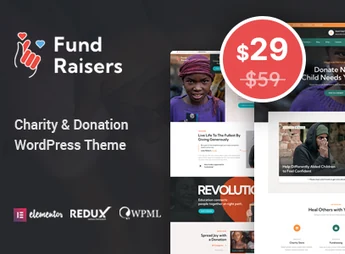
Fundboxs makes donation collection sites for non-profits, social projects, and churches, building pages with Elementor using custom blocks for charitable causes. The theme includes two front-page demos with different headers, over 15 ready-to-use internal pages, full-screen background slider, a library with more than 600 Google Fonts, contact forms via Contact Form 7, and support for WPML for multi-lingual sites.
Main Fundboxs Features
- Elementor Builder with Custom Blocks
Builts donation and cause pages using exclusive blocks from the theme within Elementor. - Two Front-Page Demos
Brings two home page options with distinct headers to vary the first impression of the site. - Over 15 Internal Pages
Includes a set of ready-to-use internal pages for events, causes, team, and contact. - Advanced Options Panel
Reunites custom widgets and layout settings in a dedicated theme panel. - WPML Support
Allows translating the site content to cater to audiences in multiple languages.
Fundboxs Benefits
- Faster campaign publication
Reduces the time between creating a cause and publishing the corresponding page on the site. - Reach in more languages
Expands donation collection from supporters in regions where a different language predominates. - Good readability on any screen
Keeps the layout readable on mobiles, tablets, and retina screens without manual adjustments. - Upgrades without losing customizations
Preserves customizations made in the theme even after installing updates, thanks to the child theme.
Who is Fundboxs for?
- Those managing donation campaigns for non-profits and social projects.
- Churches and missions needing pages for events and organized donations by cause.
- Volunteer teams collecting contact forms and supporter registrations.
How to Download Fundboxs
The Fundboxs is available for download here on Ultrapack. After downloading the .zip file, install it in Appearance > Themes > Add New > Upload Theme, select the file, and activate. Customization options start appearing in the theme panel right after activation.
Tailored to initiatives that depend on donations to sustain themselves, Fundboxs concentrates a visual builder, cause-specific blocks, and contact forms into a single installation, without relying on multiple standalone plugins. Non-profits, churches, and collectives already using Elementor on other site pages benefit from the same editing logic, reducing the learning curve for the team responsible for content updates.
Frequently asked questions
Is Fundboxs – Charity & Donation WordPress Theme GPL-licensed?
Yes. Fundboxs – Charity & Donation WordPress Theme is distributed under the GPL (GNU General Public License). You may legally use, modify and redistribute it on as many sites as you want.
Can I use Fundboxs – Charity & Donation WordPress Theme on multiple sites?
Yes. You can install Fundboxs – Charity & Donation WordPress Theme on as many sites as you want. Only automatic updates through Ultrapack Auto Updater have a limit: from 3 to 80 sites, depending on the plan.
How much does Fundboxs – Charity & Donation WordPress Theme cost at Ultrapack?
Fundboxs – Charity & Donation WordPress Theme costs US$2.99 as a single purchase, and it is also included in the subscription plans starting at US$12/mo (VIP I).
Does Fundboxs – Charity & Donation WordPress Theme include updates?
Yes. The current version of Fundboxs – Charity & Donation WordPress Theme is 1.3, published at Ultrapack on Aug 16, 2026. Subscribers update straight from the WordPress dashboard with UAU (Ultrapack Auto Updater).
Is Fundboxs – Charity & Donation WordPress Theme scanned before publication?
Yes. Every version of Fundboxs – Charity & Donation WordPress Theme goes through a malware scan (ClamAV and YARA rules, at UltraHub) before it is published.
What changed in this version
Version 1.3 2024-05-28
- 1) PHP version 8.2.4 compatibility issues are fixed.
- 2) All Plugins are up to date.
Version 1.2 2023-10-19
- 1) All Plugins are up to date.
Version 1.1 2023-05-26
- 1) One Click Demo Import Issue Has Been Fixed.
- First release!
Release notes published by the developer.
How to install
Updates: manual. When a new version comes out, download it on this same page and upload it over the old one; WordPress asks whether you want to replace the current version.
The file on this page is the developer’s full package, with documentation, demos and plugins. Do not upload that file to WordPress. The theme comes ready inside it, as a ZIP of its own, and that is the one you upload.
- Download the file
elements-fundboxs-charity-donation-wordpress-theme.zipand extract it on your computer. - Look inside the extracted files for the file
fundbox-wp-full/fundbox.zip. - In the WordPress dashboard, go to Appearance > Themes > Add New > Upload Theme.
- Select that file and click Install Now.
- Click Activate.
- There is nothing to zip. The ZIP inside the package is already in the format WordPress accepts.
- Uploading the whole package is the most common mistake when installing a theme: WordPress answers that no valid theme was found, and nothing is installed.
- The rest of the package belongs to the author: documentation, demo files and, in some themes, the plugins it asks for during setup.
Stuck on a step? Open a ticket telling us which one you stopped at.


